KLN90B Route Converter v.3 Просмотр ZIP-архива
KLN Route Converter/readme3.0.txt
---------------------- RUSSIAN -------------------------------

Конвертатор маршрутов в KLN90B версия 3.


Программа высчитывает маршрутные точки введенного маршрута и вводит в системные файлы прибора KLN. Причем неважно какой давности ваша навдата прибора KLN, так как программа сама прописывает пользовательские точки (если
они еще не существуют) из собственной базы, которая теперь автоматически обновляется.

Что было добавлено (v2.0):
1. Функция DCT (direct). В пример попробуйте ввести маршрут "ASKIL L979 KURPI" и "ASKIL DCT KURPI"!
2. Автоматическое обновление базы данных AIRAC с сервера (Буду стараться регулярно делать обновления, но если что-то не стесняйтесь долбить мне в чат чтобы сделал обновление)).
3. Поле ввода теперь принимает только английскую раскладку, и введенные символы автоматически преобразуются в верхний регистр.
4. Проверка на наличие новой версии программы.

Что было добавлено (v2.1):
1. Исправлена проблема с отображением маршрута в КЛН из-за неправильного числа пролетных точек. Также исправлен поиск координат аэродрома из базы КЛН при вводе аэродрома вылета.
2. Кроме DCT, теперь можно просто прописать перечень пролетных точек, например маршрут "ITINA RW GEKLA WT" теперь
тоже сработает.

Что было добавлено (v3.0):
1. Более правильное построение маршрута. При построении выберается наиболее близкая точка к аэропорту вылета, и далее берется наиболее близкая точка к предыдущей.
2. Возможность построения длинных маршрутов до 120 пролетных точек. Маршрут разбивается на части, так напричер маршрут "NAKOS UZ4 BAROK UA873 BENTU UN873 NEVEL UA873 MITLA UN873 GDV UN871 VJF UQ86 LUMAS UQ206 NOSTA UM985 ABN UQ985 MALUG UM985 JAN UM866 DBV UL999 SUPAK L999 BIGLU T344 TURAT A821 SUGIR R11 IN IN3T SF R480 GAMDI R487 OK W114 INGEN G710 LUNAG A300 SOPUS A723 BANAM A303 TINRI A300 ML R201 SZ R480 NOSPI A575 MU B208 NIXAL G343 TMR B458 TZH A596 KM" займет сразу 5 слотов FPL начиная с выбранного.
3. Функция удаления определенных FPL слотов. Зеленая кнопка - слот свободен, красная - занят.


Для использования вам потребуется:
1. ВС с KLN90B GPS от Project Tupolev.
2. NET Framework 4 - http://www.microsoft.com/ru-ru/download/details.aspx?id=17851


Инструкция к использованию:

1. Извлеките папку с программой в желаемую вами папку.
2. При первом запуске программа потребует ввести путь к папке с прибором.
На моём компьютере это "G:\Games\Microsoft Flight Simulator 2004\PTT_KLN90B".
3. Нажимаем кнопку Save и программа закроется.

*4. При втором запуске, в правом верхнем углу будет надпись красного цвета, означает что программа не видит файл базы
(data.txt), который необходимо обновить. Вообще данная надпись показывает нам состояние программы:
1) Красный (NULL) - отсутствет навбаза.
2) Красный (номер цикла) - Обновление старше 3 месяцев.
3) Ораньженый (номер цикла) - Обновление меньше 4 месяцев.
4) зеленый (номер цикла) - Свежее обновление.
5) Серый (номер цикла) - Возникает при отсутствии интернет соединения (или слетел мой хостинг), причем при запуске
программы будет наблюдатся задержка до 30 секунд из-за попытки соединения. Что-бы избавится от этой задержки, на вкладке
настроек можно выключить обновления.
6) Светлоголубой (номер цикла) - Результат выключения обновлений.

5. Запустите программу еще раз, и теперь уже сразу откроется главная вкладка, куда
следует ввести строку маршрута, которая должна быть в формате ТОЧКА ТРАССА ТОЧКА.
6. При желании можно ввести ИКАО кода аэродрома вылета, что будет является первой
полётной точкой. Если оставить текстовое поле пустым, то первой точкой будет первая
точка введенного маршрута.
7. Далее выбераем номер слота плана КЛН(FPL), под которым хотите видеть данный маршрут
(если под этим номером уже есть маршрут, то запись не сработает).
8. Нажимаем кнопку Compile, и в нижнее текстовое поле будут выведены все высчитанные
полетные точки, что означает успешную запись.

При возникновении каких либо ошибок можно попробовать восстонавить файлы прибора.
На странице настроек "Options" есть 2 кнопки, которые восстановят файл планов и файл
пользоватеьских точек, которые программа будет постоянно записывать. Если вы
часто будете пользоваться данным приложением, рекомендую периодически делать очистку
пользовательских точек.


все вопросы пишите в коменты или в личку.

Дмитрий (Dmetrey)


-------------------------- ENGLISH -------------------------------

KLN Route Converter version 3.

The program, is intended for converting the entered route, into the KLN90B gauge.
The adventages of this program is that it uses its own database, wich does
not conflict with the current database of the KLN gauge.

What was added (v2):
1. Direct to function (DCT). Just try entering a route "ASKIL L979 KURPI" and then "ASKIL DCT KURPI" to see the
diffrence.
2. Automatic AIRAC database updating.
3. Route text field now only accepts english letters, and automaticly capitalizes all the letters.
4. automatic checking for new version.

What was added (v2.1):
1. Fixed issue with gauge not reading Flightplan
2. Added function to ommit the DCT statement in a route string, now you can enter just wayspoints like so - "ITINA RW
GEKLA WT".

What was added (v3):
1. More precise route building. Now it uses the waypoint closest to the departure airport, and the following waypoints closest to the previous.
2. Function to build long routes wich can consist up to but not more then 120 waypoints. For example the following route "NAKOS UZ4 BAROK UA873 BENTU UN873 NEVEL UA873 MITLA UN873 GDV UN871 VJF UQ86 LUMAS UQ206 NOSTA UM985 ABN UQ985 MALUG UM985 JAN UM866 DBV UL999 SUPAK L999 BIGLU T344 TURAT A821 SUGIR R11 IN IN3T SF R480 GAMDI R487 OK W114 INGEN G710 LUNAG A300 SOPUS A723 BANAM A303 TINRI A300 ML R201 SZ R480 NOSPI A575 MU B208 NIXAL G343 TMR B458 TZH A596 KM" will be stored under 5 FPL slots, starting from the desired entered slot.
3. Function of deleting specific FPLs in the options tab -> Remove specific FPL.


For use you will need:
1. Aircraft with KLN90B GPS from Project Tupolev.
2. NET Framework 4 - http://www.microsoft.com/ru-ru/download/details.aspx?id=17851

Instructions:

1. Extract the folder to a desired location.
2. Start the program. On first start you will be asked to enter your current KLN gauge
directory located in your flight simulator folder.
In my case it is "G:\Games\Microsoft Flight Simulator 2004\PTT_KLN90B".
3. Press Save and the program will close.

*4. With the next program launch, in the right top corner you will see a label with a red back ground wich means that the
navdata file is not found, wich at this stage needs to be updated. In total this label has the following meanings:
1) Red (NULL) - Navdata missing.
2) Red (cycle number) - Current navdata is more then 3 months old.
3) Orange (cycle number) - Current navdata is less then 4 months old.
4) Green (cycle number) - Current navdata is same as server.
5) Gray (cycle number) - There is no connection to the server, wich can make the program startup to take up to 30 second
as it tries to find a connection. To prevent this delay, on the options tab you can disable the Updating.
6) Light-Blue (cycle number) - This is the result of disabling the automatic updating.

5. Launch the program again, and it will start on the main page in wich you will have to
enter the route string wich must be in a format WAYPOINT AIRWAY WAYPOINT.
6. If needed, enter the departure airport, wich will be the first waypoint of the KLN.
If you leave the textbox blank, the first waypoint of you string route will be the first
waypoint.
7. Then you should choose the desired flight plan slot of the KLN database. (If there is
a route under the selected FPL, it will simply be overwritten)
8. Press the Compile button. If everything goes successfuly, in the bottom text area, you
will see text containing generated waypoints, wich is a sighn of successful conversion.
(together with a yellow flash of the text box).


In case of any errors, there are 2 buttons in the options tab for resetting the KLN flight
plan and user waypoint files. (altho most probbebly your problem might be with the absence
of a waypoint or airway then a corrupted KLN data file). But i still reccomend once in a while
clicking on the "Reset User Waypoints" button, since it will be constantly written with new
waypoints as you compile more and more routes.


for any questions write a comment or messege me on AVSIM.su

Dmetrey
56227-KLN-Route-Converter.zip
| Имя файла | Дата | Размер |
|---|---|---|
| KLN Route Converter/ | 27.03.2015 19:22 | |
| KLN Route Converter/KLN Route Converter.exe | 27.03.2015 19:18 | 1 MB |
| KLN Route Converter/readme3.0.txt | 27.03.2015 19:48 | 8 KB |
| avsim_su.diz | 27.03.2015 18:51 | 406 B |
| Итого: | 1 MB | |
KLN90B Route Converter v.3
| Rating: 5!
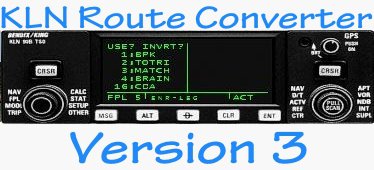
Program generates and writes waypoints of the entered route in to the KLN flight plan database, saving time addings waypoints manually.
Added:
1. More precise route building. Now it uses the waypoint closest to the departure airport, and the following waypoints closest to the previous.
2. Function to build long routes wich can consist up to but not more then 120 waypoints.
3. Function of deleting specific FPLs in the options tab -> Remove specific FPL.
More info in the readme file.
Added:
1. More precise route building. Now it uses the waypoint closest to the departure airport, and the following waypoints closest to the previous.
2. Function to build long routes wich can consist up to but not more then 120 waypoints.
3. Function of deleting specific FPLs in the options tab -> Remove specific FPL.
More info in the readme file.
→ Size:
114 KB
→ Date:
11 years ago (27.03.2015 18:02)
→ Author:
Dmetey Taborko
→ Approved by moderator:
CaptainFlying
→ License:
Freeware - Free version, Do Not Redistribute
→ Downloaded:
680 time(s)