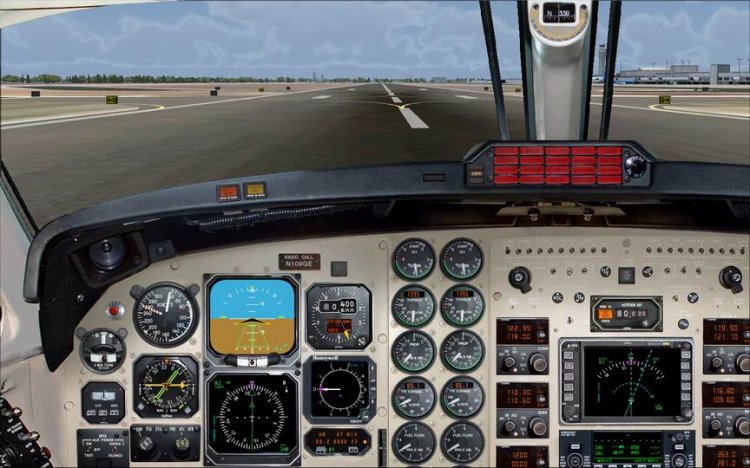
Indicator trimmer PB. In a real airplane pilot feels the situation trim wheel on his hands, Sim is more complicated. This inconvenience has led to place in your favorite aerovoksovskom in 200 position indicator trim. Configuration designed for my wide panel, but if a little pokoldovat, you can apply to any aircraft. Placed in the folder panel Gough trim.cab, then make the following changes: in file panel.cfg section; [Window10] - gaugexx = Trim! Pitch Trim, 751,880,47,84; [Window11] - gaugehh = Trim! Pitch Trim, 877,740,53,91; [Window12] - gaugehh = Trim! Pitch Trim, 781,880,47,84; [Window13] - gaugehh = Trim! Pitch Trim, 650,760,53,91. The file panel.vcpanel.cfg the following changes: [Window10] - gaugexx =.. PanelTrim! Pitch Trim, 751,880,47,84; [Window11] - gaugehh =.. PanelTrim! Pitch Trim, 877,740,53,91; [Window12 ] - gaugehh =.. PanelTrim! Pitch Trim, 781,880,47,84; [Window13] - gaugehh =.. PanelTrim! Pitch Trim, 650,760,53,91. Standard reminder - Do not forget to backup! Accordingly, instead of "xx" number of the gauge on the list.
→ Size:
102 KB
→ Date:
15 years ago (29.05.2011 17:35)
→ Author:
Lavinjer
→ Approved by moderator:
seric76
→ License:
Freeware - Free version, Unlimited Distribution
→ Downloaded:
247 time(s)
5
Thank you!
− Karadag,
15 years ago,
#