Addit! Pro For Flight Simulator X V7.3.5 Просмотр ZIP-архива
whatsnew.htm
<html>

<head>
<meta http-equiv="Content-Type" content="text/html; charset=iso-8859-1">
<title>What's New in this Version?</title>

<meta name="Microsoft Theme" content="pvamazot 0111, default">
</head>

<body background="" bgcolor="#FFFFFF" text="#000000" link="#0000FF" vlink="#CC0000" alink="#00CC33"><!--mstheme--><font face="Arial, Arial, Helvetica">

<h2><!--mstheme--><font face="arial, Arial, Helvetica" color="#D6B874">What's New in this Version?<!--mstheme--></font></h2>
<!--webbot bot="Include" U-Include="../revision_history_ip.htm" TAG="BODY" startspan -->


<h3><!--mstheme--><font face="arial, Arial, Helvetica" color="#0082BF">Improvements and Changes in Version 7.3.5<!--mstheme--></font></h3>

<p><small><strong>Addit! Pro For Flight Simulator X</strong> is a full-featured
addon manager for Microsoft Flight Simulator X.</small></p>
<h4><!--mstheme--><font face="arial, Arial, Helvetica" color="#FF8040">Addon Installation Wizard<!--mstheme--></font></h4>
<!--mstheme--></font><!--msthemelist--><table border="0" cellpadding="0" cellspacing="0" width="100%">
	<!--msthemelist--><tr><td valign="baseline" width="42"><img src="bull1.gif" width="16" height="16" hspace="13" alt="bullet"></td><td valign="top" width="100%"><!--mstheme--><font face="Arial, Arial, Helvetica"><font size="2">Added a menu option "Synchronize all Install Wizard
	windows" to all Addon Installation Wizard step screens. Using this option
	synchronizes the size and position of all Wizard step screens. This saves
	time as you no longer need to resize each one separately. Press F11 or
	right-click on an edge of a Wizard step screen to use this new feature.</font><!--mstheme--></font><!--msthemelist--></td></tr>
<!--msthemelist--></table><!--mstheme--><font face="Arial, Arial, Helvetica">
<h4><!--mstheme--><font face="arial, Arial, Helvetica" color="#FF8040">General<!--mstheme--></font></h4>
<!--mstheme--></font><!--msthemelist--><table border="0" cellpadding="0" cellspacing="0" width="100%">
	<!--msthemelist--><tr><td valign="baseline" width="42"><img src="bull1.gif" width="16" height="16" hspace="13" alt="bullet"></td><td valign="top" width="100%"><!--mstheme--><font face="Arial, Arial, Helvetica"><font size="2">Thumbnail images shown on the Addon Installation Wizard,
	Addon Removal Wizard, and Work With Addons screens use widescreen picture
	aspect ratios better, eliminating squashed pictures.</font><!--mstheme--></font><!--msthemelist--></td></tr>
	<!--msthemelist--><tr><td valign="baseline" width="42"><img src="bull1.gif" width="16" height="16" hspace="13" alt="bullet"></td><td valign="top" width="100%"><!--mstheme--><font face="Arial, Arial, Helvetica"><span style="font-size: 10.0pt; font-family: Arial">Tweaked the
	application icon to clear up blurry image issues on some operating systems
	when tasking switching.</span><!--mstheme--></font><!--msthemelist--></td></tr>
	<!--msthemelist--><tr><td valign="baseline" width="42"><img src="bull1.gif" width="16" height="16" hspace="13" alt="bullet"></td><td valign="top" width="100%"><!--mstheme--><font face="Arial, Arial, Helvetica"><font face="Arial" size="2">Tweaked screen height and button position on
	a few screens.</font><!--mstheme--></font><!--msthemelist--></td></tr>
	<!--msthemelist--><tr><td valign="baseline" width="42"><img src="bull1.gif" width="16" height="16" hspace="13" alt="bullet"></td><td valign="top" width="100%"><!--mstheme--><font face="Arial, Arial, Helvetica"><font face="Arial" size="2">Program Information now shows the operating
	systems Windows 7 and Windows 8 correctly instead of indicating Windows
	Vista.</font><!--mstheme--></font><!--msthemelist--></td></tr>
<!--msthemelist--></table><!--mstheme--><font face="Arial, Arial, Helvetica">
<h4><!--mstheme--><font face="arial, Arial, Helvetica" color="#FF8040">Fixes<!--mstheme--></font></h4>
<!--mstheme--></font><!--msthemelist--><table border="0" cellpadding="0" cellspacing="0" width="100%">
	<!--msthemelist--><tr><td valign="baseline" width="42"><img src="bull1.gif" width="16" height="16" hspace="13" alt="bullet"></td><td valign="top" width="100%"><!--mstheme--><font face="Arial, Arial, Helvetica"><font size="2">Fixed a bug in Edit Aircraft that could record a wrong
	value to Addit! Pro's database when toggling an aircraft's status from
	hidden to visible.</font><!--mstheme--></font><!--msthemelist--></td></tr>
	<!--msthemelist--><tr><td valign="baseline" width="42"><img src="bull1.gif" width="16" height="16" hspace="13" alt="bullet"></td><td valign="top" width="100%"><!--mstheme--><font face="Arial, Arial, Helvetica"><font size="2">Related to the above fix, added an automatic database
	update in Work With Addons where if an aircraft with an expected
	aircraft.cfg file actually has a hidden.cfg file instead, Addit! Pro will
	update its database to correct the inconsistency.</font><!--mstheme--></font><!--msthemelist--></td></tr>
	<!--msthemelist--><tr><td valign="baseline" width="42"><img src="bull1.gif" width="16" height="16" hspace="13" alt="bullet"></td><td valign="top" width="100%"><!--mstheme--><font face="Arial, Arial, Helvetica"><font size="2">Fixed an addon removal bug where file dependency checks
	could sometimes leave certain files installed.</font><!--mstheme--></font><!--msthemelist--></td></tr>
	<!--msthemelist--><tr><td valign="baseline" width="42"><img src="bull1.gif" width="16" height="16" hspace="13" alt="bullet"></td><td valign="top" width="100%"><!--mstheme--><font face="Arial, Arial, Helvetica"><font size="2">Several missions are now correctly flagged as stock
	missions created by Microsoft. These include: Tutorial 12 Helicopter
	Maneuvers 2 mission, Reno T6 Flying Start mission, Reno Sport Class Flying
	Start mission and Alpine Sailplane Hoop Course mission.</font><!--mstheme--></font><!--msthemelist--></td></tr>
	<!--msthemelist--><tr><td valign="baseline" width="42"><img src="bull1.gif" width="16" height="16" hspace="13" alt="bullet"></td><td valign="top" width="100%"><!--mstheme--><font face="Arial, Arial, Helvetica"><font size="2">Fixed a bug where some imported missions were not flagged
	as mission addons.</font><!--mstheme--></font><!--msthemelist--></td></tr>
<!--msthemelist--></table><!--mstheme--><font face="Arial, Arial, Helvetica">
<h4><!--mstheme--><font face="arial, Arial, Helvetica" color="#FF8040">Help<!--mstheme--></font></h4>
<!--mstheme--></font><!--msthemelist--><table border="0" cellpadding="0" cellspacing="0" width="100%">
	<!--msthemelist--><tr><td valign="baseline" width="42"><img src="bull1.gif" width="16" height="16" hspace="13" alt="bullet"></td><td valign="top" width="100%"><!--mstheme--><font face="Arial, Arial, Helvetica">
	<p class="MsoListBullet">
	<font size="2"><span style="font-family: Arial">Help system was updated to
	reflect the latest changes.</span></font><!--mstheme--></font><!--msthemelist--></td></tr>
<!--msthemelist--></table><!--mstheme--><font face="Arial, Arial, Helvetica">
<h4><!--mstheme--><font face="arial, Arial, Helvetica" color="#FF8040">Work With Addons<!--mstheme--></font></h4>
<!--mstheme--></font><!--msthemelist--><table border="0" cellpadding="0" cellspacing="0" width="100%">
	<!--msthemelist--><tr><td valign="baseline" width="42"><img src="bull1.gif" width="16" height="16" hspace="13" alt="bullet"></td><td valign="top" width="100%"><!--mstheme--><font face="Arial, Arial, Helvetica">
	<p class="MsoListBullet">
	<font size="2"><span style="font-family: Arial">The addon health report now
	indicates if the addon's file cabinet zip file is missing or damaged.</span></font><!--mstheme--></font><!--msthemelist--></td></tr>
<!--msthemelist--></table><!--mstheme--><font face="Arial, Arial, Helvetica">


<h3><!--mstheme--><font face="arial, Arial, Helvetica" color="#0082BF">Improvements and Changes in Version 7.3.4<!--mstheme--></font></h3>

<p><small><strong>Addit! Pro For Flight Simulator X</strong> is a full-featured
addon manager for Microsoft Flight Simulator X.</small></p>
<h4><!--mstheme--><font face="arial, Arial, Helvetica" color="#FF8040">Fixes<!--mstheme--></font></h4>
<!--mstheme--></font><!--msthemelist--><table border="0" cellpadding="0" cellspacing="0" width="100%">
	<!--msthemelist--><tr><td valign="baseline" width="42"><img src="bull1.gif" width="16" height="16" hspace="13" alt="bullet"></td><td valign="top" width="100%"><!--mstheme--><font face="Arial, Arial, Helvetica"><font size="2">Fixed a bug that could prevent proper evaluation of the
	software in trial mode after a fresh installation.</font><!--mstheme--></font><!--msthemelist--></td></tr>
	<!--msthemelist--><tr><td valign="baseline" width="42"><img src="bull1.gif" width="16" height="16" hspace="13" alt="bullet"></td><td valign="top" width="100%"><!--mstheme--><font face="Arial, Arial, Helvetica"><font size="2">Fixed a bug that could prevent a file from being updated
	correctly during installation if the file previously existed.</font><!--mstheme--></font><!--msthemelist--></td></tr>
<!--msthemelist--></table><!--mstheme--><font face="Arial, Arial, Helvetica">


<h3><!--mstheme--><font face="arial, Arial, Helvetica" color="#0082BF">Improvements and Changes in Version 7.3.3<!--mstheme--></font></h3>

<p><small><strong>Addit! Pro For Flight Simulator X</strong> is a full-featured
addon manager for Microsoft Flight Simulator X.</small></p>
<h4><!--mstheme--><font face="arial, Arial, Helvetica" color="#FF8040">Addon Management<!--mstheme--></font></h4>
<!--mstheme--></font><!--msthemelist--><table border="0" cellpadding="0" cellspacing="0" width="100%">
	<!--msthemelist--><tr><td valign="baseline" width="42"><img src="bull1.gif" width="16" height="16" hspace="13" alt="bullet"></td><td valign="top" width="100%"><!--mstheme--><font face="Arial, Arial, Helvetica"><font face="Arial" size="2">The method to validate missing scenery files
	in Edit Scenery has been improved.</font><!--mstheme--></font><!--msthemelist--></td></tr>
	<!--msthemelist--><tr><td valign="baseline" width="42"><img src="bull1.gif" width="16" height="16" hspace="13" alt="bullet"></td><td valign="top" width="100%"><!--mstheme--><font face="Arial, Arial, Helvetica"><span style="font-size: 10.0pt; font-family: Arial">You can now specify
	a group of subfolders to filter out of the Edit Aircraft list and Import
	Addons list. For example, if you want to exclude all aircraft in your
	C:\Program Files\Flight Simulator X\SimObjects\AI\ folder, you can add the
	entry “AI=3” in the exclusion filter file. Addit! Pro will then skip all
	aircraft in that folder and you won’t see them listed. For more information,
	open <font color="#008000"><b>Customize</b></font>, then go to the
	<font color="#008000">Aircraft</font> category and in the
	<font color="#008000">Aircraft
	Filter</font> section, press <font color="#000080"><b>Customize</b></font>.</span><!--mstheme--></font><!--msthemelist--></td></tr>
<!--msthemelist--></table><!--mstheme--><font face="Arial, Arial, Helvetica">
<h4><!--mstheme--><font face="arial, Arial, Helvetica" color="#FF8040">Aircraft File and Folder Cleanup Tool<!--mstheme--></font></h4>
<p class="MsoListBullet" style="text-indent: 0in; margin-left: 0in">
<font size="2">A new cleanup tool removes leftover aircraft folders to help keep your
Flight Simulator installation tidy and organized. While Addit! Pro normally
deletes such folders and files when an addon is removed, sometimes files can be
locked by another application, often Flight Simulator itself. These file locks
prevent Addit! Pro from zapping the folders. Now, you can run the cleanup
routine directly from the <font color="#008000"><b>Tools</b></font> menu any time you wish to tidy-up your aircraft
folders. Here are the highlights:</font></p>
<!--mstheme--></font><!--msthemelist--><table border="0" cellpadding="0" cellspacing="0" width="100%">
	<!--msthemelist--><tr><td valign="baseline" width="42"><img src="bull1.gif" width="16" height="16" hspace="13" alt="bullet"></td><td valign="top" width="100%"><!--mstheme--><font face="Arial, Arial, Helvetica"><font size="2">Removes empty and near-empty folders, clearing out
	unneeded files.</font><!--mstheme--></font><!--msthemelist--></td></tr>
	<!--msthemelist--><tr><td valign="baseline" width="42"><img src="bull1.gif" width="16" height="16" hspace="13" alt="bullet"></td><td valign="top" width="100%"><!--mstheme--><font face="Arial, Arial, Helvetica"><font size="2"><span style="font-family: Arial">Won’t harm stock Flight
	Simulator or payware aircraft.</span></font><span style="font-size: 10.0pt; font-family: Arial"> </span>
	<!--mstheme--></font><!--msthemelist--></td></tr>
	<!--msthemelist--><tr><td valign="baseline" width="42"><img src="bull1.gif" width="16" height="16" hspace="13" alt="bullet"></td><td valign="top" width="100%"><!--mstheme--><font face="Arial, Arial, Helvetica">
<font size="2">Won’t remove any complete addons, only unnecessary leftover files
	and folders.</font><!--mstheme--></font><!--msthemelist--></td></tr>
	<!--msthemelist--><tr><td valign="baseline" width="42"><img src="bull1.gif" width="16" height="16" hspace="13" alt="bullet"></td><td valign="top" width="100%"><!--mstheme--><font face="Arial, Arial, Helvetica"><font size="2">Folders and files are placed in the Recycle Bin so you
	can undo the cleanup procedure if you change your mind.</font><!--mstheme--></font><!--msthemelist--></td></tr>
	<!--msthemelist--><tr><td valign="baseline" width="42"><img src="bull1.gif" width="16" height="16" hspace="13" alt="bullet"></td><td valign="top" width="100%"><!--mstheme--><font face="Arial, Arial, Helvetica"><font size="2">Shows a report of what was cleaned including a list of
	all folders and the amount of disk space reclaimed.</font><!--mstheme--></font><!--msthemelist--></td></tr>
<!--msthemelist--></table><!--mstheme--><font face="Arial, Arial, Helvetica">
<p><font face="Arial" size="2">To use this new feature, pull down Addit! Pro’s
<font color="#008000"><b>Tools</b></font> menu and pick "<font color="#008000">Cleanup Leftover Files and Folders</font>".
</font></p>
<h4><!--mstheme--><font face="arial, Arial, Helvetica" color="#FF8040">Addon Installation Wizard - Select Addon Files Window<!--mstheme--></font></h4>
<!--mstheme--></font><!--msthemelist--><table border="0" cellpadding="0" cellspacing="0" width="100%">
	<!--msthemelist--><tr><td valign="baseline" width="42"><img src="bull1.gif" width="16" height="16" hspace="13" alt="bullet"></td><td valign="top" width="100%"><!--mstheme--><font face="Arial, Arial, Helvetica"><span style="font-size: 10.0pt; font-family: Arial">The option to
	“<font color="#008000">Select All By Default</font>” was removed from both the file and zip lists.
	Accidental disabling of this option caused some addon installation issues so
	this is now the permanent default action</span><font size="2">.</font><!--mstheme--></font><!--msthemelist--></td></tr>
<!--msthemelist--></table><!--mstheme--><font face="Arial, Arial, Helvetica">
<h4><!--mstheme--><font face="arial, Arial, Helvetica" color="#FF8040">Customize <!--mstheme--></font></h4>
<!--mstheme--></font><!--msthemelist--><table border="0" cellpadding="0" cellspacing="0" width="100%">
	<!--msthemelist--><tr><td valign="baseline" width="42"><img src="bull1.gif" width="16" height="16" hspace="13" alt="bullet"></td><td valign="top" width="100%"><!--mstheme--><font face="Arial, Arial, Helvetica"><span style="font-size: 10.0pt; font-family: Arial">You can now pick
	from several aviation startup sounds including jet and prop effects. You can
	even add your own custom sound files. To do so, place a .wav audio file in Addit!
	Pro’s main folder then go into the <font color="#000080"><b>Customize
	</b></font>window. Under <font color="#008000">Startup</font>, select
	your sound in the file box. Click the <font color="#000080"><b>preview</b></font> sound button to play the
	sound. Press <font color="#000080"><b>OK</b></font> to accept it. Then next time the program starts you
	will hear
	your personal startup sound.</span><!--mstheme--></font><!--msthemelist--></td></tr>
<!--msthemelist--></table><!--mstheme--><font face="Arial, Arial, Helvetica">
<h4><!--mstheme--><font face="arial, Arial, Helvetica" color="#FF8040">Edit Aircraft <!--mstheme--></font></h4>
<!--mstheme--></font><!--msthemelist--><table border="0" cellpadding="0" cellspacing="0" width="100%">
	<!--msthemelist--><tr><td valign="baseline" width="42"><img src="bull1.gif" width="16" height="16" hspace="13" alt="bullet"></td><td valign="top" width="100%"><!--mstheme--><font face="Arial, Arial, Helvetica"><font size="2"><span style="font-family: Arial">Finding and organizing
	aircraft is now even more flexible! Extra columns have been added to the
	Aircraft list including: ATC ID, ATC Airline, ATC Flight Number, Type, and
	Category. To show these columns, right click in the Aircraft list and pick
	"<font color="#008000">Customize Columns</font>". Select the new columns and press </span></font><span style="font-size: 10.0pt; font-family: Arial">
	<font color="#000080"><b>OK</b></font></span><font size="2"><span style="font-family: Arial">. Performance Note:
	the combination of a lot of aircraft combined with a large number of visible columns
	may reduce performance causing Addit! Pro to take longer to produce
	the full list, due to the extra data gathering and presentation tasks.</span></font><span style="font-size: 10.0pt; font-family: Arial"> </span>
	<!--mstheme--></font><!--msthemelist--></td></tr>
	<!--msthemelist--><tr><td valign="baseline" width="42"><img src="bull1.gif" width="16" height="16" hspace="13" alt="bullet"></td><td valign="top" width="100%"><!--mstheme--><font face="Arial, Arial, Helvetica"><font face="Arial" size="2">New shortcut key: press
	<font color="#000080"><b>ALT-N</b></font> to move the cursor to the search box so you can quickly change the search
	words.</font><!--mstheme--></font><!--msthemelist--></td></tr>
<!--msthemelist--></table><!--mstheme--><font face="Arial, Arial, Helvetica">
<h4><!--mstheme--><font face="arial, Arial, Helvetica" color="#FF8040">Edit Panels <!--mstheme--></font></h4>
<!--mstheme--></font><!--msthemelist--><table border="0" cellpadding="0" cellspacing="0" width="100%">
	<!--msthemelist--><tr><td valign="baseline" width="42"><img src="bull1.gif" width="16" height="16" hspace="13" alt="bullet"></td><td valign="top" width="100%"><!--mstheme--><font face="Arial, Arial, Helvetica"><font face="Arial" size="2">New shortcut key: press
	<font color="#000080"><b>ALT-N</b></font> to move the cursor to the search box so you can quickly change the search
	words.</font><!--mstheme--></font><!--msthemelist--></td></tr>
<!--msthemelist--></table><!--mstheme--><font face="Arial, Arial, Helvetica">
<h4><!--mstheme--><font face="arial, Arial, Helvetica" color="#FF8040">Edit Sounds <!--mstheme--></font></h4>
<!--mstheme--></font><!--msthemelist--><table border="0" cellpadding="0" cellspacing="0" width="100%">
	<!--msthemelist--><tr><td valign="baseline" width="42"><img src="bull1.gif" width="16" height="16" hspace="13" alt="bullet"></td><td valign="top" width="100%"><!--mstheme--><font face="Arial, Arial, Helvetica"><font face="Arial" size="2">New shortcut key: press
	<font color="#000080"><b>ALT-N</b></font> to move the cursor to the search box so you can quickly change the search
	words.</font><!--mstheme--></font><!--msthemelist--></td></tr>
<!--msthemelist--></table><!--mstheme--><font face="Arial, Arial, Helvetica">
<h4><!--mstheme--><font face="arial, Arial, Helvetica" color="#FF8040">Edit Scenery<!--mstheme--></font></h4>
<!--mstheme--></font><!--msthemelist--><table border="0" cellpadding="0" cellspacing="0" width="100%">
	<!--msthemelist--><tr><td valign="baseline" width="42"><img src="bull1.gif" width="16" height="16" hspace="13" alt="bullet"></td><td valign="top" width="100%"><!--mstheme--><font face="Arial, Arial, Helvetica"><font face="Arial" size="2">The scenery report now mentions if the
	scenery layer is disabled, reminding you the scenery
	will not appear in Flight Simulator until re-enabled.</font><!--mstheme--></font><!--msthemelist--></td></tr>
	<!--msthemelist--><tr><td valign="baseline" width="42"><img src="bull1.gif" width="16" height="16" hspace="13" alt="bullet"></td><td valign="top" width="100%"><!--mstheme--><font face="Arial, Arial, Helvetica"><font face="Arial" size="2">The method to validate missing scenery files
	in Edit Scenery has been improved.</font><!--mstheme--></font><!--msthemelist--></td></tr>
	<!--msthemelist--><tr><td valign="baseline" width="42"><img src="bull1.gif" width="16" height="16" hspace="13" alt="bullet"></td><td valign="top" width="100%"><!--mstheme--><font face="Arial, Arial, Helvetica"><font face="Arial" size="2">New shortcut key: press
	<font color="#000080"><b>ALT-N</b></font> to move the cursor to the search box so you can quickly change the search
	words.</font><!--mstheme--></font><!--msthemelist--></td></tr>
<!--msthemelist--></table><!--mstheme--><font face="Arial, Arial, Helvetica">
<h4><!--mstheme--><font face="arial, Arial, Helvetica" color="#FF8040">General<!--mstheme--></font></h4>
<!--mstheme--></font><!--msthemelist--><table border="0" cellpadding="0" cellspacing="0" width="100%">
	<!--msthemelist--><tr><td valign="baseline" width="42"><img src="bull1.gif" width="16" height="16" hspace="13" alt="bullet"></td><td valign="top" width="100%"><!--mstheme--><font face="Arial, Arial, Helvetica"><font size="2">A shortcut key, </font>
	<font color="#000080" face="Arial" size="2"><b>ALT-N</b></font><font size="2">, appears on all windows with
	<font color="#008000">Find</font>
	search boxes to allow you to quickly reposition there to enter search
	criteria. For instance, in the Edit Aircraft window, press
	<font color="#000080"><b>ALT-N</b></font> to quickly
	move the cursor to the search box so you can change the search words.</font><!--mstheme--></font><!--msthemelist--></td></tr>
	<!--msthemelist--><tr><td valign="baseline" width="42"><img src="bull1.gif" width="16" height="16" hspace="13" alt="bullet"></td><td valign="top" width="100%"><!--mstheme--><font face="Arial, Arial, Helvetica"><font size="2">A new shortcut key, <font color="#000080"><b>CONTROL-N</b></font>, was added to item lists.
	Using this key is the same as using <font color="#008000">Select None</font>.</font><!--mstheme--></font><!--msthemelist--></td></tr>
	<!--msthemelist--><tr><td valign="baseline" width="42"><img src="bull1.gif" width="16" height="16" hspace="13" alt="bullet"></td><td valign="top" width="100%"><!--mstheme--><font face="Arial, Arial, Helvetica"><font size="2">Added a new <font color="#000080"><b>Default</b></font> button to all Customize Columns
	pop-up windows. Pressing <font color="#000080"><b>Default</b></font> allows a quick reset to the starting
	columns, in case you want to revert to them.</font><!--mstheme--></font><!--msthemelist--></td></tr>
<!--msthemelist--></table><!--mstheme--><font face="Arial, Arial, Helvetica">
<h4><!--mstheme--><font face="arial, Arial, Helvetica" color="#FF8040">Fixes<!--mstheme--></font></h4>
<!--mstheme--></font><!--msthemelist--><table border="0" cellpadding="0" cellspacing="0" width="100%">
	<!--msthemelist--><tr><td valign="baseline" width="42"><img src="bull1.gif" width="16" height="16" hspace="13" alt="bullet"></td><td valign="top" width="100%"><!--mstheme--><font face="Arial, Arial, Helvetica"><font size="2">Fixed a bug in the Addon Installation Wizard’s
	Installation Summary screen where using a certain context menu option caused
	an error.</font><!--mstheme--></font><!--msthemelist--></td></tr>
	<!--msthemelist--><tr><td valign="baseline" width="42"><img src="bull1.gif" width="16" height="16" hspace="13" alt="bullet"></td><td valign="top" width="100%"><!--mstheme--><font face="Arial, Arial, Helvetica"><font size="2">Corrected a problem in Edit Aircraft where the pop-up
	dialog box asking to fix duplicate titles could appear without showing any
	details.</font><!--mstheme--></font><!--msthemelist--></td></tr>
	<!--msthemelist--><tr><td valign="baseline" width="42"><img src="bull1.gif" width="16" height="16" hspace="13" alt="bullet"></td><td valign="top" width="100%"><!--mstheme--><font face="Arial, Arial, Helvetica"><font size="2">Copying a picture to the clipboard then pasting it for use as an aircraft,
	panel or scenery picture could result in an “Invalid Picture” error. This
	was fixed.</font><!--mstheme--></font><!--msthemelist--></td></tr>
	<!--msthemelist--><tr><td valign="baseline" width="42"><img src="bull1.gif" width="16" height="16" hspace="13" alt="bullet"></td><td valign="top" width="100%"><!--mstheme--><font face="Arial, Arial, Helvetica"><font size="2">Fixed an installation bug that might produce the error
	'Error #91: Object variable or With block variable not set’ during certain
	sound and panel installs.</font><!--mstheme--></font><!--msthemelist--></td></tr>
<!--msthemelist--></table><!--mstheme--><font face="Arial, Arial, Helvetica">
<h4><!--mstheme--><font face="arial, Arial, Helvetica" color="#FF8040">Help<!--mstheme--></font></h4>
<!--mstheme--></font><!--msthemelist--><table border="0" cellpadding="0" cellspacing="0" width="100%">
	<!--msthemelist--><tr><td valign="baseline" width="42"><img src="bull1.gif" width="16" height="16" hspace="13" alt="bullet"></td><td valign="top" width="100%"><!--mstheme--><font face="Arial, Arial, Helvetica">
	<p class="MsoListBullet">
	<font size="2"><span style="font-family: Arial">Help system was updated to
	reflect the latest changes.</span></font><!--mstheme--></font><!--msthemelist--></td></tr>
<!--msthemelist--></table><!--mstheme--><font face="Arial, Arial, Helvetica">
<h4><!--mstheme--><font face="arial, Arial, Helvetica" color="#FF8040">Work With Addons Window<!--mstheme--></font></h4>
<!--mstheme--></font><!--msthemelist--><table border="0" cellpadding="0" cellspacing="0" width="100%">
	<!--msthemelist--><tr><td valign="baseline" width="42"><img src="bull1.gif" width="16" height="16" hspace="13" alt="bullet"></td><td valign="top" width="100%"><!--mstheme--><font face="Arial, Arial, Helvetica">
	<p class="MsoListBullet">
	<font face="Arial" size="2">New shortcut key: press <font color="#000080">
	<b>ALT-N</b></font> to move
	the cursor to the search box so you can quickly change the search words.</font><!--mstheme--></font><!--msthemelist--></td></tr>
<!--msthemelist--></table><!--mstheme--><font face="Arial, Arial, Helvetica">


<h3><!--mstheme--><font face="arial, Arial, Helvetica" color="#0082BF">Improvements and Changes in Version 7.3.1<!--mstheme--></font></h3>

<p><small><strong>Addit! Pro For Flight Simulator X</strong> is a full-featured
addon manager for Microsoft Flight Simulator X.</small></p>
<h4><!--mstheme--><font face="arial, Arial, Helvetica" color="#FF8040">Addon Wizard<!--mstheme--></font></h4>
<!--mstheme--></font><!--msthemelist--><table border="0" cellpadding="0" cellspacing="0" width="100%">
	<!--msthemelist--><tr><td valign="baseline" width="42"><img src="bull1.gif" width="16" height="16" hspace="13" alt="bullet"></td><td valign="top" width="100%"><!--mstheme--><font face="Arial, Arial, Helvetica"><font size="2">Addon Wizard steps marked with a red color indicator
	to flag a problem now immediately present a dialog explaining the problem.
	The window automatically rearranges the Addon Item list to better troubleshoot the
	issue.</font><!--mstheme--></font><!--msthemelist--></td></tr>
	<!--msthemelist--><tr><td valign="baseline" width="42"><img src="bull1.gif" width="16" height="16" hspace="13" alt="bullet"></td><td valign="top" width="100%"><!--mstheme--><font face="Arial, Arial, Helvetica"><span style="font-size: 10.0pt; font-family: Arial">A new window sizing
	menu option allows you to synchronize the position and size of all Addon
	Install Wizard windows in one action. For instance, say you size the
	Configure Aircraft window perfectly and you want all other Addon Wizard
	windows to use this size. In the Configure Aircraft window press <b>F12</b> and pick “<font color="#008000">Synchronize
	all Install Wizard window sizes</font>”. All other Wizard windows will be
	positioned and sized just like Configure Aircraft.</span><!--mstheme--></font><!--msthemelist--></td></tr>
<!--msthemelist--></table><!--mstheme--><font face="Arial, Arial, Helvetica">
<h4><!--mstheme--><font face="arial, Arial, Helvetica" color="#FF8040">Document File List Upgrade<!--mstheme--></font></h4>
<p class="MsoListBullet" style="text-indent: 0in; margin-left: 0in">
<font size="2">You've used document file lists many times. They appear on many
windows including Select Addon Files and all Addon Installation Wizard steps,
the Addon Removal Wizard, and Work With Addons. The document file boxes list the
addon’s documentation in a convenient spot but now they can optionally show
image files or any file set of your choice. For example, screenshots can be
pooled into this list so you can quickly scan and preview them. Or, make your
own custom list!</font></p>
<p class="MsoListBullet" style="text-indent: 0in; margin-left: 0in">
<span style="font-size: 10.0pt; font-family: Arial">To see this in action, right
click in a document file list and pick "<font color="#008000">View Images</font>".
Screenshots, thumbnails, etc. are listed. Use "<font color="#008000">View
Documents</font>" to return to showing text files, File_IDs, .doc files, etc. Or
pick "<font color="#008000">View Custom...</font>" to define your own list.</span></p>
<!--mstheme--></font><!--msthemelist--><table border="0" cellpadding="0" cellspacing="0" width="100%">
	<!--msthemelist--><tr><td valign="baseline" width="42"><img src="bull1.gif" width="16" height="16" hspace="13" alt="bullet"></td><td valign="top" width="100%"><!--mstheme--><font face="Arial, Arial, Helvetica"><font size="2">You can view any image file directly by right-clicking
	and selecting "<font color="#008000">View</font>". Select "<font color="#008000">Open</font>"
	(or double click) to open a graphics file. Select "<font color="#008000">Properties</font>"
	to examine the file’s disk properties.</font><!--mstheme--></font><!--msthemelist--></td></tr>
	<!--msthemelist--><tr><td valign="baseline" width="42"><img src="bull1.gif" width="16" height="16" hspace="13" alt="bullet"></td><td valign="top" width="100%"><!--mstheme--><font face="Arial, Arial, Helvetica"><font size="2"><span style="font-family: Arial">A small preview of the
	selected image file appears in the preview area near the bottom of the
	window. Move to a different image file to change the preview.</span></font><span style="font-size: 10.0pt; font-family: Arial"> </span>
	<!--mstheme--></font><!--msthemelist--></td></tr>
	<!--msthemelist--><tr><td valign="baseline" width="42"><img src="bull1.gif" width="16" height="16" hspace="13" alt="bullet"></td><td valign="top" width="100%"><!--mstheme--><font face="Arial, Arial, Helvetica"><font face="Arial" size="2">Create custom lists of any file extension
	(even several extensions). Right click select </font>
	<span style="font-size: 10.0pt; font-family: Arial">"<font color="#008000">View
	Custom...</font>"</span><font face="Arial" size="2"> and type in some file
	extensions then press OK.</font><!--mstheme--></font><!--msthemelist--></td></tr>
<!--msthemelist--></table><!--mstheme--><font face="Arial, Arial, Helvetica">
<h4><!--mstheme--><font face="arial, Arial, Helvetica" color="#FF8040">Edit Aircraft Window<!--mstheme--></font></h4>
<p><b><span style="font-size: 10.0pt; font-family: Arial">Edit Performance Data,
Identity and Description</span></b></p>
<p class="MsoNormal"><font size="2">Edit
Aircraft now offers the ability to modify performance data, identity and description
information. So, instead of opening the aircraft.cfg file and editing its
contents using
an external text editor, you can conveniently use Addit! Pro. You can change Title, ATC ID, ATC
Airline, ATC Flight Number, Manufacturer, Type, Variation, Role, Created By and
Category.</font></p>
<p class="MsoNormal"><font size="2">To use this feature, select an aircraft,
click on the Description or Identity tabs then change the details.
Press Save to update the aircraft or press Undo to revert all fields to their
original values.<span style="font-family: Arial"> Benefits:</span></font></p>
<!--mstheme--></font><!--msthemelist--><table border="0" cellpadding="0" cellspacing="0" width="100%">
	<!--msthemelist--><tr><td valign="baseline" width="42"><img src="bull1.gif" width="16" height="16" hspace="13" alt="bullet"></td><td valign="top" width="100%"><!--mstheme--><font face="Arial, Arial, Helvetica"><span style="font-size: 10.0pt; font-family: Arial">Changes can be done
	directly without having to open and tweak the aircraft.cfg file using a
	text editor.</span><!--mstheme--></font><!--msthemelist--></td></tr>
	<!--msthemelist--><tr><td valign="baseline" width="42"><img src="bull1.gif" width="16" height="16" hspace="13" alt="bullet"></td><td valign="top" width="100%"><!--mstheme--><font face="Arial, Arial, Helvetica"><span style="font-size: 10.0pt; font-family: Arial">Addit! Pro’s
	validation catches common problems (like entering a blank title or one that
	is already used by another aircraft).</span><!--mstheme--></font><!--msthemelist--></td></tr>
	<!--msthemelist--><tr><td valign="baseline" width="42"><img src="bull1.gif" width="16" height="16" hspace="13" alt="bullet"></td><td valign="top" width="100%"><!--mstheme--><font face="Arial, Arial, Helvetica">
	<p class="MsoListBullet"><font size="2">Keeps special character values
	hidden and encodes and decodes them automatically (e.g. a new blank lines is
	properly encoded in the aircraft.cfg file as “\n”, as expected
	by Flight Simulator).</font><!--mstheme--></font><!--msthemelist--></td></tr>
<!--msthemelist--></table><!--mstheme--><font face="Arial, Arial, Helvetica">
<p><font size="2"><b><span style="font-family: Arial">More Columns</span></b></font></p>
<!--mstheme--></font><!--msthemelist--><table border="0" cellpadding="0" cellspacing="0" width="100%">
	<!--msthemelist--><tr><td valign="baseline" width="42"><img src="bull1.gif" width="16" height="16" hspace="13" alt="bullet"></td><td valign="top" width="100%"><!--mstheme--><font face="Arial, Arial, Helvetica"><font size="2">New columns are available and you can sort by any of
	them. In addition to Name and Folder Date you can show Manufacturer, Type, Variation, Role, Created By and
	Category. </font><!--mstheme--></font><!--msthemelist--></td></tr>
	<!--msthemelist--><tr><td valign="baseline" width="42"><img src="bull1.gif" width="16" height="16" hspace="13" alt="bullet"></td><td valign="top" width="100%"><!--mstheme--><font face="Arial, Arial, Helvetica"><font size="2">Right click and
	select "<font color="#008000">Customize Columns...</font>" to reveal these
	new choices.</font><!--mstheme--></font><!--msthemelist--></td></tr>
	<!--msthemelist--><tr><td valign="baseline" width="42"><img src="bull1.gif" width="16" height="16" hspace="13" alt="bullet"></td><td valign="top" width="100%"><!--mstheme--><font face="Arial, Arial, Helvetica"><font size="2">Click on a column header to sort by that column. </font>
	<!--mstheme--></font><!--msthemelist--></td></tr>
<!--msthemelist--></table><!--mstheme--><font face="Arial, Arial, Helvetica">
<p><font size="2"><b><span style="font-family: Arial">Other Changes</span></b></font></p>
<!--mstheme--></font><!--msthemelist--><table border="0" cellpadding="0" cellspacing="0" width="100%">
	<!--msthemelist--><tr><td valign="baseline" width="42"><img src="bull1.gif" width="16" height="16" hspace="13" alt="bullet"></td><td valign="top" width="100%"><!--mstheme--><font face="Arial, Arial, Helvetica"><span style="font-size: 10.0pt; font-family: Arial">Added shortcut keys
	for Repairing an addon (Control-R) and Importing an addon (Control-I).</span><!--mstheme--></font><!--msthemelist--></td></tr>
	<!--msthemelist--><tr><td valign="baseline" width="42"><img src="bull1.gif" width="16" height="16" hspace="13" alt="bullet"></td><td valign="top" width="100%"><!--mstheme--><font face="Arial, Arial, Helvetica"><font face="Arial" size="2">Fixed an issue in the validation report that
	incorrectly flagged a certain effects bitmap file as missing</font><!--mstheme--></font><!--msthemelist--></td></tr>
<!--msthemelist--></table><!--mstheme--><font face="Arial, Arial, Helvetica">
<h4><!--mstheme--><font face="arial, Arial, Helvetica" color="#FF8040">Edit Scenery Window<!--mstheme--></font></h4>
<!--mstheme--></font><!--msthemelist--><table border="0" cellpadding="0" cellspacing="0" width="100%">
	<!--msthemelist--><tr><td valign="baseline" width="42"><img src="bull1.gif" width="16" height="16" hspace="13" alt="bullet"></td><td valign="top" width="100%"><!--mstheme--><font face="Arial, Arial, Helvetica"><span style="font-size: 10.0pt; font-family: Arial">Icons for disabled
	scenery layers now appear grayed-out making it easy to determine a layer’s
	status at a glance.</span><!--mstheme--></font><!--msthemelist--></td></tr>
<!--msthemelist--></table><!--mstheme--><font face="Arial, Arial, Helvetica">
<h4><!--mstheme--><font face="arial, Arial, Helvetica" color="#FF8040">General<!--mstheme--></font></h4>
<!--mstheme--></font><!--msthemelist--><table border="0" cellpadding="0" cellspacing="0" width="100%">
	<!--msthemelist--><tr><td valign="baseline" width="42"><img src="bull1.gif" width="16" height="16" hspace="13" alt="bullet"></td><td valign="top" width="100%"><!--mstheme--><font face="Arial, Arial, Helvetica"><font size="2">All images are now shown in widescreen format (16:9)
	where possible. Images are shown as close to the original aspect ratio as
	possible. This improves image quality when pictures are not forcibly
	stretched.</font><!--mstheme--></font><!--msthemelist--></td></tr>
	<!--msthemelist--><tr><td valign="baseline" width="42"><img src="bull1.gif" width="16" height="16" hspace="13" alt="bullet"></td><td valign="top" width="100%"><!--mstheme--><font face="Arial, Arial, Helvetica"><font size="2">Improved automatic naming of addons.</font><!--mstheme--></font><!--msthemelist--></td></tr>
	<!--msthemelist--><tr><td valign="baseline" width="42"><img src="bull1.gif" width="16" height="16" hspace="13" alt="bullet"></td><td valign="top" width="100%"><!--mstheme--><font face="Arial, Arial, Helvetica"><font size="2">When the option to limit thumbnail size is enabled,
	thumbnails pasted from the clipboard are now impacted by this setting.</font><!--mstheme--></font><!--msthemelist--></td></tr>
	<!--msthemelist--><tr><td valign="baseline" width="42"><img src="bull1.gif" width="16" height="16" hspace="13" alt="bullet"></td><td valign="top" width="100%"><!--mstheme--><font face="Arial, Arial, Helvetica"><font size="2">Added a Help button to the Work With Sounds import
	dialog.</font><!--mstheme--></font><!--msthemelist--></td></tr>
<!--msthemelist--></table><!--mstheme--><font face="Arial, Arial, Helvetica">
<h4><!--mstheme--><font face="arial, Arial, Helvetica" color="#FF8040">Fixes<!--mstheme--></font></h4>
<!--mstheme--></font><!--msthemelist--><table border="0" cellpadding="0" cellspacing="0" width="100%">
	<!--msthemelist--><tr><td valign="baseline" width="42"><img src="bull1.gif" width="16" height="16" hspace="13" alt="bullet"></td><td valign="top" width="100%"><!--mstheme--><font face="Arial, Arial, Helvetica"><font size="2">Fixed a bug in all Addon Installation Wizard steps where
	using the Paste Folder function on an addon item would not properly update
	the installation folder. </font><!--mstheme--></font><!--msthemelist--></td></tr>
	<!--msthemelist--><tr><td valign="baseline" width="42"><img src="bull1.gif" width="16" height="16" hspace="13" alt="bullet"></td><td valign="top" width="100%"><!--mstheme--><font face="Arial, Arial, Helvetica"><font size="2">Fixed a related bug in the Installation Summary window
	where using Paste Folder there produced an error.</font><!--mstheme--></font><!--msthemelist--></td></tr>
	<!--msthemelist--><tr><td valign="baseline" width="42"><img src="bull1.gif" width="16" height="16" hspace="13" alt="bullet"></td><td valign="top" width="100%"><!--mstheme--><font face="Arial, Arial, Helvetica"><font size="2">Fixed an issue with Configure Aircraft, Configure Panel
	and Configure Scenery where if the All tab was shown first, there might be a
	crash when Next was pressed.</font><!--mstheme--></font><!--msthemelist--></td></tr>
	<!--msthemelist--><tr><td valign="baseline" width="42"><img src="bull1.gif" width="16" height="16" hspace="13" alt="bullet"></td><td valign="top" width="100%"><!--mstheme--><font face="Arial, Arial, Helvetica"><font size="2">Fixed a bug in title naming for aircraft repaints,
	resolving a permanent “title name is already in use” problem.</font><!--mstheme--></font><!--msthemelist--></td></tr>
	<!--msthemelist--><tr><td valign="baseline" width="42"><img src="bull1.gif" width="16" height="16" hspace="13" alt="bullet"></td><td valign="top" width="100%"><!--mstheme--><font face="Arial, Arial, Helvetica"><font size="2">Fixed a bug in Edit Aircraft where the Work With command
	might not see if a hidden aircraft was actually in the database.</font><!--mstheme--></font><!--msthemelist--></td></tr>
	<!--msthemelist--><tr><td valign="baseline" width="42"><img src="bull1.gif" width="16" height="16" hspace="13" alt="bullet"></td><td valign="top" width="100%"><!--mstheme--><font face="Arial, Arial, Helvetica"><font size="2">Explore Folder now works properly when the path to be
	explored contains a comma (before it would complain the path did not exist).</font><!--mstheme--></font><!--msthemelist--></td></tr>
	<!--msthemelist--><tr><td valign="baseline" width="42"><img src="bull1.gif" width="16" height="16" hspace="13" alt="bullet"></td><td valign="top" width="100%"><!--mstheme--><font face="Arial, Arial, Helvetica"><font size="2">The Customization option “Limit thumbnails to no more
	than” is no longer grayed out making it seem disabled.</font><!--mstheme--></font><!--msthemelist--></td></tr>
	<!--msthemelist--><tr><td valign="baseline" width="42"><img src="bull1.gif" width="16" height="16" hspace="13" alt="bullet"></td><td valign="top" width="100%"><!--mstheme--><font face="Arial, Arial, Helvetica"><font size="2">Fixed a bug in the Addon Installation Wizard that could
	cause an error when installing from a folder (as opposed to a zip file).</font><!--mstheme--></font><!--msthemelist--></td></tr>
	<!--msthemelist--><tr><td valign="baseline" width="42"><img src="bull1.gif" width="16" height="16" hspace="13" alt="bullet"></td><td valign="top" width="100%"><!--mstheme--><font face="Arial, Arial, Helvetica"><font size="2">Very large file sizes are now shown correctly in File
	Lists (Browse Folders/Files, Select Addon Files, etc.).</font><!--mstheme--></font><!--msthemelist--></td></tr>
	<!--msthemelist--><tr><td valign="baseline" width="42"><img src="bull1.gif" width="16" height="16" hspace="13" alt="bullet"></td><td valign="top" width="100%"><!--mstheme--><font face="Arial, Arial, Helvetica"><font size="2">Installing zip or rar files from Windows Explorer via the
	Explorer context menu shell extension is working once again.</font><!--mstheme--></font><!--msthemelist--></td></tr>
	<!--msthemelist--><tr><td valign="baseline" width="42"><img src="bull1.gif" width="16" height="16" hspace="13" alt="bullet"></td><td valign="top" width="100%"><!--mstheme--><font face="Arial, Arial, Helvetica"><font size="2">Resolved an issue where the import process was not
	picking up texture files if the texture statement in the configuration file
	ended with a period.</font><!--mstheme--></font><!--msthemelist--></td></tr>
	<!--msthemelist--><tr><td valign="baseline" width="42"><img src="bull1.gif" width="16" height="16" hspace="13" alt="bullet"></td><td valign="top" width="100%"><!--mstheme--><font face="Arial, Arial, Helvetica"><font size="2">In the Edit Aircraft window’s tree view, the aircraft
	details and images are properly updated when you move from one root aircraft
	to another.</font><!--mstheme--></font><!--msthemelist--></td></tr>
	<!--msthemelist--><tr><td valign="baseline" width="42"><img src="bull1.gif" width="16" height="16" hspace="13" alt="bullet"></td><td valign="top" width="100%"><!--mstheme--><font face="Arial, Arial, Helvetica"><font size="2">On some screens using certain keyboard shortcut keys
	without having selected an item in the list would crash the program. This
	has been fixed.</font><!--mstheme--></font><!--msthemelist--></td></tr>
<!--msthemelist--></table><!--mstheme--><font face="Arial, Arial, Helvetica">
<h4><!--mstheme--><font face="arial, Arial, Helvetica" color="#FF8040">Help<!--mstheme--></font></h4>
<!--mstheme--></font><!--msthemelist--><table border="0" cellpadding="0" cellspacing="0" width="100%">
	<!--msthemelist--><tr><td valign="baseline" width="42"><img src="bull1.gif" width="16" height="16" hspace="13" alt="bullet"></td><td valign="top" width="100%"><!--mstheme--><font face="Arial, Arial, Helvetica">
	<p class="MsoListBullet">
	<font size="2"><span style="font-family: Arial">Help system was updated to
	reflect the latest changes.</span></font><!--mstheme--></font><!--msthemelist--></td></tr>
<!--msthemelist--></table><!--mstheme--><font face="Arial, Arial, Helvetica">
<h4><!--mstheme--><font face="arial, Arial, Helvetica" color="#FF8040">Work With Addons Window<!--mstheme--></font></h4>
<!--mstheme--></font><!--msthemelist--><table border="0" cellpadding="0" cellspacing="0" width="100%">
	<!--msthemelist--><tr><td valign="baseline" width="42"><img src="bull1.gif" width="16" height="16" hspace="13" alt="bullet"></td><td valign="top" width="100%"><!--mstheme--><font face="Arial, Arial, Helvetica">
	<p class="MsoListBullet">
	<span style="font-size: 10.0pt; font-family: Arial">Sorting the addon list
	by rating is now accurate.</span><!--mstheme--></font><!--msthemelist--></td></tr>
	<!--msthemelist--><tr><td valign="baseline" width="42"><img src="bull1.gif" width="16" height="16" hspace="13" alt="bullet"></td><td valign="top" width="100%"><!--mstheme--><font face="Arial, Arial, Helvetica">
	<p class="MsoListBullet">
	<font face="Arial" size="2">More of the Addon list is shown and less of the
	category tabs area. This allows for viewing more addons especially as the
	window size increases.</font><!--mstheme--></font><!--msthemelist--></td></tr>
<!--msthemelist--></table><!--mstheme--><font face="Arial, Arial, Helvetica">

<p> </p>


<h3><!--mstheme--><font face="arial, Arial, Helvetica" color="#0082BF">Improvements and Changes in Version 7.2.5<!--mstheme--></font></h3>

<p><small><strong>Addit! Pro For Flight Simulator X</strong> is a full-featured
addon manager for Microsoft Flight Simulator X. This version includes minor
fixes to the recently released version 7.2.4.</small></p>
<h4><!--mstheme--><font face="arial, Arial, Helvetica" color="#FF8040">Fixes<!--mstheme--></font></h4>
<!--mstheme--></font><!--msthemelist--><table border="0" cellpadding="0" cellspacing="0" width="100%">
	<!--msthemelist--><tr><td valign="baseline" width="42"><img src="bull1.gif" width="16" height="16" hspace="13" alt="bullet"></td><td valign="top" width="100%"><!--mstheme--><font face="Arial, Arial, Helvetica"><span style="font-size: 10.0pt; font-family: Arial">Fixed a problem with
	duplicate aircraft title correction.</span><!--mstheme--></font><!--msthemelist--></td></tr>
	<!--msthemelist--><tr><td valign="baseline" width="42"><img src="bull1.gif" width="16" height="16" hspace="13" alt="bullet"></td><td valign="top" width="100%"><!--mstheme--><font face="Arial, Arial, Helvetica"><span style="font-size: 10.0pt; font-family: Arial">On some screens
	using certain keyboard shortcut keys without having selected an item in the
	list would crash the program. This has been fixed.</span><!--mstheme--></font><!--msthemelist--></td></tr>
	<!--msthemelist--><tr><td valign="baseline" width="42"><img src="bull1.gif" width="16" height="16" hspace="13" alt="bullet"></td><td valign="top" width="100%"><!--mstheme--><font face="Arial, Arial, Helvetica"><span style="font-size: 10.0pt; font-family: Arial">Added a Help button
	to the Work With Sounds import dialog.</span><!--mstheme--></font><!--msthemelist--></td></tr>
<!--msthemelist--></table><!--mstheme--><font face="Arial, Arial, Helvetica">

<p> </p>


<h3><!--mstheme--><font face="arial, Arial, Helvetica" color="#0082BF">Improvements and Changes in Version 7.2.4<!--mstheme--></font></h3>

<p><small><strong>Addit! Pro For Flight Simulator X</strong> is a full-featured
addon manager for Microsoft Flight Simulator X.</small></p>
<h4><!--mstheme--><font face="arial, Arial, Helvetica" color="#FF8040">Addon Management<!--mstheme--></font></h4>

<!--mstheme--></font><!--msthemelist--><table border="0" cellpadding="0" cellspacing="0" width="100%">
	<!--msthemelist--><tr><td valign="baseline" width="42"><img src="bull1.gif" width="16" height="16" hspace="13" alt="bullet"></td><td valign="top" width="100%"><!--mstheme--><font face="Arial, Arial, Helvetica"><span style="font-size: 10.0pt; font-family: Arial">You can now import
	missions just like aircraft, panels, scenery and sounds. To import your
	missions check the Missions box in the Import Options window. Stock Flight
	Simulator missions are tagged accordingly and mission descriptions are
	included automatically. </span><!--mstheme--></font><!--msthemelist--></td></tr>
<!--msthemelist--></table><!--mstheme--><font face="Arial, Arial, Helvetica">
<h4><!--mstheme--><font face="arial, Arial, Helvetica" color="#FF8040">Customize Window<!--mstheme--></font></h4>
<!--mstheme--></font><!--msthemelist--><table border="0" cellpadding="0" cellspacing="0" width="100%">
	<!--msthemelist--><tr><td valign="baseline" width="42"><img src="bull1.gif" width="16" height="16" hspace="13" alt="bullet"></td><td valign="top" width="100%"><!--mstheme--><font face="Arial, Arial, Helvetica"><span style="font-size: 10.0pt; font-family: Arial">A new setting
	appears under Aircraft Options to check for duplicate aircraft titles.
	Enabling it ensures your aircraft have unique title names as required by
	Flight Simulator. Otherwise, Flight Simulator displays an annoying pop-up
	whenever you access the aircraft list. When there is an aircraft title
	conflict, you have 3 choices:</span><!--mstheme--></font><!--msthemelist--></td></tr>
<!--msthemelist--></table><!--mstheme--><font face="Arial, Arial, Helvetica">
<blockquote>
	<!--mstheme--></font><!--msthemelist--><table border="0" cellpadding="0" cellspacing="0" width="100%">
		<!--msthemelist--><tr><td valign="top" width="42"><img src="bull1.gif" width="16" height="16" hspace="13" alt="bullet"></td><td valign="top" width="100%"><!--mstheme--><font face="Arial, Arial, Helvetica"><span style="font-size: 10.0pt; font-family: Arial">Notify me –
		title name issues are brought to your attention and Addit! Pro will
		offer to correct the problems.</span><!--mstheme--></font><!--msthemelist--></td></tr>
		<!--msthemelist--><tr><td valign="baseline" width="42"><img src="bull1.gif" width="16" height="16" hspace="13" alt="bullet"></td><td valign="top" width="100%"><!--mstheme--><font face="Arial, Arial, Helvetica"><span style="font-size: 10.0pt; font-family: Arial">Fix the problem
		– Addit! Pro fixes title name problems for you.</span><!--mstheme--></font><!--msthemelist--></td></tr>
		<!--msthemelist--><tr><td valign="baseline" width="42"><img src="bull1.gif" width="16" height="16" hspace="13" alt="bullet"></td><td valign="top" width="100%"><!--mstheme--><font face="Arial, Arial, Helvetica"><span style="font-size: 10.0pt; font-family: Arial">Ignore – do
		nothing (not recommended because Flight Simulator will display an
		annoying pop-up).</span><!--mstheme--></font><!--msthemelist--></td></tr>
	<!--msthemelist--></table><!--mstheme--><font face="Arial, Arial, Helvetica">
</blockquote>
<h4><!--mstheme--><font face="arial, Arial, Helvetica" color="#FF8040">Edit Aircraft Window<!--mstheme--></font></h4>
<!--mstheme--></font><!--msthemelist--><table border="0" cellpadding="0" cellspacing="0" width="100%">
	<!--msthemelist--><tr><td valign="baseline" width="42"><img src="bull1.gif" width="16" height="16" hspace="13" alt="bullet"></td><td valign="top" width="100%"><!--mstheme--><font face="Arial, Arial, Helvetica"><span style="font-size: 10.0pt; font-family: Arial">Addit! Pro warns
	when two aircraft share the same title and offers to fix the problem. If you
	opt not to fix the problem, Flight Simulator displays a pop-up error “There
	are multiple objects with the same title name. They must have unique title
	names.” Addit! Pro renames the duplicate title so there is no conflict</span>.<!--mstheme--></font><!--msthemelist--></td></tr>
	<!--msthemelist--><tr><td valign="baseline" width="42"><img src="bull1.gif" width="16" height="16" hspace="13" alt="bullet"></td><td valign="top" width="100%"><!--mstheme--><font face="Arial, Arial, Helvetica"><span style="font-size: 10.0pt; font-family: Arial">You can view
	aircraft effects and effects bitmap files by right clicking on an aircraft
	and selecting Aircraft Configuration > View Effects Files.</span><!--mstheme--></font><!--msthemelist--></td></tr>
	<!--msthemelist--><tr><td valign="baseline" width="42"><img src="bull1.gif" width="16" height="16" hspace="13" alt="bullet"></td><td valign="top" width="100%"><!--mstheme--><font face="Arial, Arial, Helvetica"><span style="font-size: 10.0pt; font-family: Arial">A Repair button
	appears in the configuration file report area if the addon has issues that
	may be fixed by Addit! Pro.</span><!--mstheme--></font><!--msthemelist--></td></tr>
	<!--msthemelist--><tr><td valign="baseline" width="42"><img src="bull1.gif" width="16" height="16" hspace="13" alt="bullet"></td><td valign="top" width="100%"><!--mstheme--><font face="Arial, Arial, Helvetica"><font size="2"><span style="font-family: Arial">A</span></font><span style="font-size: 10.0pt; font-family: Arial">
	new progress bar appears when loading aircraft.</span><!--mstheme--></font><!--msthemelist--></td></tr>
<!--msthemelist--></table><!--mstheme--><font face="Arial, Arial, Helvetica">
<h4><!--mstheme--><font face="arial, Arial, Helvetica" color="#FF8040">Edit Panels Window<!--mstheme--></font></h4>
<!--mstheme--></font><!--msthemelist--><table border="0" cellpadding="0" cellspacing="0" width="100%">
	<!--msthemelist--><tr><td valign="baseline" width="42"><img src="bull1.gif" width="16" height="16" hspace="13" alt="bullet"></td><td valign="top" width="100%"><!--mstheme--><font face="Arial, Arial, Helvetica"><span style="font-size: 10.0pt; font-family: Arial">You can view panel
	gauges and bitmap files by right clicking on a panel and selecting Panel
	Configuration > View Panel Files.</span><!--mstheme--></font><!--msthemelist--></td></tr>
	<!--msthemelist--><tr><td valign="baseline" width="42"><img src="bull1.gif" width="16" height="16" hspace="13" alt="bullet"></td><td valign="top" width="100%"><!--mstheme--><font face="Arial, Arial, Helvetica"><span style="font-size: 10.0pt; font-family: Arial">A Repair button
	appears in the configuration file report area if the addon has issues that
	may be fixed by Addit! Pro.</span><!--mstheme--></font><!--msthemelist--></td></tr>
	<!--msthemelist--><tr><td valign="baseline" width="42"><img src="bull1.gif" width="16" height="16" hspace="13" alt="bullet"></td><td valign="top" width="100%"><!--mstheme--><font face="Arial, Arial, Helvetica"><font size="2"><span style="font-family: Arial">A</span></font><span style="font-size: 10.0pt; font-family: Arial">
	new progress bar appears when loading panels.</span><!--mstheme--></font><!--msthemelist--></td></tr>
<!--msthemelist--></table><!--mstheme--><font face="Arial, Arial, Helvetica">
<h4><!--mstheme--><font face="arial, Arial, Helvetica" color="#FF8040">Edit Sounds Window<!--mstheme--></font></h4>
<!--mstheme--></font><!--msthemelist--><table border="0" cellpadding="0" cellspacing="0" width="100%">
	<!--msthemelist--><tr><td valign="baseline" width="42"><img src="bull1.gif" width="16" height="16" hspace="13" alt="bullet"></td><td valign="top" width="100%"><!--mstheme--><font face="Arial, Arial, Helvetica"><span style="font-size: 10.0pt; font-family: Arial">You can view sound
	files by right clicking on a sound and selecting Sound Configuration > View
	Sound Files.</span><!--mstheme--></font><!--msthemelist--></td></tr>
	<!--msthemelist--><tr><td valign="baseline" width="42"><img src="bull1.gif" width="16" height="16" hspace="13" alt="bullet"></td><td valign="top" width="100%"><!--mstheme--><font face="Arial, Arial, Helvetica"><span style="font-size: 10.0pt; font-family: Arial">A Repair button
	appears in the configuration file report area if the addon has issues that
	may be fixed by Addit! Pro.</span><!--mstheme--></font><!--msthemelist--></td></tr>
	<!--msthemelist--><tr><td valign="baseline" width="42"><img src="bull1.gif" width="16" height="16" hspace="13" alt="bullet"></td><td valign="top" width="100%"><!--mstheme--><font face="Arial, Arial, Helvetica"><font size="2"><span style="font-family: Arial">A</span></font><span style="font-size: 10.0pt; font-family: Arial">
	new progress bar appears when loading sounds.</span><!--mstheme--></font><!--msthemelist--></td></tr>
<!--msthemelist--></table><!--mstheme--><font face="Arial, Arial, Helvetica">
<h4><!--mstheme--><font face="arial, Arial, Helvetica" color="#FF8040">Edit Scenery Window<!--mstheme--></font></h4>
<!--mstheme--></font><!--msthemelist--><table border="0" cellpadding="0" cellspacing="0" width="100%">
	<!--msthemelist--><tr><td valign="baseline" width="42"><img src="bull1.gif" width="16" height="16" hspace="13" alt="bullet"></td><td valign="top" width="100%"><!--mstheme--><font face="Arial, Arial, Helvetica"><span style="font-size: 10.0pt; font-family: Arial">You can view scenery
	and textures by right clicking on a scenery area and selecting View Scenery
	Files.</span><!--mstheme--></font><!--msthemelist--></td></tr>
<!--msthemelist--></table><!--mstheme--><font face="Arial, Arial, Helvetica">
<h4><!--mstheme--><font face="arial, Arial, Helvetica" color="#FF8040">General<!--mstheme--></font></h4>
<!--mstheme--></font><!--msthemelist--><table border="0" cellpadding="0" cellspacing="0" width="100%">
	<!--msthemelist--><tr><td valign="baseline" width="42"><img src="bull1.gif" width="16" height="16" hspace="13" alt="bullet"></td><td valign="top" width="100%"><!--mstheme--><font face="Arial, Arial, Helvetica"><span style="font-size: 10.0pt; font-family: Arial">Added a progress bar
	showing the repair function’s file search progress.</span><!--mstheme--></font><!--msthemelist--></td></tr>
	<!--msthemelist--><tr><td valign="baseline" width="42"><img src="bull1.gif" width="16" height="16" hspace="13" alt="bullet"></td><td valign="top" width="100%"><!--mstheme--><font face="Arial, Arial, Helvetica"><span style="font-size: 10.0pt; font-family: Arial">Addit! Pro’s Program
	Information screen now lists FS X’s screenshots folder.</span><!--mstheme--></font><!--msthemelist--></td></tr>
<!--msthemelist--></table><!--mstheme--><font face="Arial, Arial, Helvetica">
<h4><!--mstheme--><font face="arial, Arial, Helvetica" color="#FF8040">Fixes<!--mstheme--></font></h4>
<!--mstheme--></font><!--msthemelist--><table border="0" cellpadding="0" cellspacing="0" width="100%">
	<!--msthemelist--><tr><td valign="baseline" width="42"><img src="bull1.gif" width="16" height="16" hspace="13" alt="bullet"></td><td valign="top" width="100%"><!--mstheme--><font face="Arial, Arial, Helvetica"><span style="font-size: 10.0pt; font-family: Arial">In the Edit Aircraft
	window’s tree view, the aircraft details and images are properly updated
	when you move from one root aircraft to another.</span><!--mstheme--></font><!--msthemelist--></td></tr>
<!--msthemelist--></table><!--mstheme--><font face="Arial, Arial, Helvetica">
<h4><!--mstheme--><font face="arial, Arial, Helvetica" color="#FF8040">Help<!--mstheme--></font></h4>
<!--mstheme--></font><!--msthemelist--><table border="0" cellpadding="0" cellspacing="0" width="100%">
	<!--msthemelist--><tr><td valign="baseline" width="42"><img src="bull1.gif" width="16" height="16" hspace="13" alt="bullet"></td><td valign="top" width="100%"><!--mstheme--><font face="Arial, Arial, Helvetica">
	<p class="MsoListBullet">
	<span style="font-size: 10.0pt; font-family: Arial">Added a Help button to
	several message box dialogs to make it quick and easy to get more help.
	Pressing Help will open the help system and offer an additional discussion
	or more detailed assistance on the topic.</span><!--mstheme--></font><!--msthemelist--></td></tr>
	<!--msthemelist--><tr><td valign="baseline" width="42"><img src="bull1.gif" width="16" height="16" hspace="13" alt="bullet"></td><td valign="top" width="100%"><!--mstheme--><font face="Arial, Arial, Helvetica">
	<p class="MsoListBullet">
	<span style="font-size: 10.0pt; font-family: Arial">Added Related Topics to
	all registration topics to make it easier to learn more about other aspects
	of registration.</span><!--mstheme--></font><!--msthemelist--></td></tr>
<!--msthemelist--></table><!--mstheme--><font face="Arial, Arial, Helvetica">

<p> </p>


<h3><!--mstheme--><font face="arial, Arial, Helvetica" color="#0082BF">Improvements and Changes in Version 7.2.2<!--mstheme--></font></h3>

<p><small><strong>Addit! Pro For Flight Simulator X</strong> is a full-featured
addon manager for Microsoft Flight Simulator X.</small></p>
<h4><!--mstheme--><font face="arial, Arial, Helvetica" color="#FF8040">Addon Management<!--mstheme--></font></h4>

<!--mstheme--></font><!--msthemelist--><table border="0" cellpadding="0" cellspacing="0" width="100%">
	<!--msthemelist--><tr><td valign="baseline" width="42"><img src="bull1.gif" width="16" height="16" hspace="13" alt="bullet"></td><td valign="top" width="100%"><!--mstheme--><font face="Arial, Arial, Helvetica"><span style="font-size: 10.0pt; font-family: Arial">FSX Acceleration
	expansion addons are now considered stock/default addons. </span><!--mstheme--></font><!--msthemelist--></td></tr>
	<!--msthemelist--><tr><td valign="baseline" width="42"><img src="bull1.gif" width="16" height="16" hspace="13" alt="bullet"></td><td valign="top" width="100%"><!--mstheme--><font face="Arial, Arial, Helvetica"><span style="font-size: 10.0pt; font-family: Arial">A warning dialog appears
	when the database size approaches the maximum.</span><!--mstheme--></font><!--msthemelist--></td></tr>
	<!--msthemelist--><tr><td valign="baseline" width="42"><img src="bull1.gif" width="16" height="16" hspace="13" alt="bullet"></td><td valign="top" width="100%"><!--mstheme--><font face="Arial, Arial, Helvetica"><span style="font-size: 10.0pt; font-family: Arial">Windows media audio
	files are now treated as sound files just like mp3 and wav files.</span><!--mstheme--></font><!--msthemelist--></td></tr>
<!--msthemelist--></table><!--mstheme--><font face="Arial, Arial, Helvetica">
<h4><!--mstheme--><font face="arial, Arial, Helvetica" color="#FF8040">Addon Pictures<!--mstheme--></font></h4>
<!--mstheme--></font><!--msthemelist--><table border="0" cellpadding="0" cellspacing="0" width="100%">
	<!--msthemelist--><tr><td valign="baseline" width="42"><img src="bull1.gif" width="16" height="16" hspace="13" alt="bullet"></td><td valign="top" width="100%"><!--mstheme--><font face="Arial, Arial, Helvetica"><span style="font-size: 10.0pt; font-family: Arial">Added FSX
	Acceleration expansion aircraft and panel images to extra images download
	package.</span><!--mstheme--></font><!--msthemelist--></td></tr>
<!--msthemelist--></table><!--mstheme--><font face="Arial, Arial, Helvetica">
<h4><!--mstheme--><font face="arial, Arial, Helvetica" color="#FF8040">Fixes<!--mstheme--></font></h4>
<!--mstheme--></font><!--msthemelist--><table border="0" cellpadding="0" cellspacing="0" width="100%">
	<!--msthemelist--><tr><td valign="baseline" width="42"><img src="bull1.gif" width="16" height="16" hspace="13" alt="bullet"></td><td valign="top" width="100%"><!--mstheme--><font face="Arial, Arial, Helvetica"><span style="font-size: 10.0pt; font-family: Arial">Addit! Pro would
	show duplicate aircraft if both configuration files--aircraft.cfg and
	hidden.cfg--were present in the aircraft folder.</span><!--mstheme--></font><!--msthemelist--></td></tr>
	<!--msthemelist--><tr><td valign="baseline" width="42"><img src="bull1.gif" width="16" height="16" hspace="13" alt="bullet"></td><td valign="top" width="100%"><!--mstheme--><font face="Arial, Arial, Helvetica"><span style="font-size: 10.0pt; font-family: Arial">Fixed a bug “could
	not setup a picture for the addon” that could appear during the installation
	of some scenery addons.</span><!--mstheme--></font><!--msthemelist--></td></tr>
	<!--msthemelist--><tr><td valign="baseline" width="42"><img src="bull1.gif" width="16" height="16" hspace="13" alt="bullet"></td><td valign="top" width="100%"><!--mstheme--><font face="Arial, Arial, Helvetica"><font size="2"><span style="font-family: Arial">Fixed a mission
	installation bug.</span></font><!--mstheme--></font><!--msthemelist--></td></tr>
	<!--msthemelist--><tr><td valign="baseline" width="42"><img src="bull1.gif" width="16" height="16" hspace="13" alt="bullet"></td><td valign="top" width="100%"><!--mstheme--><font face="Arial, Arial, Helvetica"><font size="2"><span style="font-family: Arial">Addressed a panel
	picture selection quirk.</span></font><!--mstheme--></font><!--msthemelist--></td></tr>
	<!--msthemelist--><tr><td valign="baseline" width="42"><img src="bull1.gif" width="16" height="16" hspace="13" alt="bullet"></td><td valign="top" width="100%"><!--mstheme--><font face="Arial, Arial, Helvetica"><font size="2">Fixed a problem that could produce a type mismatch error
	on startup.</font><!--mstheme--></font><!--msthemelist--></td></tr>
	<!--msthemelist--><tr><td valign="baseline" width="42"><img src="bull1.gif" width="16" height="16" hspace="13" alt="bullet"></td><td valign="top" width="100%"><!--mstheme--><font face="Arial, Arial, Helvetica"><font size="2">Fixed a potential bug “Error #91: Object variable or With
	block variable not set” issue.</font><!--mstheme--></font><!--msthemelist--></td></tr>
	<!--msthemelist--><tr><td valign="baseline" width="42"><img src="bull1.gif" width="16" height="16" hspace="13" alt="bullet"></td><td valign="top" width="100%"><!--mstheme--><font face="Arial, Arial, Helvetica"><font size="2">Fixed some issues selecting addon files in both the
	Browse Folders and Select Addon Files screens.</font><!--mstheme--></font><!--msthemelist--></td></tr>
<!--msthemelist--></table><!--mstheme--><font face="Arial, Arial, Helvetica">
<h4><!--mstheme--><font face="arial, Arial, Helvetica" color="#FF8040">Select Addons Files Window Enhancements<!--mstheme--></font></h4>
<p class="MsoListBullet" style="text-indent: 0in; margin-left: 0in">
<font size="2">All drive and folder navigation in both the Select Addon Files
Window and Browse Folders/Files Window has been updated and improved. This was
done to:</font></p>
<!--mstheme--></font><!--msthemelist--><table border="0" cellpadding="0" cellspacing="0" width="100%">
	<!--msthemelist--><tr><td valign="baseline" width="42"><img src="bull1.gif" width="16" height="16" hspace="13" alt="bullet"></td><td valign="top" width="100%"><!--mstheme--><font face="Arial, Arial, Helvetica">
	<p class="MsoListBullet"><font size="2">Increase performance</font><!--mstheme--></font><!--msthemelist--></td></tr>
	<!--msthemelist--><tr><td valign="baseline" width="42"><img src="bull1.gif" width="16" height="16" hspace="13" alt="bullet"></td><td valign="top" width="100%"><!--mstheme--><font face="Arial, Arial, Helvetica">
	<p class="MsoListBullet"><font size="2">Provide new features</font><!--mstheme--></font><!--msthemelist--></td></tr>
	<!--msthemelist--><tr><td valign="baseline" width="42"><img src="bull1.gif" width="16" height="16" hspace="13" alt="bullet"></td><td valign="top" width="100%"><!--mstheme--><font face="Arial, Arial, Helvetica">
	<p class="MsoListBullet"><font size="2">Address freeze issues under Windows
	Vista</font><!--mstheme--></font><!--msthemelist--></td></tr>
	<!--msthemelist--><tr><td valign="baseline" width="42"><img src="bull1.gif" width="16" height="16" hspace="13" alt="bullet"></td><td valign="top" width="100%"><!--mstheme--><font face="Arial, Arial, Helvetica">
	<p class="MsoListBullet"><font size="2">Resolve incompatibilities with some
	system security software</font><!--mstheme--></font><!--msthemelist--></td></tr>
<!--msthemelist--></table><!--mstheme--><font face="Arial, Arial, Helvetica">
<p class="MsoListBullet" style="text-indent: 0in; margin-left: 0in">
<font size="2">Issues in previous versions that prevented
selection of addons should be fixed along with related freezes and crashes.
Drive and folder changes are much faster and you can right click on any folder
and get the same context menu and functionality you enjoy in Windows Explorer!</font></p><p> </p>


<h3><!--mstheme--><font face="arial, Arial, Helvetica" color="#0082BF">Improvements and Changes in Version 7.1.2<!--mstheme--></font></h3>

<p><small><strong>Addit! Pro For Flight Simulator X</strong> is a full-featured
addon manager for Microsoft Flight Simulator X.</small></p>
<h4><!--mstheme--><font face="arial, Arial, Helvetica" color="#FF8040">Addon Installation<!--mstheme--></font></h4>

<!--mstheme--></font><!--msthemelist--><table border="0" cellpadding="0" cellspacing="0" width="100%">
	<!--msthemelist--><tr><td valign="baseline" width="42"><img src="bull1.gif" width="16" height="16" hspace="13" alt="bullet"></td><td valign="top" width="100%"><!--mstheme--><font face="Arial, Arial, Helvetica"><span style="font-size: 10.0pt; font-family: Arial"><b>Improved
	installation</b> for a number of addons to make installation faster, cleaner and
	easier so you can get up in the air faster with fewer “red dot” issues.</span><!--mstheme--></font><!--msthemelist--></td></tr>
	<!--msthemelist--><tr><td valign="baseline" width="42"><img src="bull1.gif" width="16" height="16" hspace="13" alt="bullet"></td><td valign="top" width="100%"><!--mstheme--><font face="Arial, Arial, Helvetica"><b><span style="font-size: 10.0pt; font-family: Arial">Improved picture assignment</span></b><span style="font-size: 10.0pt; font-family: Arial"> for aircraft and panel addons.</span><!--mstheme--></font><!--msthemelist--></td></tr>
	<!--msthemelist--><tr><td valign="baseline" width="42"><img src="bull1.gif" width="16" height="16" hspace="13" alt="bullet"></td><td valign="top" width="100%"><!--mstheme--><font face="Arial, Arial, Helvetica"><span style="font-size: 10.0pt; font-family: Arial">Addit! Pro now
	automatically <b>marks most duplicate files “do not install”</b> for you, to save
	time and disk space and to avoid file conflicts.</span><!--mstheme--></font><!--msthemelist--></td></tr>
	<!--msthemelist--><tr><td valign="baseline" width="42"><img src="bull1.gif" width="16" height="16" hspace="13" alt="bullet"></td><td valign="top" width="100%"><!--mstheme--><font face="Arial, Arial, Helvetica"><span style="font-size: 10.0pt; font-family: Arial">RAR files are now
	supported! See <b>RAR Support</b> below for details.</span><!--mstheme--></font><!--msthemelist--></td></tr>
<!--msthemelist--></table><!--mstheme--><font face="Arial, Arial, Helvetica">
<h4><!--mstheme--><font face="arial, Arial, Helvetica" color="#FF8040">Addon Installation Wizard<!--mstheme--></font></h4>

<!--mstheme--></font><!--msthemelist--><table border="0" cellpadding="0" cellspacing="0" width="100%">
	<!--msthemelist--><tr><td valign="baseline" width="42"><img src="bull1.gif" width="16" height="16" hspace="13" alt="bullet"></td><td valign="top" width="100%"><!--mstheme--><font face="Arial, Arial, Helvetica"><span style="font-size: 10.0pt; font-family: Arial">Added a new column
	to all Addon File lists. Use the <b>Archive File column</b> to reveal which zip or rar file contains the addon file.
	This makes working with nested zip files easier. From any Addon Installation Wizard
	step, right click in the Addon File list, pick Customize Columns, then check
	Archive File to show the column.</span><!--mstheme--></font><!--msthemelist--></td></tr>
	<!--msthemelist--><tr><td valign="baseline" width="42"><img src="bull1.gif" width="16" height="16" hspace="13" alt="bullet"></td><td valign="top" width="100%"><!--mstheme--><font face="Arial, Arial, Helvetica"><span style="font-size: 10.0pt; font-family: Arial">The Problem Details
	and Item Number columns in all Addon File lists are now shown only when
	needed to explain an installation problem.</span><!--mstheme--></font><!--msthemelist--></td></tr>
	<!--msthemelist--><tr><td valign="baseline" width="42"><img src="bull1.gif" width="16" height="16" hspace="13" alt="bullet"></td><td valign="top" width="100%"><!--mstheme--><font face="Arial, Arial, Helvetica"><span style="font-size: 10.0pt; font-family: Arial">A new checkbox in
	the Select Installation Method box allows you to <b>toggle installation of the
	current group</b> of files with one click. Uncheck the box to flag all files in
	the tab group “Do Not Install”. This prevents them from being installed.
	Leave the box checked to install all the files.</span><!--mstheme--></font><!--msthemelist--></td></tr>
<!--msthemelist--></table><!--mstheme--><font face="Arial, Arial, Helvetica">
<h4><!--mstheme--><font face="arial, Arial, Helvetica" color="#FF8040">Addon Installation Wizard – Configure Panels<!--mstheme--></font></h4>

<!--mstheme--></font><!--msthemelist--><table border="0" cellpadding="0" cellspacing="0" width="100%">
	<!--msthemelist--><tr><td valign="baseline" width="42"><img src="bull1.gif" width="16" height="16" hspace="13" alt="bullet"></td><td valign="top" width="100%"><!--mstheme--><font face="Arial, Arial, Helvetica"><font size="2"><span style="font-family: Arial">Resolved an issue</span></font><span style="font-size: 10.0pt; font-family: Arial">
	where setting the panel destination folder manually might not always set the folder for associated panel files.</span><!--mstheme--></font><!--msthemelist--></td></tr>
	<!--msthemelist--><tr><td valign="baseline" width="42"><img src="bull1.gif" width="16" height="16" hspace="13" alt="bullet"></td><td valign="top" width="100%"><!--mstheme--><font face="Arial, Arial, Helvetica"><span style="font-size: 10.0pt; font-family: Arial">Gauges are now shown
	properly once again on the Gauge tab.</span><!--mstheme--></font><!--msthemelist--></td></tr>
<!--msthemelist--></table><!--mstheme--><font face="Arial, Arial, Helvetica">
<h4><!--mstheme--><font face="arial, Arial, Helvetica" color="#FF8040">Addon Management<!--mstheme--></font></h4>

<!--mstheme--></font><!--msthemelist--><table border="0" cellpadding="0" cellspacing="0" width="100%">
	<!--msthemelist--><tr><td valign="baseline" width="42"><img src="bull1.gif" width="16" height="16" hspace="13" alt="bullet"></td><td valign="top" width="100%"><!--mstheme--><font face="Arial, Arial, Helvetica"><span style="font-size: 10.0pt; font-family: Arial">Flash video (FLV and
	SWF video formats) are now considered movies along with AVI and related
	media files.</span><!--mstheme--></font><!--msthemelist--></td></tr>
	<!--msthemelist--><tr><td valign="baseline" width="42"><img src="bull1.gif" width="16" height="16" hspace="13" alt="bullet"></td><td valign="top" width="100%"><!--mstheme--><font face="Arial, Arial, Helvetica"><span style="font-size: 10.0pt; font-family: Arial">Added RAR file
	support to the Windows Explorer context menu (see RAR Support below).</span><!--mstheme--></font><!--msthemelist--></td></tr>
<!--msthemelist--></table><!--mstheme--><font face="Arial, Arial, Helvetica">
<h4><!--mstheme--><font face="arial, Arial, Helvetica" color="#FF8040">Addon Pictures<!--mstheme--></font></h4>
<p><span style="font-size: 10.0pt; font-family: Arial">Assigning pictures during
installation has been much improved. A <b>new picture list </b>replaces the Set
Picture window. Simply select a picture from the picture list to assign it
to the addon. This gives you:</span></p>
<!--mstheme--></font><!--msthemelist--><table border="0" cellpadding="0" cellspacing="0" width="100%">
	<!--msthemelist--><tr><td valign="baseline" width="42"><img src="bull1.gif" width="16" height="16" hspace="13" alt="bullet"></td><td valign="top" width="100%"><!--mstheme--><font face="Arial, Arial, Helvetica"><span style="font-size: 10.0pt; font-family: Arial"><b>Faster</b>
	selection since you no longer need to open and use a Set Picture
	screen.</span><!--mstheme--></font><!--msthemelist--></td></tr>
	<!--msthemelist--><tr><td valign="baseline" width="42"><img src="bull1.gif" width="16" height="16" hspace="13" alt="bullet"></td><td valign="top" width="100%"><!--mstheme--><font face="Arial, Arial, Helvetica"><span style="font-size: 10.0pt; font-family: Arial"><b>Easier</b>
	selection since there are fewer clicks and less guesswork.</span><!--mstheme--></font><!--msthemelist--></td></tr>
	<!--msthemelist--><tr><td valign="baseline" width="42"><img src="bull1.gif" width="16" height="16" hspace="13" alt="bullet"></td><td valign="top" width="100%"><!--mstheme--><font face="Arial, Arial, Helvetica"><span style="font-size: 10.0pt; font-family: Arial">You can quickly and
	<b>easily see the images </b> included with the addon (or tell if there are
	none at all).</span><!--mstheme--></font><!--msthemelist--></td></tr>
	<!--msthemelist--><tr><td valign="baseline" width="42"><img src="bull1.gif" width="16" height="16" hspace="13" alt="bullet"></td><td valign="top" width="100%"><!--mstheme--><font face="Arial, Arial, Helvetica"><span style="font-size: 10.0pt; font-family: Arial">Widescreen images
	are now displayed at 16:9.</span><!--mstheme--></font><!--msthemelist--></td></tr>
<!--msthemelist--></table><!--mstheme--><font face="Arial, Arial, Helvetica">
<p><span style="font-size: 10.0pt; font-family: Arial">These improvements apply
to aircraft, panel, scenery and texture group picture assignment.</span></p>
<h4><!--mstheme--><font face="arial, Arial, Helvetica" color="#FF8040">Edit Aircraft<!--mstheme--></font></h4>
<!--mstheme--></font><!--msthemelist--><table border="0" cellpadding="0" cellspacing="0" width="100%">
	<!--msthemelist--><tr><td valign="baseline" width="42"><img src="bull1.gif" width="16" height="16" hspace="13" alt="bullet"></td><td valign="top" width="100%"><!--mstheme--><font face="Arial, Arial, Helvetica"><span style="font-size: 10.0pt; font-family: Arial">The </span><b>
	<span style="font-size: 10.0pt; font-family: Arial">Status Filter Bar</span></b><span style="font-size: 10.0pt; font-family: Arial">
	setting is saved from session to session.</span><!--mstheme--></font><!--msthemelist--></td></tr>
<!--msthemelist--></table><!--mstheme--><font face="Arial, Arial, Helvetica">
<h4><!--mstheme--><font face="arial, Arial, Helvetica" color="#FF8040">Fixes<!--mstheme--></font></h4>
<!--mstheme--></font><!--msthemelist--><table border="0" cellpadding="0" cellspacing="0" width="100%">
	<!--msthemelist--><tr><td valign="baseline" width="42"><img src="bull1.gif" width="16" height="16" hspace="13" alt="bullet"></td><td valign="top" width="100%"><!--mstheme--><font face="Arial, Arial, Helvetica"><span style="font-size: 10.0pt; font-family: Arial">Fixed a bug in
	Configure Missions where destination folder validation was not being
	triggered.</span><!--mstheme--></font><!--msthemelist--></td></tr>
	<!--msthemelist--><tr><td valign="baseline" width="42"><img src="bull1.gif" width="16" height="16" hspace="13" alt="bullet"></td><td valign="top" width="100%"><!--mstheme--><font face="Arial, Arial, Helvetica"><span style="font-size: 10.0pt; font-family: Arial">Eliminated a bug
	that allowed duplicate aircraft to appear if more than one .cfg file existed
	in the aircraft's folder.</span><!--mstheme--></font><!--msthemelist--></td></tr>
	<!--msthemelist--><tr><td valign="baseline" width="42"><img src="bull1.gif" width="16" height="16" hspace="13" alt="bullet"></td><td valign="top" width="100%"><!--mstheme--><font face="Arial, Arial, Helvetica"><span style="font-size: 10.0pt; font-family: Arial">Fixed a bug where
	Addit! Pro was not processing files with long names passed to it from
	Windows Explorer’s context menu handler.</span><!--mstheme--></font><!--msthemelist--></td></tr>
	<!--msthemelist--><tr><td valign="baseline" width="42"><img src="bull1.gif" width="16" height="16" hspace="13" alt="bullet"></td><td valign="top" width="100%"><!--mstheme--><font face="Arial, Arial, Helvetica"><span style="font-size: 10.0pt; font-family: Arial">Fixed a bug with
	automatic addon naming.</span><!--mstheme--></font><!--msthemelist--></td></tr>
	<!--msthemelist--><tr><td valign="baseline" width="42"><img src="bull1.gif" width="16" height="16" hspace="13" alt="bullet"></td><td valign="top" width="100%"><!--mstheme--><font face="Arial, Arial, Helvetica"><span style="font-size: 10.0pt; font-family: Arial">Fixed a bug where if
	a slash (/) was included in an addon’s title, the default destination folder
	could include a subfolder by mistake.</span><!--mstheme--></font><!--msthemelist--></td></tr>
	<!--msthemelist--><tr><td valign="baseline" width="42"><img src="bull1.gif" width="16" height="16" hspace="13" alt="bullet"></td><td valign="top" width="100%"><!--mstheme--><font face="Arial, Arial, Helvetica"><span style="font-size: 10.0pt; font-family: Arial">Fixed a display
	issue where error reports would sometimes show a missing file more than
	once.</span><!--mstheme--></font><!--msthemelist--></td></tr>
<!--msthemelist--></table><!--mstheme--><font face="Arial, Arial, Helvetica">
<h4><!--mstheme--><font face="arial, Arial, Helvetica" color="#FF8040">Help System<!--mstheme--></font></h4>
<!--mstheme--></font><!--msthemelist--><table border="0" cellpadding="0" cellspacing="0" width="100%">
	<!--msthemelist--><tr><td valign="baseline" width="42"><img src="bull1.gif" width="16" height="16" hspace="13" alt="bullet"></td><td valign="top" width="100%"><!--mstheme--><font face="Arial, Arial, Helvetica">
	<p class="MsoListBullet" style="text-indent: 0in; margin-left: 0in">
	<font size="2">Updated help to include discussion of new features.</font><!--mstheme--></font><!--msthemelist--></td></tr>
	<!--msthemelist--><tr><td valign="baseline" width="42"><img src="bull1.gif" width="16" height="16" hspace="13" alt="bullet"></td><td valign="top" width="100%"><!--mstheme--><font face="Arial, Arial, Helvetica">
	<p class="MsoListBullet" style="text-indent: 0in; margin-left: 0in">
	<font size="2">Reorganized a couple sections for improved clarity.</font><!--mstheme--></font><!--msthemelist--></td></tr>
<!--msthemelist--></table><!--mstheme--><font face="Arial, Arial, Helvetica">
<h4><!--mstheme--><font face="arial, Arial, Helvetica" color="#FF8040">RAR Support<!--mstheme--></font></h4>
<p class="MsoListBullet" style="text-indent: 0in; margin-left: 0in">
<font size="2">Addit! Pro now features support for <b>WinRAR archives</b>!
Sometimes addons are packaged in RAR files instead of ZIP files. With Addit!
Pro, you can install addons from RAR files just as you can with ZIP files. No
outside program is required, everything is built into Addit! Pro!</font></p>
<!--mstheme--></font><!--msthemelist--><table border="0" cellpadding="0" cellspacing="0" width="100%">
	<!--msthemelist--><tr><td valign="baseline" width="42"><img src="bull1.gif" width="16" height="16" hspace="13" alt="bullet"></td><td valign="top" width="100%"><!--mstheme--><font face="Arial, Arial, Helvetica"><span style="font-size: 10.0pt; font-family: Arial">RAR support was
	added to Windows Explorer’s content menu. Just right click on a RAR file and pick
	“<b>Install to FSX using Addit! Pro</b>”. Note: you must have this</span><font size="2"><span style="font-family: Arial">
	</span></font><span style="font-size: 10.0pt; font-family: Arial">feature
	enabled in Customize > General Options > “Add install option to Windows
	Explorer context menu”.</span><!--mstheme--></font><!--msthemelist--></td></tr>
	<!--msthemelist--><tr><td valign="baseline" width="42"><img src="bull1.gif" width="16" height="16" hspace="13" alt="bullet"></td><td valign="top" width="100%"><!--mstheme--><font face="Arial, Arial, Helvetica"><span style="font-size: 10.0pt; font-family: Arial">Supports nearly all
	WinRAR formats (WinRAR is not required).</span><!--mstheme--></font><!--msthemelist--></td></tr>
	<!--msthemelist--><tr><td valign="baseline" width="42"><img src="bull1.gif" width="16" height="16" hspace="13" alt="bullet"></td><td valign="top" width="100%"><!--mstheme--><font face="Arial, Arial, Helvetica"><span style="font-size: 10.0pt; font-family: Arial">Handles RAR files
	inside ZIP files, ZIPs inside RARs and any combination.</span><!--mstheme--></font><!--msthemelist--></td></tr>
<!--msthemelist--></table><!--mstheme--><font face="Arial, Arial, Helvetica">
<h4><!--mstheme--><font face="arial, Arial, Helvetica" color="#FF8040">Work With Addons<!--mstheme--></font></h4>
<!--mstheme--></font><!--msthemelist--><table border="0" cellpadding="0" cellspacing="0" width="100%">
	<!--msthemelist--><tr><td valign="baseline" width="42"><img src="bull1.gif" width="16" height="16" hspace="13" alt="bullet"></td><td valign="top" width="100%"><!--mstheme--><font face="Arial, Arial, Helvetica">
	<p class="MsoListBullet" style="text-indent: 0in; margin-left: 0in">
	<span style="font-size: 10.0pt; font-family: Arial">Clicking on information
	in the Details tab <b>copies the text to the clipboard</b>.</span><font size="2">
	</font><!--mstheme--></font><!--msthemelist--></td></tr>
<!--msthemelist--></table><!--mstheme--><font face="Arial, Arial, Helvetica">

<p> </p>


<h3><!--mstheme--><font face="arial, Arial, Helvetica" color="#0082BF">Improvements and Changes in Version 7.0.11<!--mstheme--></font></h3>

<p><small><strong>Addit! Pro For Flight Simulator X</strong> is a full-featured
addon manager for Microsoft Flight Simulator X.</small></p>
<h4><!--mstheme--><font face="arial, Arial, Helvetica" color="#FF8040">Edit Aircraft<!--mstheme--></font></h4>

<!--mstheme--></font><!--msthemelist--><table border="0" cellpadding="0" cellspacing="0" width="100%">
	<!--msthemelist--><tr><td valign="baseline" width="42"><img src="bull1.gif" width="16" height="16" hspace="13" alt="bullet"></td><td valign="top" width="100%"><!--mstheme--><font face="Arial, Arial, Helvetica"><font size="2">Pressing Insert after selecting an aircraft adds a new
	variant (the Delete key triggers removal).</font><!--mstheme--></font><!--msthemelist--></td></tr>
<!--msthemelist--></table><!--mstheme--><font face="Arial, Arial, Helvetica">
<h4><!--mstheme--><font face="arial, Arial, Helvetica" color="#FF8040">Fixes<!--mstheme--></font></h4>

<!--mstheme--></font><!--msthemelist--><table border="0" cellpadding="0" cellspacing="0" width="100%">
	<!--msthemelist--><tr><td valign="baseline" width="42"><img src="bull1.gif" width="16" height="16" hspace="13" alt="bullet"></td><td valign="top" width="100%"><!--mstheme--><font face="Arial, Arial, Helvetica"><font size="2"><span style="font-family: Arial">Fixed an issue related
	to the splitter functionality inside the Browse Folders window and Select
	Addon Files window. This increases stability especially under Windows Vista,
	solving crash issues.</span></font><!--mstheme--></font><!--msthemelist--></td></tr>
	<!--msthemelist--><tr><td valign="baseline" width="42"><img src="bull1.gif" width="16" height="16" hspace="13" alt="bullet"></td><td valign="top" width="100%"><!--mstheme--><font face="Arial, Arial, Helvetica"><font size="2"><span style="font-family: Arial">Fixed all
	known Windows Vista compatibility issues.</span></font><!--mstheme--></font><!--msthemelist--></td></tr>
	<!--msthemelist--><tr><td valign="baseline" width="42"><img src="bull1.gif" width="16" height="16" hspace="13" alt="bullet"></td><td valign="top" width="100%"><!--mstheme--><font face="Arial, Arial, Helvetica"><font size="2">Fixed a potential issue in Edit Aircraft where "Fly Now!"
	could produce an error box.</font><!--mstheme--></font><!--msthemelist--></td></tr>
	<!--msthemelist--><tr><td valign="baseline" width="42"><img src="bull1.gif" width="16" height="16" hspace="13" alt="bullet"></td><td valign="top" width="100%"><!--mstheme--><font face="Arial, Arial, Helvetica"><font size="2">Fixed a problem with the aliasing of a panel/sound for an
	aircraft where the alias is already aliasing something.</font><!--mstheme--></font><!--msthemelist--></td></tr>
	<!--msthemelist--><tr><td valign="baseline" width="42"><img src="bull1.gif" width="16" height="16" hspace="13" alt="bullet"></td><td valign="top" width="100%"><!--mstheme--><font face="Arial, Arial, Helvetica"><font size="2">Fixed a problem with apostrophes in the alias entry.</font><!--mstheme--></font><!--msthemelist--></td></tr>
<!--msthemelist--></table><!--mstheme--><font face="Arial, Arial, Helvetica">
<h4><!--mstheme--><font face="arial, Arial, Helvetica" color="#FF8040">General<!--mstheme--></font></h4>

<!--mstheme--></font><!--msthemelist--><table border="0" cellpadding="0" cellspacing="0" width="100%">
	<!--msthemelist--><tr><td valign="baseline" width="42"><img src="bull1.gif" width="16" height="16" hspace="13" alt="bullet"></td><td valign="top" width="100%"><!--mstheme--><font face="Arial, Arial, Helvetica"><font size="2">Improved visual appearance under Windows Vista.</font><!--mstheme--></font><!--msthemelist--></td></tr>
	<!--msthemelist--><tr><td valign="baseline" width="42"><img src="bull1.gif" width="16" height="16" hspace="13" alt="bullet"></td><td valign="top" width="100%"><!--mstheme--><font face="Arial, Arial, Helvetica"><font size="2">Improved validation of effects files.</font><!--mstheme--></font><!--msthemelist--></td></tr>
	<!--msthemelist--><tr><td valign="baseline" width="42"><img src="bull1.gif" width="16" height="16" hspace="13" alt="bullet"></td><td valign="top" width="100%"><!--mstheme--><font face="Arial, Arial, Helvetica"><font size="2">Results windows now display unsuccessful results first.
	For example, the Addon Installation Report will show the "Not Installed" tab
	if any files were not installed. </font><!--mstheme--></font><!--msthemelist--></td></tr>
	<!--msthemelist--><tr><td valign="baseline" width="42"><img src="bull1.gif" width="16" height="16" hspace="13" alt="bullet"></td><td valign="top" width="100%"><!--mstheme--><font face="Arial, Arial, Helvetica"><font size="2">The Select button in Select Panels and Select Sounds will
	only be clickable if an item is highlighted.</font><!--mstheme--></font><!--msthemelist--></td></tr>
<!--msthemelist--></table><!--mstheme--><font face="Arial, Arial, Helvetica">
<h4><!--mstheme--><font face="arial, Arial, Helvetica" color="#FF8040">Setup<!--mstheme--></font></h4>
<!--mstheme--></font><!--msthemelist--><table border="0" cellpadding="0" cellspacing="0" width="100%">
	<!--msthemelist--><tr><td valign="baseline" width="42"><img src="bull1.gif" width="16" height="16" hspace="13" alt="bullet"></td><td valign="top" width="100%"><!--mstheme--><font face="Arial, Arial, Helvetica"><font size="2"><span style="font-family: Arial">Upgraded distribution
	packager to InstallShield.</span></font><!--mstheme--></font><!--msthemelist--></td></tr>
<!--msthemelist--></table><!--mstheme--><font face="Arial, Arial, Helvetica">
<p><font size="2"><span style="font-family: Arial">Please see
<a href="http://www.byteforge.com/products/ap_fsx/support/article_setup_s10.htm">
Addit! Pro For Flight Simulator X Vista Compatibility</a> for more information.</span></font></p>

<p> </p>


<h3><!--mstheme--><font face="arial, Arial, Helvetica" color="#0082BF">Improvements and Changes in Version 7.0.8<!--mstheme--></font></h3>

<p><small><strong>Addit! Pro For Flight Simulator X</strong> is a full-featured
addon manager for Microsoft Flight Simulator X.</small></p>
<h4><!--mstheme--><font face="arial, Arial, Helvetica" color="#FF8040">Changes<!--mstheme--></font></h4>

<!--mstheme--></font><!--msthemelist--><table border="0" cellpadding="0" cellspacing="0" width="100%">
	<!--msthemelist--><tr><td valign="baseline" width="42"><img src="bull1.gif" width="16" height="16" hspace="13" alt="bullet"></td><td valign="top" width="100%"><!--mstheme--><font face="Arial, Arial, Helvetica"><font size="2"><span style="font-family: Arial">This version includes
	Windows Vista compatibility enhancements.</span></font><!--mstheme--></font><!--msthemelist--></td></tr>
<!--msthemelist--></table><!--mstheme--><font face="Arial, Arial, Helvetica">
<p><font size="2"><span style="font-family: Arial">Please see
<a href="http://www.byteforge.com/products/ap_fsx/support/article_setup_s10.htm">
Addit! Pro For Flight Simulator X Vista Compatibility</a> for more information.</span></font></p>

<p> </p>


<h3><!--mstheme--><font face="arial, Arial, Helvetica" color="#0082BF">Improvements and Changes in Version 7.0.7<!--mstheme--></font></h3>

<p><small><strong>Addit! Pro For Flight Simulator X</strong> is a full-featured
addon manager for Microsoft Flight Simulator X.</small></p>
<h4><!--mstheme--><font face="arial, Arial, Helvetica" color="#FF8040">Addon Installation<!--mstheme--></font></h4>

<!--mstheme--></font><!--msthemelist--><table border="0" cellpadding="0" cellspacing="0" width="100%">
	<!--msthemelist--><tr><td valign="baseline" width="42"><img src="bull1.gif" width="16" height="16" hspace="13" alt="bullet"></td><td valign="top" width="100%"><!--mstheme--><font face="Arial, Arial, Helvetica"><span style="font-size: 10.0pt; font-family: Arial">Aircraft may be
	installed into any category such as Airplanes,
	Rotorcraft, etc.</span><!--mstheme--></font><!--msthemelist--></td></tr>
	<!--msthemelist--><tr><td valign="baseline" width="42"><img src="bull1.gif" width="16" height="16" hspace="13" alt="bullet"></td><td valign="top" width="100%"><!--mstheme--><font face="Arial, Arial, Helvetica"><span style="font-size: 10.0pt; font-family: Arial">New files types are
	supported including missions, FSX rewards files, texture configuration files (texture.cfg
	files), and DLL panel gauge collection files.</span><!--mstheme--></font><!--msthemelist--></td></tr>
	<!--msthemelist--><tr><td valign="baseline" width="42"><img src="bull1.gif" width="16" height="16" hspace="13" alt="bullet"></td><td valign="top" width="100%"><!--mstheme--><font face="Arial, Arial, Helvetica"><span style="font-size: 10.0pt; font-family: Arial">When you install an
	aircraft skin/repaint addon, Addit! Pro tries to give the new texture set a
	variant name appropriate to that addon.</span><!--mstheme--></font><!--msthemelist--></td></tr>
	<!--msthemelist--><tr><td valign="baseline" width="42"><img src="bull1.gif" width="16" height="16" hspace="13" alt="bullet"></td><td valign="top" width="100%"><!--mstheme--><font face="Arial, Arial, Helvetica"><span style="font-size: 10.0pt; font-family: Arial">If an aircraft
	includes a thumbnail.jpg image in its texture folder, the image is used for
	the aircraft picture if no other image is assigned to the aircraft.
	Similarly, if a panel includes a thumbnail it will be assigned as the panel
	picture.</span><!--mstheme--></font><!--msthemelist--></td></tr>
	<!--msthemelist--><tr><td valign="baseline" width="42"><img src="bull1.gif" width="16" height="16" hspace="13" alt="bullet"></td><td valign="top" width="100%"><!--mstheme--><font face="Arial, Arial, Helvetica"><font size="2"><span style="font-family: Arial">If a thumbnail.jpg file
	already exists when a new one is installed for the first time, it is renamed
	Thumbnail Backup.jpg so you won't lose it.</span></font><!--mstheme--></font><!--msthemelist--></td></tr>
	<!--msthemelist--><tr><td valign="baseline" width="42"><img src="bull1.gif" width="16" height="16" hspace="13" alt="bullet"></td><td valign="top" width="100%"><!--mstheme--><font face="Arial, Arial, Helvetica"><font size="2">Improved automatic selection of aircraft and panel pictures.</font><!--mstheme--></font><!--msthemelist--></td></tr>
<!--msthemelist--></table><!--mstheme--><font face="Arial, Arial, Helvetica">

<h4><!--mstheme--><font face="arial, Arial, Helvetica" color="#FF8040">Addon Installation Wizard<!--mstheme--></font></h4>
<!--mstheme--></font><!--msthemelist--><table border="0" cellpadding="0" cellspacing="0" width="100%">
	<!--msthemelist--><tr><td valign="baseline" width="42"><img src="bull1.gif" width="16" height="16" hspace="13" alt="bullet"></td><td valign="top" width="100%"><!--mstheme--><font face="Arial, Arial, Helvetica"><span style="font-size: 10.0pt; font-family: Arial">New step indicator
	color indicator graphics are easier on the eyes.</span><!--mstheme--></font><!--msthemelist--></td></tr>
	<!--msthemelist--><tr><td valign="baseline" width="42"><img src="bull1.gif" width="16" height="16" hspace="13" alt="bullet"></td><td valign="top" width="100%"><!--mstheme--><font face="Arial, Arial, Helvetica"><span style="font-size: 10.0pt; font-family: Arial">New <b>Configure
	Missions</b> step for installing FSX mission addons.</span><!--mstheme--></font><!--msthemelist--></td></tr>
	<!--msthemelist--><tr><td valign="baseline" width="42"><img src="bull1.gif" width="16" height="16" hspace="13" alt="bullet"></td><td valign="top" width="100%"><!--mstheme--><font face="Arial, Arial, Helvetica"><font size="2"><span style="font-family: Arial"><b>Configure AI Traffic</b>
	has been removed (see below).</span></font><!--mstheme--></font><!--msthemelist--></td></tr>
<!--msthemelist--></table><!--mstheme--><font face="Arial, Arial, Helvetica">

<h4><!--mstheme--><font face="arial, Arial, Helvetica" color="#FF8040">Addon Installation Wizard - Configure Aircraft Window<!--mstheme--></font></h4>

<!--mstheme--></font><!--msthemelist--><table border="0" cellpadding="0" cellspacing="0" width="100%">
	<!--msthemelist--><tr><td valign="baseline" width="42"><img src="bull1.gif" width="16" height="16" hspace="13" alt="bullet"></td><td valign="top" width="100%"><!--mstheme--><font face="Arial, Arial, Helvetica"><span style="font-size: 10.0pt; font-family: Arial">Added a
	<font color="#000080"><b>Change Category</b></font> button to the Select
	Destination Folder step. Press it to show a list of SimObjects categories
	(e.g. Airplanes, Rotorcraft, etc.).</span><!--mstheme--></font><!--msthemelist--></td></tr>
<!--msthemelist--></table><!--mstheme--><font face="Arial, Arial, Helvetica">

<h4><!--mstheme--><font face="arial, Arial, Helvetica" color="#FF8040">Addon Installation Wizard - Configure Missions Window (NEW!)<!--mstheme--></font></h4>

<p><font size="2">Addit! Pro fully supports the installation and clean removal
of FSX missions. Use the new <b>Configure Missions </b>window to customize the
installation of mission files to a folder of your choice. </font><font face="Arial, Arial, Helvetica"><small>The recommended approach for
installing a mission addon is to install all its files to a new folder. You can create
any folder you like as long as you create it underneath your
Flight Simulator "\Missions" folder
because that is where
Flight Simulator expects to find
missions. </small></font></p>

<p><small>The first step, <strong>Select Installation Method</strong>, allows you to
choose the approach used to install the mission/campaign files. You can install them to:</small></p>

<!--mstheme--></font><!--msthemelist--><table border="0" cellpadding="0" cellspacing="0" width="100%">
	<!--msthemelist--><tr><td valign="baseline" width="42"><img src="bull1.gif" width="16" height="16" hspace="13" alt="bullet"></td><td valign="top" width="100%"><!--mstheme--><font face="Arial, Arial, Helvetica"><small>"<strong>The folders determined by Addit! Pro</strong>": Addit! Pro
determines where to place the files. A mission category and unique mission name
are specified automatically in most cases.</small><!--mstheme--></font><!--msthemelist--></td></tr>
	<!--msthemelist--><tr><td valign="baseline" width="42"><img src="bull1.gif" width="16" height="16" hspace="13" alt="bullet"></td><td valign="top" width="100%"><!--mstheme--><font face="Arial, Arial, Helvetica">
<small>"<strong>An existing or new mission folder</strong>": Use this option to install all of the files to
a folder of your choice or to an existing mission folder. The folder must be
under the Missions tree.</small><!--mstheme--></font><!--msthemelist--></td></tr>
<!--msthemelist--></table><!--mstheme--><font face="Arial, Arial, Helvetica">
<p><font size="2">Press <font color="#000080"><b>Change Category </b></font>to
quickly adjust the mission category (e.g. Pilot For Hire, Emergency, etc.).</font></p>

<h4><!--mstheme--><font face="arial, Arial, Helvetica" color="#FF8040">Addon Installation Wizard - Set Installation Options Window<!--mstheme--></font></h4>

<!--mstheme--></font><!--msthemelist--><table border="0" cellpadding="0" cellspacing="0" width="100%">
	<!--msthemelist--><tr><td valign="baseline" width="42"><img src="bull1.gif" width="16" height="16" hspace="13" alt="bullet"></td><td valign="top" width="100%"><!--mstheme--><font face="Arial, Arial, Helvetica"><span style="font-size: 10.0pt; font-family: Arial">Added a
	<font color="#000080"><b>button </b></font>to quickly clear all text in the
	description field.</span><!--mstheme--></font><!--msthemelist--></td></tr>
<!--msthemelist--></table><!--mstheme--><font face="Arial, Arial, Helvetica">

<h4><!--mstheme--><font face="arial, Arial, Helvetica" color="#FF8040">Addon History<!--mstheme--></font></h4>

<!--mstheme--></font><!--msthemelist--><table border="0" cellpadding="0" cellspacing="0" width="100%">
	<!--msthemelist--><tr><td valign="baseline" width="42"><img src="bull1.gif" width="16" height="16" hspace="13" alt="bullet"></td><td valign="top" width="100%"><!--mstheme--><font face="Arial, Arial, Helvetica"><span style="font-size: 10.0pt; font-family: Arial">Added a Missions
	category to the filter drop-down. Click the category box and select "<b>Show
	Only Missions</b>" to use this feature.</span><!--mstheme--></font><!--msthemelist--></td></tr>
<!--msthemelist--></table><!--mstheme--><font face="Arial, Arial, Helvetica">

<h4><!--mstheme--><font face="arial, Arial, Helvetica" color="#FF8040">Addon Wizard<!--mstheme--></font></h4>

<!--mstheme--></font><!--msthemelist--><table border="0" cellpadding="0" cellspacing="0" width="100%">
	<!--msthemelist--><tr><td valign="baseline" width="42"><img src="bull1.gif" width="16" height="16" hspace="13" alt="bullet"></td><td valign="top" width="100%"><!--mstheme--><font face="Arial, Arial, Helvetica"><span style="font-size: 10.0pt; font-family: Arial">Added options to
	access Addon History and the new FS Configuration Manager from the wizard.</span><!--mstheme--></font><!--msthemelist--></td></tr>
<!--msthemelist--></table><!--mstheme--><font face="Arial, Arial, Helvetica">

<h4><!--mstheme--><font face="arial, Arial, Helvetica" color="#FF8040">Addon Management<!--mstheme--></font></h4>

<!--mstheme--></font><!--msthemelist--><table border="0" cellpadding="0" cellspacing="0" width="100%">
	<!--msthemelist--><tr><td valign="baseline" width="42"><img src="bull1.gif" width="16" height="16" hspace="13" alt="bullet"></td><td valign="top" width="100%"><!--mstheme--><font face="Arial, Arial, Helvetica"><font size="2">Aircraft picture thumbnails are now stored in the
	aircraft's \Texture folder as Thumbnail.jpg. Backups are called Thumbnail
	Backup.jpg.</font><!--mstheme--></font><!--msthemelist--></td></tr>
	<!--msthemelist--><tr><td valign="baseline" width="42"><img src="bull1.gif" width="16" height="16" hspace="13" alt="bullet"></td><td valign="top" width="100%"><!--mstheme--><font face="Arial, Arial, Helvetica"><font size="2">Panel picture thumbnails are now stored in the panel's
	main folder as Thumbnail.jpg. Backups are called Thumbnail Backup.jpg.</font><!--mstheme--></font><!--msthemelist--></td></tr>
	<!--msthemelist--><tr><td valign="baseline" width="42"><img src="bull1.gif" width="16" height="16" hspace="13" alt="bullet"></td><td valign="top" width="100%"><!--mstheme--><font face="Arial, Arial, Helvetica"><font size="2">You can limit the size of all aircraft, panel, scenery
	and sound pictures created by
	Addit! Pro. By keeping your aircraft, panel and scenery thumbnails small,
	you boost performance at the expense of visual quality. Smaller thumbnails
	means Flight Simulator's aircraft list will display faster. To enable this
	feature, open the <b>Customize</b> window and under <b>Addon Installation
	Options</b>, check the box called "<b>Limit thumbnails to no more than…</b>"
	and enter a width in pixels (e.g. 256). </font><!--mstheme--></font><!--msthemelist--></td></tr>
	<!--msthemelist--><tr><td valign="baseline" width="42"><img src="bull1.gif" width="16" height="16" hspace="13" alt="bullet"></td><td valign="top" width="100%"><!--mstheme--><font face="Arial, Arial, Helvetica"><font size="2">The method used to hide an aircraft changed. Renaming the
	flight data file no longer works. Instead, the aircraft.cfg is renamed to
	hidden.cfg.</font><!--mstheme--></font><!--msthemelist--></td></tr>
	<!--msthemelist--><tr><td valign="baseline" width="42"><img src="bull1.gif" width="16" height="16" hspace="13" alt="bullet"></td><td valign="top" width="100%"><!--mstheme--><font face="Arial, Arial, Helvetica"><span style="font-size: 10.0pt; font-family: Arial">Addit! Pro now fully
	supports Microsoft DirectDraw Surface (<b>DDS</b>) graphics file and
	Portable Network Graphics (<b>PNG</b>) graphics files. Textures for FSX
	objects often come in DDS format, now Addit! Pro can display them.</span><!--mstheme--></font><!--msthemelist--></td></tr>
	<!--msthemelist--><tr><td valign="baseline" width="42"><img src="bull1.gif" width="16" height="16" hspace="13" alt="bullet"></td><td valign="top" width="100%"><!--mstheme--><font face="Arial, Arial, Helvetica"><span style="font-size: 10.0pt; font-family: Arial">Windows Clipboard
	pictures, when pasted for use as addon pictures, are now stored in JPG
	format instead of as a Windows bitmap (BMP).</span><!--mstheme--></font><!--msthemelist--></td></tr>
	<!--msthemelist--><tr><td valign="baseline" width="42"><img src="bull1.gif" width="16" height="16" hspace="13" alt="bullet"></td><td valign="top" width="100%"><!--mstheme--><font face="Arial, Arial, Helvetica"><font size="2">Images may now be saved in Windows bitmap, JPEG or GIF
	format within the View Image window.</font><!--mstheme--></font><!--msthemelist--></td></tr>
	<!--msthemelist--><tr><td valign="baseline" width="42"><img src="bull1.gif" width="16" height="16" hspace="13" alt="bullet"></td><td valign="top" width="100%"><!--mstheme--><font face="Arial, Arial, Helvetica"><font size="2">The scenery.cfg file relocated to D:\Documents and
	Settings\All Users\Application Data\Microsoft\FSX. Addit! Pro now looks for
	it there.</font><!--mstheme--></font><!--msthemelist--></td></tr>
	<!--msthemelist--><tr><td valign="baseline" width="42"><img src="bull1.gif" width="16" height="16" hspace="13" alt="bullet"></td><td valign="top" width="100%"><!--mstheme--><font face="Arial, Arial, Helvetica"><font size="2">FSX rewards files are supported.</font><!--mstheme--></font><!--msthemelist--></td></tr>
	<!--msthemelist--><tr><td valign="baseline" width="42"><img src="bull1.gif" width="16" height="16" hspace="13" alt="bullet"></td><td valign="top" width="100%"><!--mstheme--><font face="Arial, Arial, Helvetica"><font size="2">Aircraft, panels and sounds may now be installed to
	various folders under \SimObjects.</font><!--mstheme--></font><!--msthemelist--></td></tr>
	<!--msthemelist--><tr><td valign="baseline" width="42"><img src="bull1.gif" width="16" height="16" hspace="13" alt="bullet"></td><td valign="top" width="100%"><!--mstheme--><font face="Arial, Arial, Helvetica"><font size="2">New aircraft details such as Type Role, Created By and
	Category are shown in Edit Aircraft.</font><!--mstheme--></font><!--msthemelist--></td></tr>
	<!--msthemelist--><tr><td valign="baseline" width="42"><img src="bull1.gif" width="16" height="16" hspace="13" alt="bullet"></td><td valign="top" width="100%"><!--mstheme--><font face="Arial, Arial, Helvetica"><font size="2">DLL files containing gauge data are supported as are texture.cfg
	files.</font><!--mstheme--></font><!--msthemelist--></td></tr>
	<!--msthemelist--><tr><td valign="baseline" width="42"><img src="bull1.gif" width="16" height="16" hspace="13" alt="bullet"></td><td valign="top" width="100%"><!--mstheme--><font face="Arial, Arial, Helvetica"><font size="2">SoundAI folders are imported with other sound groups.</font><!--mstheme--></font><!--msthemelist--></td></tr>
	<!--msthemelist--><tr><td valign="baseline" width="42"><img src="bull1.gif" width="16" height="16" hspace="13" alt="bullet"></td><td valign="top" width="100%"><!--mstheme--><font face="Arial, Arial, Helvetica"><span style="font-size: 10.0pt; font-family: Arial">Improved handling of
	relative paths (e.g. "=..\sound\ban1strt").</span><!--mstheme--></font><!--msthemelist--></td></tr>
<!--msthemelist--></table><!--mstheme--><font face="Arial, Arial, Helvetica">

<h4><!--mstheme--><font face="arial, Arial, Helvetica" color="#FF8040">Customize Window<!--mstheme--></font></h4>

<h5><!--mstheme--><font face="arial, Arial, Helvetica" color="#D6B874">General Options<!--mstheme--></font></h5>
<!--mstheme--></font><!--msthemelist--><table border="0" cellpadding="0" cellspacing="0" width="100%">
	<!--msthemelist--><tr><td valign="baseline" width="42"><img src="bull1.gif" width="16" height="16" hspace="13" alt="bullet"></td><td valign="top" width="100%"><!--mstheme--><font face="Arial, Arial, Helvetica"><small>Added an option to add an Addit! Pro item to Windows Explorer's file context menu. This menu appears
when you right-click on a zip file. The menu item is called "<b>Install to
FSX using Addit! Pro</b>".
Pick it to send the zip file directly to Addit! Pro for speedy installation.
Uncheck this box to remove the menu option.</small><!--mstheme--></font><!--msthemelist--></td></tr>
<!--msthemelist--></table><!--mstheme--><font face="Arial, Arial, Helvetica">
<!--mstheme--></font><!--msthemelist--><table border="0" cellpadding="0" cellspacing="0" width="100%">
	<!--msthemelist--><tr><td valign="baseline" width="42"><img src="bull1.gif" width="16" height="16" hspace="13" alt="bullet"></td><td valign="top" width="100%"><!--mstheme--><font face="Arial, Arial, Helvetica"><span style="font-size: 10.0pt; font-family: Arial">Added an option to
	launch and show the <b>FS Configuration Manager </b>window.</span><!--mstheme--></font><!--msthemelist--></td></tr>
<!--msthemelist--></table><!--mstheme--><font face="Arial, Arial, Helvetica">
<!--mstheme--></font><!--msthemelist--><table border="0" cellpadding="0" cellspacing="0" width="100%">
	<!--msthemelist--><tr><td valign="baseline" width="42"><img src="bull1.gif" width="16" height="16" hspace="13" alt="bullet"></td><td valign="top" width="100%"><!--mstheme--><font face="Arial, Arial, Helvetica"><span style="font-size: 10.0pt; font-family: Arial">Added an option to
	show an image for Addit! Pro's internal background. If checked, the image
	file Bckgrnd.jpg located in Addit! Pro's main folder is used as the
	background. Uncheck this box to show only a solid background color. Look in
	the <b>Background, Colors and Font </b>area of the <b>Appearance Options </b>
	category. </span><!--mstheme--></font><!--msthemelist--></td></tr>
	<!--msthemelist--><tr><td valign="baseline" width="42"><img src="bull1.gif" width="16" height="16" hspace="13" alt="bullet"></td><td valign="top" width="100%"><!--mstheme--><font face="Arial, Arial, Helvetica"><span style="font-size: 10.0pt; font-family: Arial">Added the ability to
	change the font used within Addit! Pro.</span><!--mstheme--></font><!--msthemelist--></td></tr>
<!--msthemelist--></table><!--mstheme--><font face="Arial, Arial, Helvetica">
<h5><!--mstheme--><font face="arial, Arial, Helvetica" color="#D6B874">Addon Installation Options<!--mstheme--></font></h5>
<!--mstheme--></font><!--msthemelist--><table border="0" cellpadding="0" cellspacing="0" width="100%">
	<!--msthemelist--><tr><td valign="baseline" width="42"><img src="bull1.gif" width="16" height="16" hspace="13" alt="bullet"></td><td valign="top" width="100%"><!--mstheme--><font face="Arial, Arial, Helvetica"><font size="2">You can limit the size of all addon pictures created by Addit!
Pro. By keeping your aircraft, panel and scenery thumbnails small, you boost
performance at the expense of visual quality. Smaller thumbnails means </font><small>
Flight Simulator</small><font size="2">'s
aircraft list will display faster. To enable this feature, check the box under
	<b>Addon Pictures (Thumbnails)</b> and
enter a width in pixels (e.g. 256).</font><!--mstheme--></font><!--msthemelist--></td></tr>
<!--msthemelist--></table><!--mstheme--><font face="Arial, Arial, Helvetica">
<h5><!--mstheme--><font face="arial, Arial, Helvetica" color="#D6B874">Addon Repair Options<!--mstheme--></font></h5>
<!--mstheme--></font><!--msthemelist--><table border="0" cellpadding="0" cellspacing="0" width="100%">
	<!--msthemelist--><tr><td valign="baseline" width="42"><img src="bull1.gif" width="16" height="16" hspace="13" alt="bullet"></td><td valign="top" width="100%"><!--mstheme--><font face="Arial, Arial, Helvetica"><font size="2">Flight Simulator 2004 files may be used to repair addons.
	This is very handy when using FS 2004 addons that assume you have FS 2004
	effects, gauges, sounds, etc. If you lack such items the Repair feature can
	search FS 2004 and copy over any required files automatically. Be sure the
	option "<b>Use Flight Simulator 2004 files to repair Flight Simulator X
	addons</b>" is enabled. See Customize for details.</font><!--mstheme--></font><!--msthemelist--></td></tr>
<!--msthemelist--></table><!--mstheme--><font face="Arial, Arial, Helvetica">

<h4><!--mstheme--><font face="arial, Arial, Helvetica" color="#FF8040">Edit Aircraft Window<!--mstheme--></font></h4>

<!--mstheme--></font><!--msthemelist--><table border="0" cellpadding="0" cellspacing="0" width="100%">
	<!--msthemelist--><tr><td valign="baseline" width="42"><img src="bull1.gif" width="16" height="16" hspace="13" alt="bullet"></td><td valign="top" width="100%"><!--mstheme--><font face="Arial, Arial, Helvetica"><font size="2">Aircraft pictures will dynamically resize to accommodate
	different aspect ratios of the source image. This will reproduce them more
	accurately resulting in better pictures. For example, a 400x300 thumbnail
	image renders 4:3 and a 256x128 image in 2:1.</font><!--mstheme--></font><!--msthemelist--></td></tr>
	<!--msthemelist--><tr><td valign="baseline" width="42"><img src="bull1.gif" width="16" height="16" hspace="13" alt="bullet"></td><td valign="top" width="100%"><!--mstheme--><font face="Arial, Arial, Helvetica"><span style="font-size: 10.0pt; font-family: Arial">Added the ability to
	adjust the aircraft Flight Simulator highlights when it opens. Pick an
	aircraft, right click and select <font color="#008000"><b>Aircraft
	Configuration</b></font> then pick <font color="#008000"><b>Make Default</b></font>.</span><!--mstheme--></font><!--msthemelist--></td></tr>
	<!--msthemelist--><tr><td valign="baseline" width="42"><img src="bull1.gif" width="16" height="16" hspace="13" alt="bullet"></td><td valign="top" width="100%"><!--mstheme--><font face="Arial, Arial, Helvetica"><font size="2">New aircraft details appear in the Identity tab: <b>Role</b>,
	<b>Created By</b> and <b>Category</b>, all new in FSX. Examples of Roles
	include "Commercial Airliner", "Single Engine Prop", "Twin Engine Prop",
	etc. Created By denotes who made the add-on aircraft e.g. "Microsoft".
	Category might be "airplane" or "helicopter".</font><!--mstheme--></font><!--msthemelist--></td></tr>
	<!--msthemelist--><tr><td valign="baseline" width="42"><img src="bull1.gif" width="16" height="16" hspace="13" alt="bullet"></td><td valign="top" width="100%"><!--mstheme--><font face="Arial, Arial, Helvetica"><span style="font-size: 10.0pt; font-family: Arial">Added a
	<font color="#008000"><b>Collapse All </b></font>function to collapse all
	branches in the Aircraft tree view. This hides all variants leaving only the
	aircraft titles. Applies only to the Aircraft tree view. </span><!--mstheme--></font><!--msthemelist--></td></tr>
	<!--msthemelist--><tr><td valign="baseline" width="42"><img src="bull1.gif" width="16" height="16" hspace="13" alt="bullet"></td><td valign="top" width="100%"><!--mstheme--><font face="Arial, Arial, Helvetica"><span style="font-size: 10.0pt; font-family: Arial">Texture
	configuration files are validated.</span><!--mstheme--></font><!--msthemelist--></td></tr>
<!--msthemelist--></table><!--mstheme--><font face="Arial, Arial, Helvetica">
<h4><!--mstheme--><font face="arial, Arial, Helvetica" color="#FF8040">Edit Panels Window<!--mstheme--></font></h4>

<!--mstheme--></font><!--msthemelist--><table border="0" cellpadding="0" cellspacing="0" width="100%">
	<!--msthemelist--><tr><td valign="baseline" width="42"><img src="bull1.gif" width="16" height="16" hspace="13" alt="bullet"></td><td valign="top" width="100%"><!--mstheme--><font face="Arial, Arial, Helvetica"><font size="2">Pictures will dynamically resize to accommodate different
	aspect ratios of the source image. This will reproduce them more accurately
	resulting in better pictures. For example, a 400x300 thumbnail image renders
	4:3 and a 256x128 image in 2:1.</font><!--mstheme--></font><!--msthemelist--></td></tr>
	<!--msthemelist--><tr><td valign="baseline" width="42"><img src="bull1.gif" width="16" height="16" hspace="13" alt="bullet"></td><td valign="top" width="100%"><!--mstheme--><font face="Arial, Arial, Helvetica"><span style="font-size: 10.0pt; font-family: Arial">Icons represent each
	row in the <b>Panels </b>box.</span><!--mstheme--></font><!--msthemelist--></td></tr>
	<!--msthemelist--><tr><td valign="baseline" width="42"><img src="bull1.gif" width="16" height="16" hspace="13" alt="bullet"></td><td valign="top" width="100%"><!--mstheme--><font face="Arial, Arial, Helvetica"><font size="2">DLL panel gauge collection files are validated.</font><!--mstheme--></font><!--msthemelist--></td></tr>
<!--msthemelist--></table><!--mstheme--><font face="Arial, Arial, Helvetica">

<h4><!--mstheme--><font face="arial, Arial, Helvetica" color="#FF8040">Edit Scenery Window<!--mstheme--></font></h4>

<!--mstheme--></font><!--msthemelist--><table border="0" cellpadding="0" cellspacing="0" width="100%">
	<!--msthemelist--><tr><td valign="baseline" width="42"><img src="bull1.gif" width="16" height="16" hspace="13" alt="bullet"></td><td valign="top" width="100%"><!--mstheme--><font face="Arial, Arial, Helvetica"><font size="2">Pictures will dynamically resize to accommodate different
	aspect ratios of the source image. This will reproduce them more accurately
	resulting in better pictures. For example, a 400x300 thumbnail image renders
	4:3 and a 256x128 image in 2:1.</font><!--mstheme--></font><!--msthemelist--></td></tr>
	<!--msthemelist--><tr><td valign="baseline" width="42"><img src="bull1.gif" width="16" height="16" hspace="13" alt="bullet"></td><td valign="top" width="100%"><!--mstheme--><font face="Arial, Arial, Helvetica"><span style="font-size: 10.0pt; font-family: Arial">Icons represent each
	row in the Scenery box.</span><!--mstheme--></font><!--msthemelist--></td></tr>
<!--msthemelist--></table><!--mstheme--><font face="Arial, Arial, Helvetica">

<h4><!--mstheme--><font face="arial, Arial, Helvetica" color="#FF8040">Edit Sounds Window<!--mstheme--></font></h4>

<!--mstheme--></font><!--msthemelist--><table border="0" cellpadding="0" cellspacing="0" width="100%">
	<!--msthemelist--><tr><td valign="baseline" width="42"><img src="bull1.gif" width="16" height="16" hspace="13" alt="bullet"></td><td valign="top" width="100%"><!--mstheme--><font face="Arial, Arial, Helvetica"><span style="font-size: 10.0pt; font-family: Arial">Icons represent each
	row in the Sound box.</span><!--mstheme--></font><!--msthemelist--></td></tr>
	<!--msthemelist--><tr><td valign="baseline" width="42"><img src="bull1.gif" width="16" height="16" hspace="13" alt="bullet"></td><td valign="top" width="100%"><!--mstheme--><font face="Arial, Arial, Helvetica"><font size="2"><span style="font-family: Arial">Improved checking for
	relative path entries for sound events.</span></font><!--mstheme--></font><!--msthemelist--></td></tr>
<!--msthemelist--></table><!--mstheme--><font face="Arial, Arial, Helvetica">

<h4><!--mstheme--><font face="arial, Arial, Helvetica" color="#FF8040">Fixes<!--mstheme--></font></h4>

<!--mstheme--></font><!--msthemelist--><table border="0" cellpadding="0" cellspacing="0" width="100%">
	<!--msthemelist--><tr><td valign="baseline" width="42"><img src="bull1.gif" width="16" height="16" hspace="13" alt="bullet"></td><td valign="top" width="100%"><!--mstheme--><font face="Arial, Arial, Helvetica"><span style="font-size: 10.0pt; font-family: Arial">Fixed a quirk in
	Work With Addons where a change to "Authors" erroneously updated the wrong
	column in the Addon list box.</span><!--mstheme--></font><!--msthemelist--></td></tr>
	<!--msthemelist--><tr><td valign="baseline" width="42"><img src="bull1.gif" width="16" height="16" hspace="13" alt="bullet"></td><td valign="top" width="100%"><!--mstheme--><font face="Arial, Arial, Helvetica"><span style="font-size: 10.0pt; font-family: Arial">Fixed a bug where a
	line might appear twice in the Aircraft Configuration Report.</span><!--mstheme--></font><!--msthemelist--></td></tr>
	<!--msthemelist--><tr><td valign="baseline" width="42"><img src="bull1.gif" width="16" height="16" hspace="13" alt="bullet"></td><td valign="top" width="100%"><!--mstheme--><font face="Arial, Arial, Helvetica"><font size="2"><span style="font-family: Arial">Fixed a quirk in the
	Repair Addon window where an item offered for repair could be listed twice.</span></font><!--mstheme--></font><!--msthemelist--></td></tr>
	<!--msthemelist--><tr><td valign="baseline" width="42"><img src="bull1.gif" width="16" height="16" hspace="13" alt="bullet"></td><td valign="top" width="100%"><!--mstheme--><font face="Arial, Arial, Helvetica"><font size="2"><span style="font-family: Arial">Addit! Pro now remembers
	your choice to always open windows in their maximized state.</span></font><!--mstheme--></font><!--msthemelist--></td></tr>
<!--msthemelist--></table><!--mstheme--><font face="Arial, Arial, Helvetica">

<h4><!--mstheme--><font face="arial, Arial, Helvetica" color="#FF8040">FS Configuration Manager Window (NEW!)<!--mstheme--></font></h4>

<p><small>The <strong>FS Configuration Manager</strong> window is used to perform a variety of tasks
on Flight Simulator's main program configuration (.cfg) files. To access
this window, pull down the <strong><font color="#008000">Tools</font></strong>
menu and pick <strong><font color="#008000">FS Configuration Manager</font></strong>.</small></p>

<p><small>
Flight Simulator makes use of a
central configuration file to store details about the sim such as your graphics,
sound and realism settings, among other things. The file
FSX.CFG holds this information.
You change the active configuration file and manage alternate configuration
files using Addit! Pro's <b>FS Configuration Manager</b>. </small>
<span style="font-size: 10.0pt; font-family: Arial">Use multiple </span><small>
FSX.CFG</small><span style="font-size: 10.0pt; font-family: Arial">
files to easily run the sim under various configurations. </span><font size="2">Why use multiple configuration files?<span style="font-family: Arial">
Some examples:</span></font></p>
<!--mstheme--></font><!--msthemelist--><table border="0" cellpadding="0" cellspacing="0" width="100%">
	<!--msthemelist--><tr><td valign="baseline" width="42"><img src="bull1.gif" width="16" height="16" hspace="13" alt="bullet"></td><td valign="top" width="100%"><!--mstheme--><font face="Arial, Arial, Helvetica"><font size="2">To use different pan rates or joystick settings for
	different aircraft.</font><!--mstheme--></font><!--msthemelist--></td></tr>
	<!--msthemelist--><tr><td valign="baseline" width="42"><img src="bull1.gif" width="16" height="16" hspace="13" alt="bullet"></td><td valign="top" width="100%"><!--mstheme--><font face="Arial, Arial, Helvetica"><font size="2">To optimize performance for a specific scenery addon.</font><!--mstheme--></font><!--msthemelist--></td></tr>
	<!--msthemelist--><tr><td valign="baseline" width="42"><img src="bull1.gif" width="16" height="16" hspace="13" alt="bullet"></td><td valign="top" width="100%"><!--mstheme--><font face="Arial, Arial, Helvetica"><font size="2">To toggle realism settings for helicopters vs. fixed-wing
	aircraft.</font><!--mstheme--></font><!--msthemelist--></td></tr>
	<!--msthemelist--><tr><td valign="baseline" width="42"><img src="bull1.gif" width="16" height="16" hspace="13" alt="bullet"></td><td valign="top" width="100%"><!--mstheme--><font face="Arial, Arial, Helvetica">
	<p class="MsoNormal" style="text-indent: -.25in; margin-left: .25in">
	<font size="2">To use a specific screen resolution like 1280x960.</font><!--mstheme--></font><!--msthemelist--></td></tr>
<!--msthemelist--></table><!--mstheme--><font face="Arial, Arial, Helvetica">
<p><font size="2">The <b>FS Configuration Manager </b>allows you to create and manage a
set of CFG files then run FS using any of them. You can name the
CFG files however you like and even include a description.</font></p>
<p><font size="2">Press the <font color="#000080"><b>Help </b></font>button on
the FS Configuration Manager screen for complete details.</font></p>

<h4><!--mstheme--><font face="arial, Arial, Helvetica" color="#FF8040">General Changes<!--mstheme--></font></h4>

<h5><!--mstheme--><font face="arial, Arial, Helvetica" color="#D6B874"><span style="layout-grid-mode:line">Windows Explorer Context Menu</span><!--mstheme--></font></h5>
<!--mstheme--></font><!--msthemelist--><table border="0" cellpadding="0" cellspacing="0" width="100%">
	<!--msthemelist--><tr><td valign="baseline" width="42"><img src="bull1.gif" width="16" height="16" hspace="13" alt="bullet"></td><td valign="top" width="100%"><!--mstheme--><font face="Arial, Arial, Helvetica"><span style="font-size: 10.0pt; font-family: Arial">Added a context menu
	option to Windows Explorer allowing you to install the selected zip file(s)
	using Addit! Pro. </span><small>Check the box <b>Add install option to Windows Explorer context menu </b>
	to add an Addit! Pro option to Windows Explorer's file context menu. This menu appears
when you right-click on a zip file. The menu item is called "Install to
FSX using Addit! Pro".
Pick it to send the zip file directly to Addit! Pro for speedy installation.
Uncheck this box to remove the menu option.</small><!--mstheme--></font><!--msthemelist--></td></tr>
<!--msthemelist--></table><!--mstheme--><font face="Arial, Arial, Helvetica">
<h5><!--mstheme--><font face="arial, Arial, Helvetica" color="#D6B874">Addit! Pro has a new look!<!--mstheme--></font></h5>
<!--mstheme--></font><!--msthemelist--><table border="0" cellpadding="0" cellspacing="0" width="100%">
	<!--msthemelist--><tr><td valign="baseline" width="42"><img src="bull1.gif" width="16" height="16" hspace="13" alt="bullet"></td><td valign="top" width="100%"><!--mstheme--><font face="Arial, Arial, Helvetica"><span style="font-size: 10.0pt; font-family: Arial">New Toolbar buttons
	– slightly larger featuring a glossy look, these attractive black toolbar
	buttons are new for this release.</span><!--mstheme--></font><!--msthemelist--></td></tr>
	<!--msthemelist--><tr><td valign="baseline" width="42"><img src="bull1.gif" width="16" height="16" hspace="13" alt="bullet"></td><td valign="top" width="100%"><!--mstheme--><font face="Arial, Arial, Helvetica"><font size="2">New Splash/About screen – Easier to read and more
	professional looking.</font><!--mstheme--></font><!--msthemelist--></td></tr>
	<!--msthemelist--><tr><td valign="baseline" width="42"><img src="bull1.gif" width="16" height="16" hspace="13" alt="bullet"></td><td valign="top" width="100%"><!--mstheme--><font face="Arial, Arial, Helvetica"><font size="2">Window graphics – Graphics for most form elements and
	lists have been updated and in most cases 256 color or better icons are
	used.</font><!--mstheme--></font><!--msthemelist--></td></tr>
	<!--msthemelist--><tr><td valign="baseline" width="42"><img src="bull1.gif" width="16" height="16" hspace="13" alt="bullet"></td><td valign="top" width="100%"><!--mstheme--><font face="Arial, Arial, Helvetica"><span style="font-size: 10.0pt; font-family: Arial">Indicator buttons –
	The red/yellow/green Wizard step status icons are now easier on the eyes.</span><!--mstheme--></font><!--msthemelist--></td></tr>
	<!--msthemelist--><tr><td valign="baseline" width="42"><img src="bull1.gif" width="16" height="16" hspace="13" alt="bullet"></td><td valign="top" width="100%"><!--mstheme--><font face="Arial, Arial, Helvetica"><span style="font-size: 10.0pt; font-family: Arial">Background image – A
	high resolution bitmap image can be used as the Addit! Pro's background. To
	replace this image with one of your choice, simply edit the Bckgrnd.jpg file
	located in your Addit! Pro program folder. Can be toggled on or off using
	Customize.</span><!--mstheme--></font><!--msthemelist--></td></tr>
	<!--msthemelist--><tr><td valign="baseline" width="42"><img src="bull1.gif" width="16" height="16" hspace="13" alt="bullet"></td><td valign="top" width="100%"><!--mstheme--><font face="Arial, Arial, Helvetica"><span style="font-size: 10.0pt; font-family: Arial">Edit Panels, Edit
	Scenery and Edit Sounds – All lists have a graphic for each row. Right click
	in the list and select Show Icons to toggle this graphic.</span><!--mstheme--></font><!--msthemelist--></td></tr>
<!--msthemelist--></table><!--mstheme--><font face="Arial, Arial, Helvetica">
<h5><!--mstheme--><font face="arial, Arial, Helvetica" color="#D6B874">Other<!--mstheme--></font></h5>
<!--mstheme--></font><!--msthemelist--><table border="0" cellpadding="0" cellspacing="0" width="100%">
	<!--msthemelist--><tr><td valign="baseline" width="42"><img src="bull1.gif" width="16" height="16" hspace="13" alt="bullet"></td><td valign="top" width="100%"><!--mstheme--><font face="Arial, Arial, Helvetica"><span style="font-size: 10.0pt; font-family: Arial">Added a "<b>Flight
	Simulator Web Site</b>" link to the Help menu, alongside the "<b>Addit! Pro
	Web Site</b>" link.</span><!--mstheme--></font><!--msthemelist--></td></tr>
	<!--msthemelist--><tr><td valign="baseline" width="42"><img src="bull1.gif" width="16" height="16" hspace="13" alt="bullet"></td><td valign="top" width="100%"><!--mstheme--><font face="Arial, Arial, Helvetica">
	<p align="left"><font size="2">Added "FSX.CFG Manager" to the list of
	functions available to open right away when Addit! Pro launches.</font><!--mstheme--></font><!--msthemelist--></td></tr>
	<!--msthemelist--><tr><td valign="baseline" width="42"><img src="bull1.gif" width="16" height="16" hspace="13" alt="bullet"></td><td valign="top" width="100%"><!--mstheme--><font face="Arial, Arial, Helvetica">
	<p class="MsoNormal"><font size="2">FSX traffic files differ from FS2004.
	AFCAD files created for FS2004 do not always work 100% in FSX. Therefore,
	Addit! Pro's use of AFCAD and Traffic Tools can't be supported. There are
	groups working on equivalents--a new graphical interface traffic file
	program, and a scenery design tool which should include AFCAD type
	functionality. Addit! Pro supports installation of precompiled traffic BGL
	files, as always.</font><!--mstheme--></font><!--msthemelist--></td></tr>
<!--msthemelist--></table><!--mstheme--><font face="Arial, Arial, Helvetica">
<h4><!--mstheme--><font face="arial, Arial, Helvetica" color="#FF8040">Help System<!--mstheme--></font></h4>
<!--mstheme--></font><!--msthemelist--><table border="0" cellpadding="0" cellspacing="0" width="100%">
	<!--msthemelist--><tr><td valign="baseline" width="42"><img src="bull1.gif" width="16" height="16" hspace="13" alt="bullet"></td><td valign="top" width="100%"><!--mstheme--><font face="Arial, Arial, Helvetica"><span style="font-size: 10.0pt; font-family: Arial">Added new help
	topics covering the installation of mission addons, how to create and use a
	FSX configuration file, and more.</span><!--mstheme--></font><!--msthemelist--></td></tr>
	<!--msthemelist--><tr><td valign="baseline" width="42"><img src="bull1.gif" width="16" height="16" hspace="13" alt="bullet"></td><td valign="top" width="100%"><!--mstheme--><font face="Arial, Arial, Helvetica"><font size="2">Updated to reflect all changes made for FSX.</font><!--mstheme--></font><!--msthemelist--></td></tr>
<!--msthemelist--></table><!--mstheme--><font face="Arial, Arial, Helvetica">

<h4><!--mstheme--><font face="arial, Arial, Helvetica" color="#FF8040">Program Information Window<!--mstheme--></font></h4>

<!--mstheme--></font><!--msthemelist--><table border="0" cellpadding="0" cellspacing="0" width="100%">
	<!--msthemelist--><tr><td valign="baseline" width="42"><img src="bull1.gif" width="16" height="16" hspace="13" alt="bullet"></td><td valign="top" width="100%"><!--mstheme--><font face="Arial, Arial, Helvetica"><font size="2">FSX specific details are shown.</font><!--mstheme--></font><!--msthemelist--></td></tr>
<!--msthemelist--></table><!--mstheme--><font face="Arial, Arial, Helvetica">

<h4><!--mstheme--><font face="arial, Arial, Helvetica" color="#FF8040">Repair Addon Window<!--mstheme--></font></h4>

<!--mstheme--></font><!--msthemelist--><table border="0" cellpadding="0" cellspacing="0" width="100%">
	<!--msthemelist--><tr><td valign="baseline" width="42"><img src="bull1.gif" width="16" height="16" hspace="13" alt="bullet"></td><td valign="top" width="100%"><!--mstheme--><font face="Arial, Arial, Helvetica"><font size="2">Flight Simulator 2004 files may be used to repair addons.
	This is very handy when using FS 2004 addons that assume you have FS 2004
	effects, gauges, sounds, etc. If you lack such items the Repair feature can
	search FS 2004 and copy over any required files automatically. Be sure the
	option "<b>Use Flight Simulator 2004 files to repair Flight Simulator X
	addons</b>" is enabled. See Customize for details.</font><!--mstheme--></font><!--msthemelist--></td></tr>
<!--msthemelist--></table><!--mstheme--><font face="Arial, Arial, Helvetica">

<h4><!--mstheme--><font face="arial, Arial, Helvetica" color="#FF8040">Toolbar<!--mstheme--></font></h4>

<!--mstheme--></font><!--msthemelist--><table border="0" cellpadding="0" cellspacing="0" width="100%">
	<!--msthemelist--><tr><td valign="baseline" width="42"><img src="bull1.gif" width="16" height="16" hspace="13" alt="bullet"></td><td valign="top" width="100%"><!--mstheme--><font face="Arial, Arial, Helvetica"><span style="font-size: 10.0pt; font-family: Arial">Addit! Pro's <b>
	Toolbar</b> is now fully customizable. You can turn the toolbar on and off,
	toggle captions, toggle the new submenus, change the overall style and
	choose which buttons are shown.</span><!--mstheme--></font><!--msthemelist--></td></tr>
	<!--msthemelist--><tr><td valign="baseline" width="42"><img src="bull1.gif" width="16" height="16" hspace="13" alt="bullet"></td><td valign="top" width="100%"><!--mstheme--><font face="Arial, Arial, Helvetica"><span style="font-size: 10.0pt; font-family: Arial">Submenus are new and
	allow access to other features by clicking on the drop-down arrow on a
	button. For example, pull down the Aircraft submenu and select from "<b>Work
	with Aircraft Addons</b>" and "<b>Work with Aircraft Skins and Repaints</b>".</span><!--mstheme--></font><!--msthemelist--></td></tr>
	<!--msthemelist--><tr><td valign="baseline" width="42"><img src="bull1.gif" width="16" height="16" hspace="13" alt="bullet"></td><td valign="top" width="100%"><!--mstheme--><font face="Arial, Arial, Helvetica"><span style="font-size: 10.0pt; font-family: Arial">Added a
	<font color="#000080"><b>Fly Now </b></font>button to start Flight
	Simulator.</span><!--mstheme--></font><!--msthemelist--></td></tr>
	<!--msthemelist--><tr><td valign="baseline" width="42"><img src="bull1.gif" width="16" height="16" hspace="13" alt="bullet"></td><td valign="top" width="100%"><!--mstheme--><font face="Arial, Arial, Helvetica"><span style="font-size: 10.0pt; font-family: Arial">To adjust the
	toolbar, open the <b>Customize </b>window and go to the <b>Appearance
	Options </b>category.</span><!--mstheme--></font><!--msthemelist--></td></tr>
<!--msthemelist--></table><!--mstheme--><font face="Arial, Arial, Helvetica">
<h4><!--mstheme--><font face="arial, Arial, Helvetica" color="#FF8040">Work With Addons Window<!--mstheme--></font></h4>

<!--mstheme--></font><!--msthemelist--><table border="0" cellpadding="0" cellspacing="0" width="100%">
	<!--msthemelist--><tr><td valign="baseline" width="42"><img src="bull1.gif" width="16" height="16" hspace="13" alt="bullet"></td><td valign="top" width="100%"><!--mstheme--><font face="Arial, Arial, Helvetica"><span style="font-size: 10.0pt; font-family: Arial">Added a Missions
	category to the filter drop-down for FSX mission addons. Click the category
	box and select "Show Only Missions" to use this feature.</span><!--mstheme--></font><!--msthemelist--></td></tr>
<!--msthemelist--></table><!--mstheme--><font face="Arial, Arial, Helvetica">

<!--webbot bot="Include" i-checksum="59393" endspan --><p> </p>
<p><small>
<!--webbot bot="Substitution" S-Variable="help_productname_long" startspan -->Addit! Pro For Flight Simulator X<!--webbot bot="Substitution" i-checksum="10258" endspan --></small></p>

<p><small>
<!--webbot bot="Substitution" S-Variable="help_ap_current_copyright_line" startspan -->Copyright © 2006-2012 by Joseph Stearns. All rights reserved.<!--webbot bot="Substitution" i-checksum="38854" endspan --></small></p>

<p><small>
<!--webbot bot="Substitution" S-Variable="help_fs_product_copyright" startspan -->Microsoft Flight Simulator 2004 © 1983-2003 Microsoft Corporation.<!--webbot bot="Substitution" i-checksum="43940" endspan --></small></p>
<!--webbot bot="Include" U-Include="../../help/Contact Information/_private/copyrights_afcad.htm" TAG="BODY" startspan -->

<p><small>AFCAD and AFInstaller Copyright © 2003 Lee Swordy.</small></p>
<!--webbot bot="Include" i-checksum="53392" endspan -->
<!--webbot bot="Include" U-Include="../../help/Contact Information/_private/copyrights_traffic_tools.htm" TAG="BODY" startspan -->

<p><small>Traffic Tools was created by Lee Swordy.</small></p>
<!--webbot bot="Include" i-checksum="2478" endspan -->


<p><a href="mailto:[email protected]"><small>
<!--webbot bot="Substitution" S-Variable="email_primary" startspan -->[email protected]<!--webbot bot="Substitution" i-checksum="10619" endspan --></small></a><br>
<small><strong><a href="http://www.byteforge.com">
<!--webbot bot="Substitution" S-Variable="web_address" startspan -->www.byteforge.com<!--webbot bot="Substitution" i-checksum="52338" endspan --></a></strong> </small></p>

<!--mstheme--></font></body>
</html>
45566-apxv735.zip
| Имя файла | Дата | Размер |
|---|---|---|
| apfsx_addon_installation_wizard.jpg | 07.07.2012 10:00 | 121 KB |
| apfsx_addon_wizard.jpg | 07.07.2012 10:00 | 124 KB |
| apfsx_edit_aircraft.jpg | 07.07.2012 10:00 | 165 KB |
| apfsx_edit_scenery.jpg | 07.07.2012 10:00 | 136 KB |
| apxv735.txt | 07.07.2012 10:00 | 710 B |
| bull1.gif | 07.07.2012 10:00 | 292 B |
| bull2.gif | 07.07.2012 10:00 | 264 B |
| divider.gif | 07.07.2012 10:00 | 318 B |
| EULA.rtf | 07.07.2012 10:00 | 14 KB |
| readme.htm | 07.07.2012 10:00 | 54 KB |
| register.htm | 07.07.2012 10:00 | 16 KB |
| setup.exe | 07.07.2012 10:00 | 11 MB |
| whatsnew.htm | 07.07.2012 10:00 | 137 KB |
| avsim_su.diz | 12.07.2012 07:00 | 406 B |
| Итого: | 12 MB | |
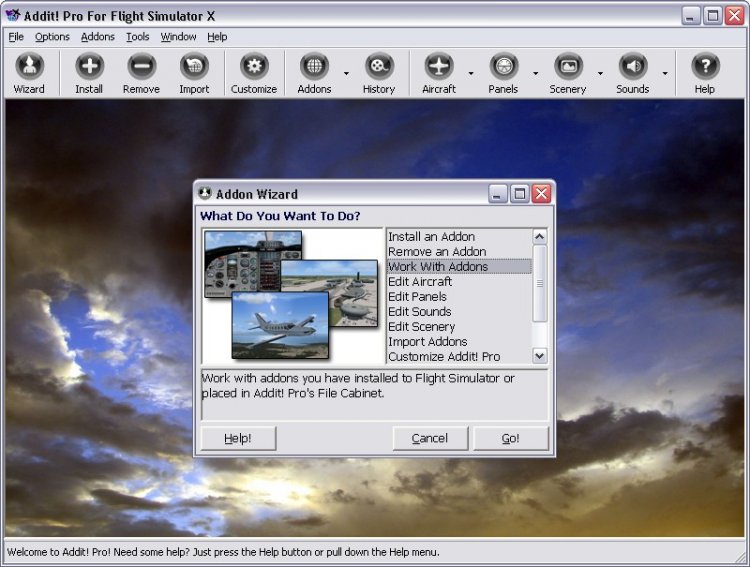
Addit! Pro is a comprehensive addon manager for Flight Simulator X. Easily install, manage and remove aircraft, adventures, flights, flight plans, gauges, missions, panels, A.I. airport and facilities data, scenery, sounds, textures, videos, weather and more! Archive add-ons to Addit! Pro's File Cabinet or recreate them in zip files. Modify your aircraft, panels and sounds. Automatically update FS's Scenery Library. Includes FS Configuration Manager, complete scenery library editor, ZIP/RAR support and much more! See Readme.htm for details. Requires Flight Simulator X: Standard or Deluxe Edition. By Joseph Stearns.
→ Size:
11 MB
→ Date:
13 years ago (12.07.2012 03:40)
→ Author:
Joseph Stearns
→ Approved by moderator:
seric76
→ License:
License file included in archive
→ Downloaded:
903 time(s)