Lockheed Martin F-16 Viper Просмотр ZIP-архива
F-16 Arizona Air National Guard/Read Me First.txt
Arizona Air National Guard F-16                Support a Mercy Flight near you


Arizona Virtual Airline

(www.azva.webs.com )


Below is a link to a landing I made at KLRO

http://www.youtube.com/watch?v=EcR4lOmdj7o

you tube search KLRO Landing

Download Copyright Notice
NOTICE: Although the file you are about to install is FREE, ( Not For Sale )


To install this aircraft:

As always back up any original files.

1.Unzip downloaded folders to your desktop or temporary directory of your choice.

2.Copy the "  Arizona Air National Guard F-16.zip "  and paste it in the main aircraft folder.

By default the main aircraft folder is located at:

"C:\Program Files\Microsoft Games\FSX\SIM Objects /Aircraft  .

3. Be sure to completely unzip all files the aircraft file when complete will Cotain 6 files   the Following 6 files goes in the aircraft folder     CFG  Airfile    Model    Sound    Panel   Textures

4. Unzip the effects folder and put the effects in the FSX effects folder located at  "C:\Program Files\Microsoft Games\FSX\effects  "

Effects files are all the Afterburner effects in the Afterburner folder and the

FX file in the Smoke effects folder

There is also a smoke tinted canopy if you do not like the gold tint there is a read me file in the canopy folder


Panel Updates are by .. Danny Garnier and effects


Made Simpler

Make sure all files are unzipped     the New Plane folder should contain 6 files unzipped  they are    CFG   Airfile   Sound   Model   Texture   Panel     the  New Plane  folder with the 6 files goes in the game aircraft folder found at
C:\Program Files\Microsoft Games\Microsoft Flight Simulator X\SimObjects\Airplanes        follow the path  ie   open the c drive    then open program files    then open Microsoft Games     then open  Microsoft Flight Simulator X    then open
SimObjects   then open Airplanes folder    the New Plane   goes in that folder

Mark Rooks
Textures and FSX updates created by Mark "Fire Ball" Rooks.

                  Legal  Notice

.The copyright of the MDL belongs to the author Please respect that .
.Never profit from this work

Thanks

DISCLAIMER:
WE CONNOT BE CHARGED FOR ANY DAMAGES/PROBLEMS/ERRORS CAUSED TO YOUR EQUIPMENT THROUGH USE OF RDG FILES!
USE ALL FILES AT YOUR OWN RISK!
BY INSTALLING OUR FILES ON YOUR EQUIPMENT YOU ARE AGREEING TO THIS DISCLAIMER.
ALL FILES VIRUS FREE AT TIME OF UPLOAD


Any questions e-mail me,         , use subject  "Fire Ball" and I'll be sure to respond.

Enjoy your new repaint
Thanks for downloading,


"Fire Ball"


In The Words of Tim Conrad AKA Piglet

Enjoy!
This model was built to the best of my skills, knowledge, and simply to my own tastes and standards.
If something is "missing", or "wrong", oh well, you got it for a good price:-) For a one-man shop, I think I do pretty well:-p
36921-F-16-Arizona-Air-National-Guard.zip
| Имя файла | Дата | Размер |
|---|---|---|
| F-16 Arizona Air National Guard/Arizona Air National Guard F-16.zip | 08.03.2011 20:05 | 20 MB |
| F-16 Arizona Air National Guard/effects.zip | 28.02.2011 12:41 | 10 KB |
| F-16 Arizona Air National Guard/Pictures and History.zip | 08.03.2011 20:15 | 2 MB |
| F-16 Arizona Air National Guard/Read Me First.txt | 08.03.2011 20:17 | 3 KB |
| F-16 Arizona Air National Guard/Screen Arizona ANG.jpg | 08.03.2011 20:01 | 39 KB |
| F-16 Arizona Air National Guard/Text.txt | 08.03.2011 20:13 | 556 B |
| avsim_su.diz | 21.03.2011 23:59 | 406 B |
| Итого: | 23 MB | |
Lockheed Martin F-16 Viper
| Rating: 3.4!
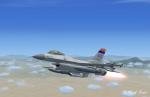
Fast and efficient - F-16''Viper ", with the VC (virtual cockpit). Enjoy your flight!
→ Size:
23 MB
→ Date:
15 years ago (21.03.2011 22:34)
→ Author:
Неизвестен
→ Approved by moderator:
Tim24
→ License:
Freeware - Free version, Unlimited Distribution
→ Downloaded:
4806 time(s)