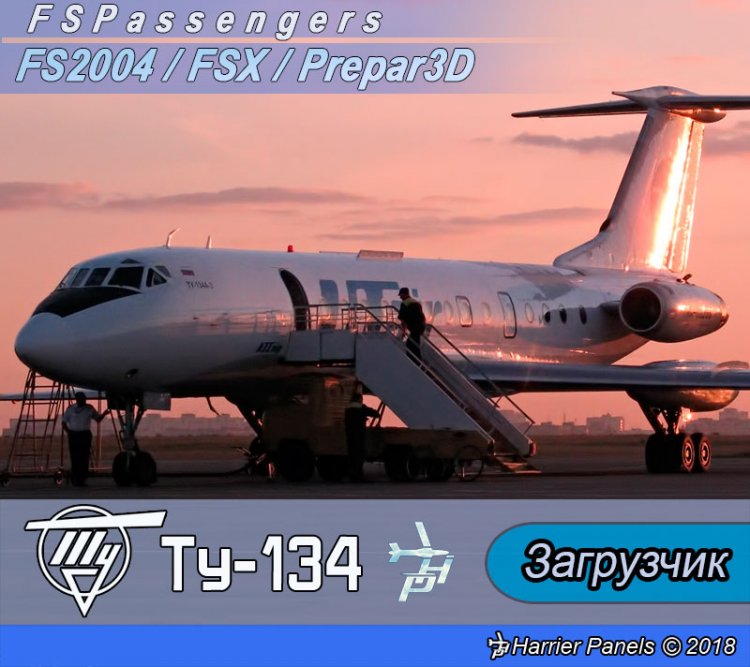
Tupolev Tu-134 Payload Model for FSPassengers FS9/FSX/P3D Просмотр ZIP-архива
README(ENG).txt
****************************************************************************************************
Tupolev Tu-134 Payload Model for FSPassengers
Microsoft Flight Simulator 2004 / Microsoft Flight Simulator X / Lockheed Martin Prepar3D
****************************************************************************************************
© 2018 Harrier Panels. All Rights Reserved.
****************************************************************************************************
Harrier Panels Youtube: https://www.youtube.com/channel/UCWmAfnW6k6fibf7gVd-q2Tg
****************************************************************************************************
 	USER MANUAL
****************************************************************************************************

	CONTENTS:
	1. Introduction........................................page 1
	2. Installation and Removal............................page 2
	3. Credits.............................................page 3

-----------------------------------------------------------------------------------------------------------------
		1. Introduction:

-----------------------------------------------------------------------------------------------------------------
This program will install a Tupolev Tu-134 Payload Model for FSPassengers with the seat map of 72 seats: 8 - 1st
class, 8 - Business class, and the rest - Economy class. It also includes 2 cargo sections and CG tips.
IMPORTANT: FSPassengers is required and should be installed prior to installing the Payload Model
-----------------------------------------------------------------------------------------------------------------

		2. Installation and Removal:

-----------------------------------------------------------------------------------------------------------------
		Installation
-----------------------------------------------------------------------------------------------------------------
IMPORTANT: Make sure FSPassengers is installed prior to installing the Payload Model
-----------------------------------------------------------------------------------------------------------------

2.1 To install the Payload Model start the program SETUP.exe. Follow the instructions of the installation program

-----------------------------------------------------------------------------------------------------------------
NOTE: If the installation program is unable to detect your FSPassengers folder chose it manually
-----------------------------------------------------------------------------------------------------------------

Choose either English or Russian option for the program to install a Payload Model either in English or Russian

2.2 Choose the necessary Payload Model in the FSPassengers Load aircraft menu

------------------------------------------------------------------------------------------------------------------------------
			REMOVAL
------------------------------------------------------------------------------------------------------------------------------
2.4 Run UninstallFSP_Tu-134.exe from within the FSPassengers folder or from the Programs Menu
------------------------------------------------------------------------------------------------------------------------------

			3. CREDITS

*****************************************************************************************

	Daniel Polli
	Harrier Panels

*****************************************************************************************
Have a nice flight!

Harrier Panels

--------------------------------------------------------------------------------------------------------------------------------
© 2018 Harrier Panels. All Rights Reserved. E-mail: [email protected]
--------------------------------------------------------------------------------------------------------------------------------
Harrier Panels Youtube: https://www.youtube.com/channel/UCWmAfnW6k6fibf7gVd-q2Tg
62586-FSP-Tu-134.zip
| Имя файла | Дата | Размер |
|---|---|---|
| FSP_Tu-134.gif | 29.08.2018 18:17 | 11 KB |
| FSP_Tu-134-1.gif | 29.08.2018 18:13 | 12 KB |
| FSP_Tu-134.jpg | 29.08.2018 18:02 | 109 KB |
| FSP_Tu-134_Ru.jpg | 29.08.2018 18:22 | 109 KB |
| README(ENG).txt | 29.08.2018 16:24 | 4 KB |
| README(RUS).TXT | 29.08.2018 16:00 | 3 KB |
| Setup.exe | 29.08.2018 22:20 | 307 KB |
| avsim_su.diz | 29.08.2018 19:23 | 310 B |
| Итого: | 555 KB | |
This program will install a Tupolev Tu-134 Payload Model for FSPassengers with the seat map of 72 seats: 8 - 1st class, 8 - Business class, and the rest - Economy class. It also includes 2 cargo sections and CG tips. IMPORTANT: FSPassengers is required and should be installed prior to installing the Payload Model
→ Size:
532 KB
→ Date:
8 years ago (30.08.2018 00:13)
→ Author:
Harrier
→ Approved by moderator:
U-HCK
→ License:
Freeware - Free version, Unlimited Distribution
→ Downloaded:
426 time(s)