Rockwell Commander 500S Shrike Просмотр ZIP-архива
ac500sv/Installation.txt
Rockwell Commander Shrike by Paul Saunders, Scott Thomas, Andrй Folkers and Milton Shupe for FS2004

INSTALLATION


1.  Run the setup.exe to automatically install the ac500sv aircraft into The FS2004 Folder.  Make sure you browse to your FS2004 Main Folder (Flight Simulator 9) when prompted.

The ac500sv will install to the FS9 folder in the default location of Windows XP.  If your FS9 is installed in a non-default location or another Windows version, you will have the opportunity to repoint this install process to your location.  Simply point it to your Flight Simulator 9 folder.

OPTIONAL: You may also point the install process to a temporary folder if you wish.  Just create a temporary folder of any name, browse to it when prompted and go.  The aircraft will then be installed into that folder.  Afterwards, just copy paste the ac500sv aircraft folder to where your other aircraft are stored.  Then copy the contents of the Effects folder to your FS9 Effects folder.

That's all!

Have fun!  :-)

Paul Saunders
August 2004
[email protected]
ac500sv.zip
| Имя файла | Дата | Размер |
|---|---|---|
| ac500sv/ac500sv.txt | 28.08.2004 12:25 | 330 B |
| ac500sv/Installation.txt | 28.08.2004 12:28 | 1 KB |
| ac500sv/s-1.JPG | 15.08.2004 00:04 | 21 KB |
| ac500sv/s-2.JPG | 15.08.2004 00:07 | 40 KB |
| ac500sv/s-3.jpg | 12.08.2004 01:37 | 23 KB |
| ac500sv/setup.exe | 28.08.2004 11:23 | 12 MB |
| ac500sv/sthumb.JPG | 15.08.2004 00:05 | 3 KB |
| ac500sv/sthumb.PNG | 15.08.2004 00:05 | 18 KB |
| ac500sv/ | 28.08.2004 11:25 | |
| avsim_ru.diz | 09.02.2003 03:00 | 394 B |
| Итого: | 12 MB | |
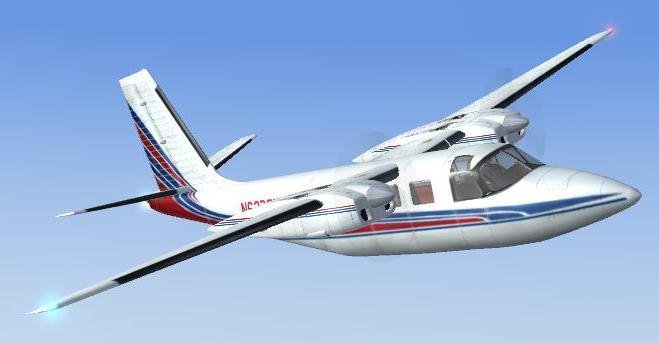
Airplane Rockwell Commander 500S Shrike. The most complete set.
→ Size:
12 MB
→ Date:
21 years ago (11.10.2004 12:36)
→ Author:
Paul Saunders, Scott Thomas, Andrй Folkers, Milton Shupe
→ License:
Freeware - Free version, Unlimited Distribution
→ Downloaded:
2374 time(s)