Lockheed P-38F Просмотр ZIP-архива
aircraft/BAe Hawk 'Saudi Hawks'' Display Team GMAX/Documents/README - RSAFGMAX.html
<!doctype html public "-//IETF//DTD HTML 2.0//EN">
<html>
<head>
<meta http-equiv="Content-Type" content="text/html; charset=iso-8859-1">
<meta name="Generator" content="Microsoft Publisher 2000">
<title>Saudi Hawks for FS2002</title>
</head>
<bgsound src="docpics2/XLBN2T.wav" loop="1">
<body bgcolor="#165c1f" link="#0066ff" vlink="#6633cc" text="#000000"  topmargin=0 leftmargin=0>
<a name=top></a>

<table border=0 cellpadding=0 cellspacing=0>
<tr>
<td><img src="_blnk.gif" width=48 height=1></td>
<td><img src="_blnk.gif" width=2 height=1></td>
<td><img src="_blnk.gif" width=28 height=1></td>
<td><img src="_blnk.gif" width=164 height=1></td>
<td><img src="_blnk.gif" width=10 height=1></td>
<td><img src="_blnk.gif" width=7 height=1></td>
<td><img src="_blnk.gif" width=5 height=1></td>
<td><img src="_blnk.gif" width=6 height=1></td>
<td><img src="_blnk.gif" width=12 height=1></td>
<td><img src="_blnk.gif" width=6 height=1></td>
<td><img src="_blnk.gif" width=40 height=1></td>
<td><img src="_blnk.gif" width=1 height=1></td>
<td><img src="_blnk.gif" width=13 height=1></td>
<td><img src="_blnk.gif" width=17 height=1></td>
<td><img src="_blnk.gif" width=15 height=1></td>
<td><img src="_blnk.gif" width=94 height=1></td>
<td><img src="_blnk.gif" width=7 height=1></td>
<td><img src="_blnk.gif" width=5 height=1></td>
<td><img src="_blnk.gif" width=13 height=1></td>
<td><img src="_blnk.gif" width=11 height=1></td>
<td><img src="_blnk.gif" width=3 height=1></td>
<td><img src="_blnk.gif" width=3 height=1></td>
<td><img src="_blnk.gif" width=6 height=1></td>
<td><img src="_blnk.gif" width=167 height=1></td>
<td><img src="_blnk.gif" width=1 height=1></td>
<td><img src="_blnk.gif" width=1 height=1></td>
<td><img src="_blnk.gif" width=1 height=1></td>
<td><img src="_blnk.gif" width=2 height=1></td>
<td><img src="_blnk.gif" width=2 height=1></td>
<td><img src="_blnk.gif" width=1 height=1></td>
</tr>
<tr>
<td width=48 height=30></td>
<td width=2></td>
<td width=28></td>
<td width=164></td>
<td width=10></td>
<td width=7></td>
<td width=5></td>
<td width=6></td>
<td width=12></td>
<td width=6></td>
<td width=40></td>
<td width=1></td>
<td width=13></td>
<td width=17></td>
<td width=15></td>
<td width=94></td>
<td width=7></td>
<td width=5></td>
<td width=13></td>
<td width=11></td>
<td width=3></td>
<td width=3></td>
<td width=6></td>
<td width=167></td>
<td width=1></td>
<td width=1></td>
<td width=1></td>
<td width=2></td>
<td width=2></td>
<td width=1></td>
</tr>
<tr>
<td height=163></td>
<td width=636 height=163 colspan=24 rowspan=1 valign=top align=left>
<img width=636 height=163 border=0 src="docpics2/img0.gif"></td>
<td colspan=5></td>
</tr>
<tr>
<td height=5></td>
<td colspan=29></td>
</tr>
<tr>
<td height=36></td>
<td width=636 height=36 colspan=24 rowspan=1 valign=top align=left>

<table border=0 cellpadding=0 cellspacing=0>
<tr>
<td width=3 height=3></td>
<td width=628></td>
<td width=3></td>
</tr>
<tr>
<td height=28></td>
<td width=628 height=28 valign=top align=left>

<p align=left><font face="Times New Roman" color=#ffffff size=4><I>                                   for Microsoft Flight Simulator  FS2002<br></I></font>
</td>
<td></td>
</tr>
<tr>
<td height=3></td>
<td colspan=2></td>
</tr>
</table>


</td>
<td colspan=5></td>
</tr>
<tr>
<td height=6></td>
<td colspan=29></td>
</tr>
<tr>
<td height=131></td>
<td width=281 height=131 colspan=11 rowspan=1 valign=top align=left>
<img width=281 height=131 border=0 src="docpics2/img1.jpg"></td>
<td></td>
<td width=343 height=174 colspan=13 rowspan=3 valign=top align=left>
<img width=343 height=174 border=0 src="docpics2/img2.jpg"></td>
<td colspan=4></td>
</tr>
<tr>
<td height=13></td>
<td colspan=12></td>
<td colspan=4></td>
</tr>
<tr>
<td height=30></td>
<td width=280 height=156 colspan=10 rowspan=3 valign=top align=left>
<img width=280 height=156 border=0 src="docpics2/img3.jpg"></td>
<td colspan=2></td>
<td colspan=4></td>
</tr>
<tr>
<td height=12></td>
<td colspan=19></td>
</tr>
<tr>
<td height=114></td>
<td colspan=2></td>
<td width=151 height=114 colspan=6 rowspan=1 valign=top align=left>
<img width=151 height=114 border=0 src="docpics2/img4.jpg"></td>
<td></td>
<td width=180 height=114 colspan=5 rowspan=1 valign=top align=left>
<img width=180 height=114 border=0 src="docpics2/img5.jpg"></td>
<td colspan=5></td>
</tr>
<tr>
<td height=14></td>
<td colspan=29></td>
</tr>
<tr>
<td height=7></td>
<td width=636 height=7 colspan=24 rowspan=1 valign=top align=left>
<img width=636 height=7 border=0 src="docpics2/img6.gif"></td>
<td colspan=5></td>
</tr>
<tr>
<td height=21></td>
<td colspan=29></td>
</tr>
<tr>
<td height=378></td>
<td width=636 height=378 colspan=24 rowspan=1 valign=top align=left>

<table border=0 cellpadding=0 cellspacing=0>
<tr>
<td width=3 height=3></td>
<td width=628></td>
<td width=3></td>
</tr>
<tr>
<td height=370></td>
<td width=628 height=370 valign=top align=left>

<p align=left><font face="Times New Roman" color=#ffffff size=2>Parts of this package:<br><br></font><font face="Times New Roman" color=#ffffff size=2><B>SHAWKS4.ZIP      <br><br></B></font><font face="Times New Roman" color=#ffffff size=2>A flyable formation of four BAe Hawk Mk.60 aircraft of the Saudi Arabian Air Force's Display Team, the "Saudi Hawks". Formation features revolutionary display animation controlled by the user. Based on a GMAX design by Mikko Maliniemi, with base textures and modifications for display team packaging by Kari Virtanen. Aircraft have display smoke effects, full lighting, reflective transparent cockpits and moving parts. Photoreal panel by Mark Beaumont features excellent visibility, side panels, animated mirrors by Kari Virtanen with following aircraft, many specially made gauges by Matt Kaprocki, HUD and TCAS Radar by Eric Marciano. Defaults to Lear45 sound: recommended sound package REDPACK5.ZIP. Accurate Hawk checklist and sample chart display. Detailed 'Saudi Hawks' livery, operational notes and overall packaging by Mark Beaumont.<br><br>Recommended downloads:<br></font><font face="Times New Roman" color=#ffffff size=2><B><br>REDPACK5.ZIP    </B></font><font face="Times New Roman" color=#ffffff size=2>Soundset for the Hawk aircraft <br></font><font face="Times New Roman" color=#ffffff size=2><B>SHAWKS1.ZIP     </B></font><font face="Times New Roman" color=#ffffff size=2>A single 'Saudi Hawk' aircraft, modelled by Owen Hewitt and Mikko Maliniemi, repainted as  <br>                                  the lead aircraft 8801 by Mark Beaumont (shown here).<br><br>

<img src="docpics2/img26.jpg"><BR><BR>

In the four, the registrations are 8802 and 8804.  The model's texture mapping does not allow for four individual regs.<BR><BR>

Informatively, the first two animated fours in this series were the Finnish 'Midnight Hawks' (midhwani.zip) and the British 'Red Arrows' (redpack7.zip, red7upd.zip)<BR><BR>

When properly installed, the SHAWKS4 aircraft will appear as below within your FS2002/AIRCRAFT directory, under the listing for BRITISH AEROSPACE (manufacturer), MK.60 Hawk (type), as follows:<br></font><font face="Times New Roman" color=#ffffff size=2><I><br>British Aerospace/MK.60 Hawk/'Saudi Hawks' Display Team (GMAX)<br><BR></I></font>
</td>
<td></td>
</tr>
<tr>
<td height=3></td>
<td colspan=2></td>
</tr>
</table>


</td>
<td colspan=5></td>
</tr>
<tr>
<td height=8></td>
<td colspan=29></td>
</tr>
<tr>
<td height=7></td>
<td width=636 height=7 colspan=24 rowspan=1 valign=top align=left>
<img width=636 height=7 border=0 src="docpics2/img6.gif"></td>
<td colspan=5></td>
</tr>
<tr>
<td height=27></td>
<td colspan=29></td>
</tr>
<tr>
<td height=186></td>
<td width=636 height=186 colspan=24 rowspan=1 valign=top align=left>

<table border=0 cellpadding=0 cellspacing=0>
<tr>
<td width=3 height=3></td>
<td width=628></td>
<td width=3></td>
</tr>
<tr>
<td height=178></td>
<td width=628 height=178 valign=top align=left>

<p align=left><font face="Times New Roman" color=#ffffff size=2>These virtual models of the "Saudi Hawks" have no official affiliation with the real thing.  In fact, information about the Saudi Hawks is somewhat elusive.  The best source of information I have found to date is Gary Siddall's excellent and informative site at: <br><br></font><font face="Times New Roman" color=#ffffff size=2><B>http://www.users.globalnet.co.uk/~garys/index.htm <br><br></B></font><font face="Times New Roman" color=#ffffff size=2>If you can read Polish, you might also wish to take a look at the following page, although much of the information is taken from Gary's research:<br></font><font face="Times New Roman" color=#ffffff size=2><B><br>Http://www.czasopismawlop.mil.pl/zespoly/saud.htm</B><br><BR>

<font face="Times New Roman" color=#ffffff size=2>The aircraft textures are as good as I could get them given that this is a freeware work (I only have so much time!) and given the limitations imposed by the texture mapping of FS 3D models.  Purists will notice ommissions, others may not.  <BR><BR>

</font>
</td>
<td></td>
</tr>
<tr>
<td height=3></td>
<td colspan=2></td>
</tr>
</table>


</td>
<td colspan=5></td>
</tr>
<tr>
<td height=2></td>
<td colspan=29></td>
</tr>
<tr>
<td height=7></td>
<td width=636 height=7 colspan=24 rowspan=1 valign=top align=left>
<img width=636 height=7 border=0 src="docpics2/img6.gif"></td>
<td colspan=5></td>
</tr>
<tr>
<td height=15></td>
<td colspan=29></td>
</tr>
<tr>
<td height=335></td>
<td width=636 height=335 colspan=24 rowspan=1 valign=top align=left>
<img width=636 height=335 border=0 src="docpics2/img7.jpg"></td>
<td colspan=5></td>
</tr>
<tr>
<td height=13></td>
<td colspan=29></td>
</tr>
<tr>
<td height=462></td>
<td width=636 height=462 colspan=24 rowspan=1 valign=top align=left>

<table border=0 cellpadding=0 cellspacing=0>
<tr>
<td width=3 height=3></td>
<td width=628></td>
<td width=3></td>
</tr>
<tr>
<td height=454></td>
<td width=628 height=454 valign=top align=left>

<p align=left><font face="Times New Roman" color=#ffffff size=2><B>INSTALLATION:<br></B></font><font face="Times New Roman" color=#ffffff size=2><br>Either, the easy way:<br><br>Simply unzip the 'SHAWKS4.ZIP' file directly into your main FS2002 directory (FS2002 installs by default to C:/PROGRAM FILES/MICROSOFT GAMES/FS2002).  <br><br>The formation four will be installed automatically into your AIRCRAFT folder, gauges will install to your GAUGES folder and smoke effects files will be installed in your EFFECTS folder.  Fssound.dll' will go to your MODULES folder.  This document will be found under the folder DOCUMENTS in your formation four's individual folder.<br><br>If you wish to use the recommended soundset, you will need to open your aircraft's SOUND folder and make a simple change to the SOUND.CFG file to 'alias' it to the new Hawk sounds (how, is explained when you open the file).<br><br>Finally, select your four aircraft formation from the AIRCRAFT menu in the usual way within FS2002.<br><br>Or, you can install files the manual way:<br><br>Unpack 'REDPACK7.ZIP' to a temporary folder.  After checking that folder names are intact, move:<br><br>

<ul>
<font color=#836967 size=2><li></font>The contents of the AIRCRAFT folder (e.g., the folder 'BAe Hawk 'Saudi Hawks'' Display Team GMAX') to your main  FS2002/AIRCRAFT folder <br></li><font color=#836967 size=2><li></font>The contents of the GAUGES folder to your FS2002/GAUGES folder<br></li><font color=#836967 size=2><li></font>The contents of the EFFECTS folder to your FS2002/EFFECTS folder<br></li><font color=#836967 size=2><li></font>The contents of the MODULES folder to your FS2002/MODULES folder.<br></li>
</ul>
<br>Installation in this manner, although more laborious, allows you to ensure that no file overwrites an existing file on your disk without your knowledge.<br><br></font>
</td>
<td></td>
</tr>
<tr>
<td height=3></td>
<td colspan=2></td>
</tr>
</table>


</td>
<td colspan=5></td>
</tr>
<tr>
<td height=2></td>
<td colspan=29></td>
</tr>
<tr>
<td height=7></td>
<td width=636 height=7 colspan=24 rowspan=1 valign=top align=left>
<img width=636 height=7 border=0 src="docpics2/img6.gif"></td>
<td colspan=5></td>
</tr>
<tr>
<td height=18></td>
<td colspan=29></td>
</tr>
<tr>
<td height=360></td>
<td width=636 height=360 colspan=24 rowspan=1 valign=top align=left>

<table border=0 cellpadding=0 cellspacing=0>
<tr>
<td width=3 height=3></td>
<td width=628></td>
<td width=3></td>
</tr>
<tr>
<td height=352></td>
<td width=628 height=352 valign=top align=left>

<p align=left><font face="Times New Roman" color=#ffffff size=2><B>SAUDI HAWKS ANIMATED FORMATION:<br><br></B></font><font face="Times New Roman" color=#ffffff size=2>The animated airshow display formation initially developed by Mikko Maliniemi and Kari Virtanen for their 'Midnight Hawks' package is a first for flight simulator, being very innovative work. My own contribution is simply to repaint their aircraft in 'Saudi Hawks' colours and add a panel.  The basic controls are as follows.<br><br>KEY COMMANDS FOR ANIMATIONS:<br><br>Flaps                 F5-F8<br>Gear                  G<br>Spoilers            / (US keyboard) <br>                         ' (European  keyboard)<br>Tailhook           Not enabled by default; you need to assign a button within FS2002 (see below)<br>Doors                SHIFT+E<br><br>TAKEOFF:<br><br>Due to the limitations of FS aircraft flight dynamics, the designers had to compromise a little on the takeoff and ground handling. After loading the formation into FS, you need to apply one step of  Flaps (F7). The formation is meant to be used in DIAMOND formation when you are on ground and during takeoff; otherwise you might see some strange sinkings of tires etc. It is also recommended that on takeoff and landing, you keep the formation in diamond shape until you are airborne or back on the ground.<br></font>
</td>
<td></td>
</tr>
<tr>
<td height=3></td>
<td colspan=2></td>
</tr>
</table>


</td>
<td colspan=5></td>
</tr>
<tr>
<td height=3></td>
<td colspan=29></td>
</tr>
<tr>
<td height=306></td>
<td width=640 height=306 colspan=27 rowspan=1 valign=top align=left>
<img width=640 height=306 border=0 src="docpics2/img8.jpg"></td>
<td colspan=2></td>
</tr>
<tr>
<td height=6></td>
<td colspan=29></td>
</tr>
<tr>
<td height=108></td>
<td width=642 height=108 colspan=28 rowspan=1 valign=top align=left>

<table border=0 cellpadding=0 cellspacing=0>
<tr>
<td width=3 height=3></td>
<td width=634></td>
<td width=3></td>
</tr>
<tr>
<td height=100></td>
<td width=634 height=100 valign=top align=left>

<p align=left><font face="Times New Roman" color=#ffffff size=2>LANDING GEAR:<br><br>Landing gear is controlled with the gear button (G), as with all FS aircraft. But the designers have also included  </font><font face="Times New Roman" color=#ffffff size=2><I><U>altitude separation</U></I></font><font face="MS Shell Dlg" color=#ffffff size=2> </font><font face="Times New Roman" color=#ffffff size=2>on the gear animation. Real formations are never flown on </font><font face="Times New Roman" color=#ffffff size=2><I>exactly </I></font><font face="Times New Roman" color=#ffffff size=2>same level, so the designers sought to replicate this using the gear animation.  With gear down, the aircraft are level for initial departure and in the correct configuration for landing. <br></font>
</td>
<td></td>
</tr>
<tr>
<td height=3></td>
<td colspan=2></td>
</tr>
</table>


</td>
<td></td>
</tr>
<tr>
<td height=6></td>
<td colspan=29></td>
</tr>
<tr>
<td height=163></td>
<td width=640 height=163 colspan=27 rowspan=1 valign=top align=left>
<img width=640 height=163 border=0 src="docpics2/img9.jpg"></td>
<td colspan=2></td>
</tr>
<tr>
<td height=11></td>
<td colspan=29></td>
</tr>
<tr>
<td height=163></td>
<td width=640 height=163 colspan=27 rowspan=1 valign=top align=left>
<img width=640 height=163 border=0 src="docpics2/img10.jpg"></td>
<td colspan=2></td>
</tr>
<tr>
<td height=11></td>
<td colspan=29></td>
</tr>
<tr>
<td height=120></td>
<td width=642 height=120 colspan=28 rowspan=1 valign=top align=left>

<table border=0 cellpadding=0 cellspacing=0>
<tr>
<td width=3 height=3></td>
<td width=634></td>
<td width=3></td>
</tr>
<tr>
<td height=112></td>
<td width=634 height=112 valign=top align=left>

<p align=left><font face="Times New Roman" color=#ffffff size=2>FLAPS:<br><br>Flap buttons are used for controlling the basic shape of the formation. On the pictures below you can see the three basic shapes of the formation. </font><font face="Times New Roman" color=#ffffff size=2><B>Postion 1 </B></font><font face="Times New Roman" color=#ffffff size=2>is with no flaps, </font><font face="Times New Roman" color=#ffffff size=2><B>Position 2 </B></font><font face="Times New Roman" color=#ffffff size=2>is with one step of flaps and </font><font face="Times New Roman" color=#ffffff size=2><B>Position 3 </B></font><font face="Times New Roman" color=#ffffff size=2>is with full flaps applied. Note that applying flaps will not affect the flight characterics ie. speeds, lift or other characteristics. It only affects the shape of the formation. On landing you can slow down by lowering landing gear.  As stated earlier, it is important to remember to have the aircraft in </font><font face="Times New Roman" color=#ffffff size=2><B>Postion 2 </B></font><font face="Times New Roman" color=#ffffff size=2>(mid-flaps) for takeoff and landing.</font><font face="Times New Roman" size=3><br></font>
</td>
<td></td>
</tr>
<tr>
<td height=3></td>
<td colspan=2></td>
</tr>
</table>


</td>
<td></td>
</tr>
<tr>
<td height=6></td>
<td colspan=29></td>
</tr>
<tr>
<td height=163></td>
<td width=211 height=163 colspan=5 rowspan=1 valign=top align=left>
<img width=211 height=163 border=0 src="docpics2/img11.jpg"></td>
<td></td>
<td width=211 height=163 colspan=10 rowspan=1 valign=top align=left>
<img width=211 height=163 border=0 src="docpics2/img12.jpg"></td>
<td></td>
<td width=211 height=163 colspan=12 rowspan=1 valign=top align=left>
<img width=211 height=163 border=0 src="docpics2/img13.jpg"></td>
</tr>
<tr>
<td height=11></td>
<td colspan=29></td>
</tr>
<tr>
<td height=72></td>
<td width=642 height=72 colspan=28 rowspan=1 valign=top align=left>

<table border=0 cellpadding=0 cellspacing=0>
<tr>
<td width=3 height=3></td>
<td width=634></td>
<td width=3></td>
</tr>
<tr>
<td height=64></td>
<td width=634 height=64 valign=top align=left>

<p align=left><font face="Times New Roman" color=#ffffff size=2>DOORS:<br><br>Using the OPEN EXIT command (SHIFT+E) will spread any of the above formations into 'wide formation', in a progressive movement.  Repetition of the command will reverse the process to close the formation once more.<br></font>
</td>
<td></td>
</tr>
<tr>
<td height=3></td>
<td colspan=2></td>
</tr>
</table>


</td>
<td></td>
</tr>
<tr>
<td height=6></td>
<td colspan=29></td>
</tr>
<tr>
<td height=407></td>
<td width=640 height=407 colspan=27 rowspan=1 valign=top align=left>
<img width=640 height=407 border=0 src="docpics2/img14.jpg"></td>
<td colspan=2></td>
</tr>
<tr>
<td height=7></td>
<td colspan=29></td>
</tr>
<tr>
<td height=108></td>
<td width=642 height=108 colspan=28 rowspan=1 valign=top align=left>

<table border=0 cellpadding=0 cellspacing=0>
<tr>
<td width=3 height=3></td>
<td width=634></td>
<td width=3></td>
</tr>
<tr>
<td height=100></td>
<td width=634 height=100 valign=top align=left>

<p align=left><font face="Times New Roman" color=#ffffff size=2>TAILHOOK:<br><br>You will need to assign a button for the tailhook command within FS2002 if you haven't done so already, as it is not included in the default key settings. You can do this from the </font><font face="Times New Roman" color=#ffffff size=2><U>OPTIONS/CONTROLS/ASSIGNMENTS</U></font><font face="Times New Roman" color=#ffffff size=2> menu within the game. The tailhook key is used for controlling the #4 plane of the formation. Pressing the allocated key will make the #4 roll into an inverted postion at a higher altitude than the other aircraft. Not recommended in the hangar! <br></font>
</td>
<td></td>
</tr>
<tr>
<td height=3></td>
<td colspan=2></td>
</tr>
</table>


</td>
<td></td>
</tr>
<tr>
<td height=6></td>
<td colspan=29></td>
</tr>
<tr>
<td height=299></td>
<td width=640 height=299 colspan=27 rowspan=1 valign=top align=left>
<img width=640 height=299 border=0 src="docpics2/img15.jpg"></td>
<td colspan=2></td>
</tr>
<tr>
<td height=7></td>
<td colspan=29></td>
</tr>
<tr>
<td height=78></td>
<td width=642 height=78 colspan=28 rowspan=1 valign=top align=left>

<table border=0 cellpadding=0 cellspacing=0>
<tr>
<td width=3 height=3></td>
<td width=634></td>
<td width=3></td>
</tr>
<tr>
<td height=70></td>
<td width=634 height=70 valign=top align=left>

<p align=left><font face="Times New Roman" color=#ffffff size=2>SPOILER:<br><br>The spoiler key is used for controlling the #2 and #3 aircraft of the formation.  It will cause these outside aircraft to roll slowly into inverted positions which they will hold until the key is pressed again and the process is reversed.<br></font>
</td>
<td></td>
</tr>
<tr>
<td height=3></td>
<td colspan=2></td>
</tr>
</table>


</td>
<td></td>
</tr>
<tr>
<td height=6></td>
<td colspan=29></td>
</tr>
<tr>
<td height=300></td>
<td width=640 height=300 colspan=27 rowspan=1 valign=top align=left>
<img width=640 height=300 border=0 src="docpics2/img16.jpg"></td>
<td colspan=2></td>
</tr>
<tr>
<td height=12></td>
<td colspan=29></td>
</tr>
<tr>
<td height=60></td>
<td width=642 height=60 colspan=28 rowspan=1 valign=top align=left>

<table border=0 cellpadding=0 cellspacing=0>
<tr>
<td width=3 height=3></td>
<td width=634></td>
<td width=3></td>
</tr>
<tr>
<td height=52></td>
<td width=634 height=52 valign=top align=left>

<p align=left><font face="Times New Roman" color=#ffffff size=2>The manoeuvres above are the basic animation shapes and movements.  Note, however, that these can be combined in a variety of ways by triggering multiple commands at same time or sequentially. With a little imagination, a multitude of display configurations can be created.  Mikko and Kari hope you'll have fun playing with their new "toy" !<br></font>
</td>
<td></td>
</tr>
<tr>
<td height=3></td>
<td colspan=2></td>
</tr>
</table>


</td>
<td></td>
</tr>
<tr>
<td height=9></td>
<td colspan=29></td>
</tr>
<tr>
<td height=126></td>
<td width=222 height=128 colspan=7 rowspan=2 valign=top align=left>
<img width=222 height=128 border=0 src="docpics2/img17.jpg"></td>
<td></td>
<td width=225 height=126 colspan=12 rowspan=1 valign=top align=left>
<img width=225 height=126 border=0 src="docpics2/img18.jpg"></td>
<td colspan=2></td>
<td width=167 height=126 colspan=1 rowspan=1 valign=top align=left>
<img width=167 height=126 border=0 src="docpics2/img19.jpg"></td>
<td colspan=6></td>
</tr>
<tr>
<td height=2></td>
<td colspan=22></td>
</tr>
<tr>
<td height=10></td>
<td colspan=29></td>
</tr>
<tr>
<td height=234></td>
<td width=311 height=234 colspan=13 rowspan=1 valign=top align=left>
<img width=311 height=234 border=0 src="docpics2/img20.jpg"></td>
<td></td>
<td width=311 height=234 colspan=11 rowspan=1 valign=top align=left>
<img width=311 height=234 border=0 src="docpics2/img21.jpg"></td>
<td colspan=4></td>
</tr>
<tr>
<td height=9></td>
<td colspan=29></td>
</tr>
<tr>
<td height=6></td>
<td width=636 height=6 colspan=24 rowspan=1 valign=top align=left>
<img width=636 height=6 border=0 src="docpics2/img6.gif"></td>
<td colspan=5></td>
</tr>
<tr>
<td height=15></td>
<td colspan=29></td>
</tr>
<tr>
<td height=870></td>
<td width=636 height=870 colspan=24 rowspan=1 valign=top align=left>

<table border=0 cellpadding=0 cellspacing=0>
<tr>
<td width=3 height=3></td>
<td width=628></td>
<td width=3></td>
</tr>
<tr>
<td height=862></td>
<td width=628 height=862 valign=top align=left>

<p align=left><font face="Times New Roman" color=#ffffff size=2><B>PANEL:<br></B></font><font face="Times New Roman" color=#ffffff size=2><br>This is a completely new BAe Hawk panel design for FS2002. <br><br>Mikko Maliniemi's GMAX Hawk design, packaged in Kari Virtanen's Finnish Air Force 'Midnight Hawks' formation four, will eventually offer an exciting virtual 3D cockpit; this 2D panel is intended to be compatible with this production in due course.  Hence, it is offered without additional 2D views.  In time, this panel itself may be reworked in different versions dependent on aircraft type and country of operation.<br><br>The panel bitmaps are largely constructed from photographs supplied by Kari Virtanen from the Finnish Air Force (Hawk Mk.51) and from others supplied by the British 'Red Arrows' (Hawk T.Mk1 A).  Some liberties have been taken to make the panel useful and practical in FS2002, but much of the layout is reasonably authentic and realistic.  It should be noted, of course, that there is no single layout for the Hawk panel internationally - particularly, different model types and air forces have different instrumentation - but, this simulation seeks to cover the essentials.<br><br>Careful attention has been given to giving this panel a realistic pilot viewpoint with maximum visibility forward in FS2002. The landing view is particularly good and the aircraft will slow nicely when gear is lowered.<br><br>The panel features side panels which can be viewed in flight.  These include gear and flap controls, throttle lever, radios, lighting switches, master, avionics, trim and starter switches and three-mode Traffic Alert and Collision Avoidance (TCAS) Radar.  The main panel displays primary and secondary flight instruments, master, avionics and smoke display switches, fuel cutoff, a working stopwatch, a discreet autopilot and a 'Heads Up Display' (HUD) in the gunsight. The simulation rate can be changed on the main panel; there are FS2002 icon buttons for ATC, MSFS GPS, radios, FS flightmap, checklist and a novel "chart display".<br><br>A unique, revolutionary feature of this panel is the animation of the rear view mirrors on the cockpit coaming. In this release, you will see other aircraft of the formation in the mirrors, following your lead.<br><br>


The radio stack (on the right side panel) comprises transponder (the real aircraft actually uses IFF), communications radio, ADF and two navigation radios. Matt Kaprocki's realistic gauges are off by default and need to be switched on.  The ADF/ANT switch toggles the mode to receive the station's ID.  ANT is for IDing, ADF is for normal use.<BR><BR>
Eric Marciano's HUD has four brightness settings.  The pitch ladder can be turned off for better visibility when landing.<br><br>TOGGLES:<br><br>SHIFT/1            Open cockpit view with HUD (SHIFT/4 removes HUD)<br>SHIFT/2            Side panels (radios)<br>SHIFT/3            GPS <br>SHIFT/4            HUD off/on<br>SHIFT/5-7        Different HUD brightness settings (also switched on panel)<br>

SHIFT/8           Chart Display Jeddah Area<BR>


<br><br>SIMICONS      Checklist<br>                          GPS<br>                          Side panels/radios (2 buttons)<br>                          Chart Display Jeddah Area<br>


                          ATC<br>                          MSFS flightmap<br><BR>
<br>OTHER FEATURES:<br><br>Smoke on/off   Top right on panel or the 'I' key<br>Starter               Bottom left on left side panel.  Hold in ON position until engine spools up<br>Fuel cut-off      Top left on main panel<br><br>NOTE: <br><br>The radio panel on the left of the main panel is non-functional apart from a DME, as are a few of the switches on the side panels and several of the annunciator lights.  Hey, it's freeware!  Give us time ... this panel is a work in progress and will be further upgraded for release with the VC in due course.<br><BR></font>
</td>
<td></td>
</tr>
<tr>
<td height=3></td>
<td colspan=2></td>
</tr>
</table>


</td>
<td colspan=5></td>
</tr>
<tr>
<td height=12></td>
<td colspan=29></td>
</tr>
<tr>
<td height=469></td>
<td width=640 height=469 colspan=27 rowspan=1 valign=top align=left>
<img width=640 height=469 border=0 src="docpics2/img22.jpg"></td>
<td colspan=2></td>
</tr>
<tr>
<td height=11></td>
<td colspan=29></td>
</tr>
<tr>
<td height=318></td>
<td width=30 height=318 colspan=2 rowspan=1 valign=top align=left>

<table border=0 cellpadding=0 cellspacing=0>
<tr>
<td width=3 height=3></td>
<td width=22></td>
<td width=3></td>
</tr>
<tr>
<td height=310></td>
<td width=22 height=310 valign=top align=left>

<p align=left><font face="Times New Roman" color=#ffffff size=2><B>1.<br>2.<br>3.<br>4.<br>5.<br>6.<br>7.<br>8.<br>9.<br>10.<br>11.<br>12.<br>13.<br>14.<br>15.<br>16.<br>17.<br>18.<br>19.<br>20.<br></B></font>
</td>
<td></td>
</tr>
<tr>
<td height=3></td>
<td colspan=2></td>
</tr>
</table>


</td>
<td width=164 height=318 colspan=1 rowspan=1 valign=top align=left>

<table border=0 cellpadding=0 cellspacing=0>
<tr>
<td width=3 height=3></td>
<td width=156></td>
<td width=3></td>
</tr>
<tr>
<td height=310></td>
<td width=156 height=310 valign=top align=left>

<p align=left><font face="Times New Roman" color=#ffffff size=2>Fuel Flow Gauge<br>Oxygen contents<br>Fuel contents<br>Turbine Gas Temperature<br>Engine RPM<br>Standby Altimeter<br>Batt/Avionics on/off<br>Smoke switch on/off<br>Standby Attitude Indicator<br>Main Altimeter<br>Vertical Speed Indicator<br>HUD brightness x4<br>HUD AI on/off switch<br>Nose light switch<br>Annunciator/indicator lights<br>Side panels/radios toggle<br>Animated Mirrors<br>HUD<br>Autopilot<br>NAV/GPS switch<br></font>
</td>
<td></td>
</tr>
<tr>
<td height=3></td>
<td colspan=2></td>
</tr>
</table>


</td>
<td></td>
<td width=36 height=318 colspan=5 rowspan=1 valign=top align=left>

<table border=0 cellpadding=0 cellspacing=0>
<tr>
<td width=3 height=3></td>
<td width=28></td>
<td width=3></td>
</tr>
<tr>
<td height=310></td>
<td width=28 height=310 valign=top align=left>

<p align=left><font face="Times New Roman" color=#ffffff size=2><B>21.<br>22.<br>23.<br>24.<br>25.<br>26.<br>27.<br>28.<br>29.<br>30.<br>31.<br>32.<br>33.<br>34.<br>35.<br>36.<br>37.<br>38.<br>39.<br>40.<br></B></font>
</td>
<td></td>
</tr>
<tr>
<td height=3></td>
<td colspan=2></td>
</tr>
</table>


</td>
<td width=180 height=318 colspan=6 rowspan=1 valign=top align=left>

<table border=0 cellpadding=0 cellspacing=0>
<tr>
<td width=3 height=3></td>
<td width=172></td>
<td width=3></td>
</tr>
<tr>
<td height=310></td>
<td width=172 height=310 valign=top align=left>

<p align=left><font face="Times New Roman" color=#ffffff size=2>Clock<br>OMI Marker lights<br>Main Attitude Indicator<br>Compass/HSI<br>G Meter<br>Turn and Slip Gauge<br>Combined Airspeed Gauge<br>ADF<br>Simulation rate toggle<br>Speed Brake light<br>Angle of Attack Gauge<br>Fuel Cutoff switch<br>FS2002 Simicon toggles<br>Stopwatch<br>DME<br>Trim Indicator<br>Gear indicator lights<br>Light switch bank<br>Communications Radio<br>ADF Radio<br></font>
</td>
<td></td>
</tr>
<tr>
<td height=3></td>
<td colspan=2></td>
</tr>
</table>


</td>
<td colspan=2></td>
<td width=30 height=318 colspan=4 rowspan=1 valign=top align=left>

<table border=0 cellpadding=0 cellspacing=0>
<tr>
<td width=3 height=3></td>
<td width=22></td>
<td width=3></td>
</tr>
<tr>
<td height=310></td>
<td width=22 height=310 valign=top align=left>

<p align=left><font face="Times New Roman" color=#ffffff size=2><B>41.<br>42.<br>43.<br>44.<br>45.<br>46.<br>47.<br>48.<br>49.<br>50.<br>51.<br>52.<br>53.<br>54.<br>55.<br>56.<br>57.<br>58.<br>59.<br>60.<br></B></font>
</td>
<td></td>
</tr>
<tr>
<td height=3></td>
<td colspan=2></td>
</tr>
</table>


</td>
<td width=180 height=318 colspan=7 rowspan=1 valign=top align=left>

<table border=0 cellpadding=0 cellspacing=0>
<tr>
<td width=3 height=3></td>
<td width=172></td>
<td width=3></td>
</tr>
<tr>
<td height=310></td>
<td width=172 height=310 valign=top align=left>

<p align=left><font face="Times New Roman" color=#ffffff size=2>NAV1 Radio<br>Transponder<br>TACAS Radar Display<br>Radar Display type control<br>Radar Range control<br>Flaps Gauge<br>Flaps Lever<br>Ammeter<br>Brakes Gauges<br>Hydraulics Gauges<br>GPS toggle<br>Airelon Trim Switch<br>Rudder Trim Knob<br>Spoiler/Airbrake<br>Switch Bank<br>Gear transition lights<br>Gear Lever<br>Throttle Lever<br>Starter switch<br>Ejector seat (just kidding!)<br></font>
</td>
<td></td>
</tr>
<tr>
<td height=3></td>
<td colspan=2></td>
</tr>
</table>


</td>
<td></td>
</tr>
<tr>
<td height=6></td>
<td colspan=29></td>
</tr>
<tr>
<td height=468></td>
<td width=640 height=468 colspan=27 rowspan=1 valign=top align=left>
<img width=640 height=468 border=0 src="docpics2/img23.jpg">


<BR>
<font face="Times New Roman" color=#ffffff size=2>

Eric Marciano's TCAS radar (an FS inclusion) shows other aircraft in your vicinity and enables you to track and intercept AI or multiplayer aircraft. There are three modes available.  Using the 'mode' switch, you can select GLOBAL (not entirely realistic, as radar is not supposed to see behind the aircraft, but Eric's ahead of the game!), HORIZONTAL and VERTICAL.  The range is from 0-40 miles and can be altered accordingly using the 'range" switch.  The following illustrations from the designer's own <a href="http://emarciano.free.fr/" target="_blank">web site</A> refer:<BR><BR>

<img width=640 height=227 src="docpics2/hud1.jpg" ALT="GLOBAL mode">
<BR>
<img width=640 height=227 src="docpics2/hud2.jpg" ALT="HORIZONTAL mode">
<BR>
<img width=640 height=244 src="docpics2/hud3.jpg" ALT="VERTICAL mode">
<BR>

Note: This gauge(s) requires <a href="http://www.schiratti.com/dowson.html" target="_blank">Peter Dowson</A>'s FSUIPC 2.87 or higher.  Configure FSUIPC so that the tail is the only ID of AI aircraft.  Change the line 'TCASid=' to 'TCASid=Tail'.<BR><BR>


</td>
<td colspan=2></td>
</tr>
<tr>
<td height=9></td>
<td colspan=29></td>
</tr>
<tr>
<td height=6></td>
<td width=636 height=6 colspan=24 rowspan=1 valign=top align=left>
<img width=636 height=6 border=0 src="docpics2/img6.gif"></td>
<td colspan=5></td>
</tr>
<tr>
<td height=15></td>
<td colspan=29></td>
</tr>
<tr>
<td height=795></td>
<td></td>
<td width=636 height=795 colspan=25 rowspan=1 valign=top align=left>

<table border=0 cellpadding=0 cellspacing=0>
<tr>
<td width=3 height=3></td>
<td width=628></td>
<td width=3></td>
</tr>
<tr>
<td height=786></td>
<td width=628 height=786 valign=top align=left>

<p align=left><font face="Times New Roman" color=#ffffff size=2><B>LEGAL STUFF:  <br></B></font><font face="Times New Roman" color=#ffffff size=2><br>All parts or the whole of these files/folders/package are freeware and must remain so.  No part of individual packages or their entirety, or modifications, or alterations to individual packages or their entirety may be uploaded to the Internet in any shape or form without the express permission of the authors.<br><br>Copyright 2003<br><br></font><font face="Times New Roman" color=#ffffff size=2><B>"Saudi Hawks" repaints:<br></B></font><font face="Times New Roman" color=#ffffff size=2><br>Mark Beaumont<br>[email protected]<br>(See also my collection of Cathay Pacific and 'Red Arrows' Hawk aircraft for flightsim at:<br>http://www.swiremariners.com/cxkaitak.html and<BR>http://www.swiremariners.com/reds.html)<br><br></font><font face="Times New Roman" color=#ffffff size=2><B>Formation package and original aircraft:<br><br></B></font><font face="Times New Roman" color=#ffffff size=2>Kari Virtanen<br>[email protected]<br>http://www.kuntke.fi/kari<br>Mikko Maliniemi<br>[email protected]<br>http://www.flightsimnetwork.com/mmniemi/<br>Owen Hewitt<br>[email protected] <br><br></font><font face="Times New Roman" color=#ffffff size=2><B>Panel:<br><br></B></font><font face="Times New Roman" color=#ffffff size=2>Mark Beaumont<br>Panel reworked from study of originals by Mikko Maliniemi, Owen Hewitt and Tony Smith<br>Abundant thanks are due, also, to:<br>Kari Virtanen for his excellent mirror gauges, based on an idea by Jari Kaskelin<br>Alex Bashkatov, Robert Kirkland and Graham Waterfield (FSD/PSS) for several gauges<br>Eric Marciano for his wonderful HUD and Radar gauges<br>Matt Kaprocki for his many purpose-built gauges and for his boundless enthusiasm<br>Dirk Fassbender for permission to use his unique map gauge<br>
Massimo Taccoli and Paolo Zamprano for gauges originally used in their Aermacchi MB-339 panel <br>Any gauge developers whose gauges may have been inadvertently included<br>Michael Ellis for the 'smoke' sound files<BR>
Wing Commander Bill Ramsey, Senior Pilot of the "Red Arrows", for the Checklist<br>
Gary Siddall for his knowledge, information and support<BR>
FSNavigator (www.fsnavigator.com) from which excellent program the chart image was taken
<BR>
The author of the green 'smoke' file included here.  Sorry, but I've no idea whose it is.<BR>
<br></font><font face="Times New Roman" color=#ffffff size=2><B>with thanks and respect to …<br><br></B></font><font face="Times New Roman" color=#ffffff size=2>
Martin Schwanke and Mike Hambly for their excellent soundset, recommended for use with this package<BR>


Kari Virtanen for Finnish Air Force photographs and his expert assistance<br>Warrant Officer John May, Squadron Adjutant/Display Co-ordinator<br>of the Royal Air Force Aerobatic Team, The "Red Arrows"<br>for his friendship, his generous assistance and arrangement of panel photography<br>Microsoft and the FS2002 team for making all this possible (roll on, FS2004!)<br>and all of you wonderful FS enthusiasts who responded so positively to the first 'Midnight Hawks' formation that Mikko and Kari were encouraged to develop the 'Red Arrows' files and this subsequent work!  Thank you!<BR><BR><br></font>
</td>
<td></td>
</tr>
<tr>
<td height=3></td>
<td colspan=2></td>
</tr>
</table>


</td>
<td colspan=3></td>
</tr>
<tr>
<td height=289></td>
<td width=636 height=289 colspan=24 rowspan=1 valign=top align=left>
<img width=636 height=289 border=0 src="docpics2/img25.jpg"></td>
<td colspan=5></td>
</tr>
<tr>
<td height=11></td>
<td colspan=29></td>
</tr>
<tr>
<td height=86></td>
<td width=638 height=86 colspan=26 rowspan=1 valign=top align=left>

<table border=0 cellpadding=0 cellspacing=0>
<tr>
<td width=3 height=3></td>
<td width=630></td>
<td width=3></td>
</tr>
<tr>
<td height=78></td>
<td width=630 height=78 valign=top align=left>

<p align=left><font face="Times New Roman" color=#ffffff size=2><B>Packaged by:<br></B></font><font face="Times New Roman" color=#ffffff size=2><br>Mark "Dark Moment" Beaumont<br>April 7, 2003 <br><BR><BR><BR></font>
</td>
<td></td>
</tr>
<tr>
<td height=3></td>
<td colspan=2></td>
</tr>
</table>


</td>
<td colspan=3></td>
</tr>
</table>

<a name=bottom></a>
</body>
</html>
shawks4.zip
| Имя файла | Дата | Размер |
|---|---|---|
| aircraft/BAe Hawk 'Saudi Hawks'' Display Team GMAX/ | 08.04.2003 02:38 | |
| aircraft/BAe Hawk 'Saudi Hawks'' Display Team GMAX/Aircraft.cfg | 08.04.2003 01:03 | 9 KB |
| aircraft/BAe Hawk 'Saudi Hawks'' Display Team GMAX/Documents/ | 08.04.2003 01:06 | |
| aircraft/BAe Hawk 'Saudi Hawks'' Display Team GMAX/Documents/docpics2/ | 08.04.2003 01:50 | |
| aircraft/BAe Hawk 'Saudi Hawks'' Display Team GMAX/Documents/docpics2/hud1.jpg | 15.02.2003 17:56 | 19 KB |
| aircraft/BAe Hawk 'Saudi Hawks'' Display Team GMAX/Documents/docpics2/hud2.jpg | 15.02.2003 17:56 | 18 KB |
| aircraft/BAe Hawk 'Saudi Hawks'' Display Team GMAX/Documents/docpics2/hud3.jpg | 15.02.2003 17:55 | 19 KB |
| aircraft/BAe Hawk 'Saudi Hawks'' Display Team GMAX/Documents/docpics2/img0.gif | 08.04.2003 00:50 | 27 KB |
| aircraft/BAe Hawk 'Saudi Hawks'' Display Team GMAX/Documents/docpics2/img1.jpg | 07.04.2003 17:28 | 5 KB |
| aircraft/BAe Hawk 'Saudi Hawks'' Display Team GMAX/Documents/docpics2/img10.jpg | 07.04.2003 17:54 | 12 KB |
| aircraft/BAe Hawk 'Saudi Hawks'' Display Team GMAX/Documents/docpics2/img11.jpg | 07.04.2003 17:54 | 5 KB |
| aircraft/BAe Hawk 'Saudi Hawks'' Display Team GMAX/Documents/docpics2/img12.jpg | 07.04.2003 17:54 | 6 KB |
| aircraft/BAe Hawk 'Saudi Hawks'' Display Team GMAX/Documents/docpics2/img13.jpg | 07.04.2003 17:54 | 5 KB |
| aircraft/BAe Hawk 'Saudi Hawks'' Display Team GMAX/Documents/docpics2/img14.jpg | 07.04.2003 17:54 | 15 KB |
| aircraft/BAe Hawk 'Saudi Hawks'' Display Team GMAX/Documents/docpics2/img15.jpg | 07.04.2003 17:54 | 17 KB |
| aircraft/BAe Hawk 'Saudi Hawks'' Display Team GMAX/Documents/docpics2/img16.jpg | 07.04.2003 17:54 | 18 KB |
| aircraft/BAe Hawk 'Saudi Hawks'' Display Team GMAX/Documents/docpics2/img17.jpg | 07.04.2003 17:54 | 4 KB |
| aircraft/BAe Hawk 'Saudi Hawks'' Display Team GMAX/Documents/docpics2/img18.jpg | 07.04.2003 17:37 | 4 KB |
| aircraft/BAe Hawk 'Saudi Hawks'' Display Team GMAX/Documents/docpics2/img19.jpg | 07.04.2003 17:55 | 5 KB |
| aircraft/BAe Hawk 'Saudi Hawks'' Display Team GMAX/Documents/docpics2/img2.jpg | 07.04.2003 17:43 | 10 KB |
| aircraft/BAe Hawk 'Saudi Hawks'' Display Team GMAX/Documents/docpics2/img20.jpg | 07.04.2003 17:55 | 9 KB |
| aircraft/BAe Hawk 'Saudi Hawks'' Display Team GMAX/Documents/docpics2/img21.jpg | 07.04.2003 17:55 | 9 KB |
| aircraft/BAe Hawk 'Saudi Hawks'' Display Team GMAX/Documents/docpics2/img22.jpg | 07.04.2003 21:18 | 65 KB |
| aircraft/BAe Hawk 'Saudi Hawks'' Display Team GMAX/Documents/docpics2/img23.jpg | 03.04.2003 04:09 | 57 KB |
| aircraft/BAe Hawk 'Saudi Hawks'' Display Team GMAX/Documents/docpics2/img25.jpg | 07.04.2003 17:55 | 22 KB |
| aircraft/BAe Hawk 'Saudi Hawks'' Display Team GMAX/Documents/docpics2/img26.jpg | 08.04.2003 01:50 | 15 KB |
| aircraft/BAe Hawk 'Saudi Hawks'' Display Team GMAX/Documents/docpics2/img3.jpg | 07.04.2003 17:30 | 10 KB |
| aircraft/BAe Hawk 'Saudi Hawks'' Display Team GMAX/Documents/docpics2/img4.jpg | 07.04.2003 17:54 | 8 KB |
| aircraft/BAe Hawk 'Saudi Hawks'' Display Team GMAX/Documents/docpics2/img5.jpg | 07.04.2003 17:32 | 4 KB |
| aircraft/BAe Hawk 'Saudi Hawks'' Display Team GMAX/Documents/docpics2/img6.gif | 07.04.2003 17:54 | 964 B |
| aircraft/BAe Hawk 'Saudi Hawks'' Display Team GMAX/Documents/docpics2/img7.jpg | 07.04.2003 17:34 | 35 KB |
| aircraft/BAe Hawk 'Saudi Hawks'' Display Team GMAX/Documents/docpics2/img8.jpg | 07.04.2003 17:54 | 33 KB |
| aircraft/BAe Hawk 'Saudi Hawks'' Display Team GMAX/Documents/docpics2/img9.jpg | 07.04.2003 17:54 | 13 KB |
| aircraft/BAe Hawk 'Saudi Hawks'' Display Team GMAX/Documents/docpics2/Thumbs.db | 08.04.2003 00:49 | 159 KB |
| aircraft/BAe Hawk 'Saudi Hawks'' Display Team GMAX/Documents/docpics2/XLBN2T.WAV | 18.03.2000 22:55 | 381 KB |
| aircraft/BAe Hawk 'Saudi Hawks'' Display Team GMAX/Documents/Original docs/ | 07.04.2003 12:45 | |
| aircraft/BAe Hawk 'Saudi Hawks'' Display Team GMAX/Documents/Original docs/ANIMATION DESCRIPTION.doc | 31.01.2003 16:41 | 1 MB |
| aircraft/BAe Hawk 'Saudi Hawks'' Display Team GMAX/Documents/Original docs/Copyrights.txt | 31.01.2003 14:39 | 2 KB |
| aircraft/BAe Hawk 'Saudi Hawks'' Display Team GMAX/Documents/Original docs/FSSound.txt | 15.05.2001 05:44 | 2 KB |
| aircraft/BAe Hawk 'Saudi Hawks'' Display Team GMAX/Documents/README - RSAFGMAX.html | 08.04.2003 01:57 | 40 KB |
| aircraft/BAe Hawk 'Saudi Hawks'' Display Team GMAX/Documents/SMOKE replacements.txt | 08.04.2003 01:45 | 1009 B |
| aircraft/BAe Hawk 'Saudi Hawks'' Display Team GMAX/model/ | 07.04.2003 12:45 | |
| aircraft/BAe Hawk 'Saudi Hawks'' Display Team GMAX/model/hw_gmax.mdl | 07.10.2002 21:36 | 2 MB |
| aircraft/BAe Hawk 'Saudi Hawks'' Display Team GMAX/model/Model.cfg | 26.09.2002 00:58 | 26 B |
| aircraft/BAe Hawk 'Saudi Hawks'' Display Team GMAX/panel/ | 07.04.2003 12:45 | |
| aircraft/BAe Hawk 'Saudi Hawks'' Display Team GMAX/panel/main.bmp | 07.02.2003 01:22 | 4 MB |
| aircraft/BAe Hawk 'Saudi Hawks'' Display Team GMAX/panel/Panel.cfg | 07.04.2003 12:49 | 6 KB |
| aircraft/BAe Hawk 'Saudi Hawks'' Display Team GMAX/panel/saudiplan.bmp | 24.03.2003 03:01 | 616 KB |
| aircraft/BAe Hawk 'Saudi Hawks'' Display Team GMAX/panel/sides.bmp | 12.03.2003 19:47 | 4 MB |
| aircraft/BAe Hawk 'Saudi Hawks'' Display Team GMAX/README_RSAFGMAX.txt | 08.04.2003 01:04 | 3 KB |
| aircraft/BAe Hawk 'Saudi Hawks'' Display Team GMAX/rsafani4.air | 07.04.2003 21:06 | 13 KB |
| aircraft/BAe Hawk 'Saudi Hawks'' Display Team GMAX/rsafani4_check.txt | 26.03.2003 01:11 | 3 KB |
| aircraft/BAe Hawk 'Saudi Hawks'' Display Team GMAX/rsafani4_notes.txt | 13.02.2003 22:09 | 29 B |
| aircraft/BAe Hawk 'Saudi Hawks'' Display Team GMAX/rsafani4_ref.txt | 07.04.2003 21:07 | 8 KB |
| aircraft/BAe Hawk 'Saudi Hawks'' Display Team GMAX/shawks.gif | 08.04.2003 02:38 | 7 KB |
| aircraft/BAe Hawk 'Saudi Hawks'' Display Team GMAX/shawks1.jpg | 07.04.2003 20:53 | 39 KB |
| aircraft/BAe Hawk 'Saudi Hawks'' Display Team GMAX/shawks2.jpg | 07.04.2003 20:52 | 54 KB |
| aircraft/BAe Hawk 'Saudi Hawks'' Display Team GMAX/shawks3.jpg | 07.04.2003 20:52 | 64 KB |
| aircraft/BAe Hawk 'Saudi Hawks'' Display Team GMAX/sound/ | 07.04.2003 12:44 | |
| aircraft/BAe Hawk 'Saudi Hawks'' Display Team GMAX/sound/Sound.cfg | 03.02.2003 01:59 | 301 B |
| aircraft/BAe Hawk 'Saudi Hawks'' Display Team GMAX/texture/ | 07.04.2003 12:48 | |
| aircraft/BAe Hawk 'Saudi Hawks'' Display Team GMAX/texture/chrome_t.bmp | 26.09.2002 01:04 | 5 KB |
| aircraft/BAe Hawk 'Saudi Hawks'' Display Team GMAX/texture/fuse_t.bmp | 07.04.2003 04:33 | 1 MB |
| aircraft/BAe Hawk 'Saudi Hawks'' Display Team GMAX/texture/gear1.bmp | 04.10.2002 12:25 | 17 KB |
| aircraft/BAe Hawk 'Saudi Hawks'' Display Team GMAX/texture/gear2.bmp | 04.10.2002 12:25 | 17 KB |
| aircraft/BAe Hawk 'Saudi Hawks'' Display Team GMAX/texture/glass_t.bmp | 26.09.2002 01:07 | 341 KB |
| aircraft/BAe Hawk 'Saudi Hawks'' Display Team GMAX/texture/intakes_t.bmp | 07.04.2003 04:33 | 341 KB |
| aircraft/BAe Hawk 'Saudi Hawks'' Display Team GMAX/texture/kypara_t.bmp | 15.10.2002 19:57 | 85 KB |
| aircraft/BAe Hawk 'Saudi Hawks'' Display Team GMAX/texture/light.bmp | 26.09.2002 00:59 | 5 KB |
| aircraft/BAe Hawk 'Saudi Hawks'' Display Team GMAX/texture/maski_t.bmp | 07.04.2003 01:09 | 171 KB |
| aircraft/BAe Hawk 'Saudi Hawks'' Display Team GMAX/texture/panel.bmp | 08.02.2003 01:30 | 65 KB |
| aircraft/BAe Hawk 'Saudi Hawks'' Display Team GMAX/texture/panel_LM.bmp | 30.01.2003 14:41 | 65 KB |
| aircraft/BAe Hawk 'Saudi Hawks'' Display Team GMAX/texture/pilot_clothes.bmp | 07.04.2003 01:10 | 683 KB |
| aircraft/BAe Hawk 'Saudi Hawks'' Display Team GMAX/texture/seat.bmp | 26.09.2002 01:01 | 5 KB |
| aircraft/BAe Hawk 'Saudi Hawks'' Display Team GMAX/texture/tail1_t.bmp | 07.04.2003 04:32 | 341 KB |
| aircraft/BAe Hawk 'Saudi Hawks'' Display Team GMAX/texture/tail2_t.bmp | 07.04.2003 04:32 | 341 KB |
| aircraft/BAe Hawk 'Saudi Hawks'' Display Team GMAX/texture/tail3_t.bmp | 07.04.2003 04:32 | 341 KB |
| aircraft/BAe Hawk 'Saudi Hawks'' Display Team GMAX/texture/tail4_t.bmp | 07.04.2003 04:32 | 341 KB |
| aircraft/BAe Hawk 'Saudi Hawks'' Display Team GMAX/texture/Thumbs.db | 07.04.2003 04:10 | 88 KB |
| aircraft/BAe Hawk 'Saudi Hawks'' Display Team GMAX/texture/wing_t.bmp | 07.04.2003 04:33 | 1 MB |
| aircraft/ | 08.04.2003 01:43 | |
| effects/fx_saudismoke_green.fx | 21.03.2002 18:50 | 2 KB |
| effects/fx_saudismoke_white.fx | 16.12.2001 10:17 | 1 KB |
| effects/ | 08.04.2003 01:43 | |
| Gauges/altimeter.gau | 15.12.2001 23:44 | 31 KB |
| Gauges/as532_map.gau | 11.10.2002 21:05 | 168 KB |
| Gauges/Beech_1900cd_AUTOPILOT.gau | 14.01.2001 02:39 | 101 KB |
| Gauges/Fab737_rmi.gau | 22.12.2001 20:38 | 248 KB |
| Gauges/FAF.adf.gau | 06.02.2003 21:40 | 180 KB |
| Gauges/FAF.comm.gau | 07.02.2003 04:00 | 124 KB |
| Gauges/FAF.fuel.gau | 15.03.2003 04:00 | 352 KB |
| Gauges/FAF.hydraulic_pressure.gau | 07.02.2003 01:53 | 52 KB |
| Gauges/FAF.lights.gau | 12.03.2003 19:22 | 100 KB |
| Gauges/FAF.n1.gau | 15.03.2003 04:00 | 436 KB |
| Gauges/FAF.nav.gau | 07.02.2003 04:00 | 172 KB |
| Gauges/FAF.tgt.gau | 15.03.2003 04:00 | 356 KB |
| Gauges/FAF.throttle.gau | 22.11.2002 18:59 | 320 KB |
| Gauges/FAF.transponder.gau | 03.03.2003 21:10 | 152 KB |
| Gauges/FAF.trim.gau | 15.03.2003 04:03 | 88 KB |
| Gauges/FAF.warnings.gau | 07.02.2003 02:01 | 72 KB |
| Gauges/Hawk.smoke.gau | 07.08.2002 04:00 | 96 KB |
| Gauges/Hawk.stopwatch.gau | 07.08.2002 23:28 | 216 KB |
| Gauges/Hawk_Turn.gau | 08.10.2001 21:19 | 143 KB |
| Gauges/hwfaf_compas.gau | 11.02.2002 04:49 | 176 KB |
| Gauges/HWff.1.gau | 20.01.1997 22:15 | 118 KB |
| Gauges/HWlgr.gau | 02.11.1997 14:20 | 45 KB |
| Gauges/hwpeiliSAUDI.cab | 24.03.2003 01:47 | 480 KB |
| Gauges/HWspo.gau | 24.11.1997 19:34 | 20 KB |
| Gauges/HW_ATR.gau | 06.01.2000 23:37 | 49 KB |
| Gauges/HW_dfd_ice_warning.gau | 22.07.1999 22:19 | 56 KB |
| Gauges/HW_DME.gau | 24.07.2000 15:39 | 52 KB |
| Gauges/HW_Fla.gau | 27.02.2000 20:38 | 119 KB |
| Gauges/HW_fsd_adi_0001.gau | 16.07.2000 22:54 | 306 KB |
| Gauges/HW_fsd_clock.gau | 22.07.2000 17:00 | 123 KB |
| Gauges/HW_fsd_hsi.gau | 16.07.2000 22:54 | 376 KB |
| Gauges/HW_fsd_vsi_0001.gau | 20.05.2002 03:36 | 135 KB |
| Gauges/HW_Os_accl1.gau | 20.01.1997 22:13 | 156 KB |
| Gauges/HW_OXY.gau | 07.09.2002 14:43 | 100 KB |
| Gauges/HW_PB.gau | 21.11.1999 22:06 | 85 KB |
| Gauges/HW_SBK.gau | 16.10.1998 04:00 | 41 KB |
| Gauges/HW_Wos.gau | 21.11.1999 22:06 | 85 KB |
| Gauges/HW_Wst.gau | 21.11.1999 22:06 | 85 KB |
| Gauges/M4000.gau | 11.07.2002 15:45 | 1 MB |
| Gauges/m4k_aoa.gau | 25.11.2002 04:03 | 15 KB |
| Gauges/SimRate.gau | 09.10.2002 03:46 | 56 KB |
| Gauges/_pd_asi8.gau | 07.09.2002 14:39 | 287 KB |
| Gauges/ | 08.04.2003 01:43 | |
| modules/FSSound.dll | 12.11.2001 03:53 | 13 KB |
| modules/ | 08.04.2003 01:43 | |
| README_RSAFGMAX.txt | 08.04.2003 01:04 | 3 KB |
| avsim_ru.diz | 14.03.2004 00:22 | 401 B |
| Итого: | 25 MB | |
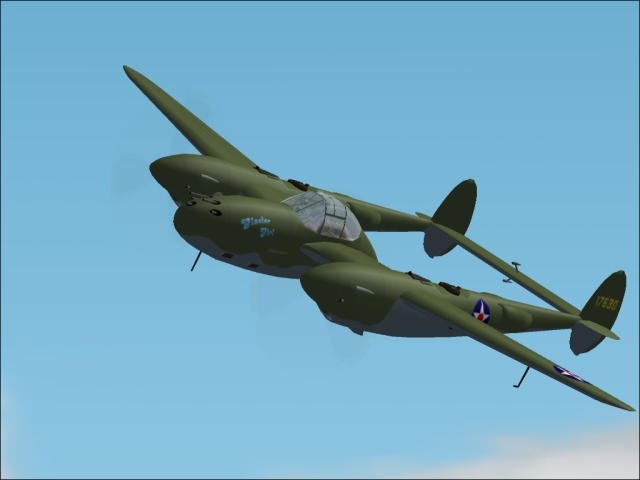
Istribitel The legendary World War II. For collectors.
→ Size:
10 MB
→ Date:
23 years ago (24.05.2003 01:17)
→ Author:
David C. Copley
→ License:
Freeware - Free version, Unlimited Distribution
→ Downloaded:
377 time(s)